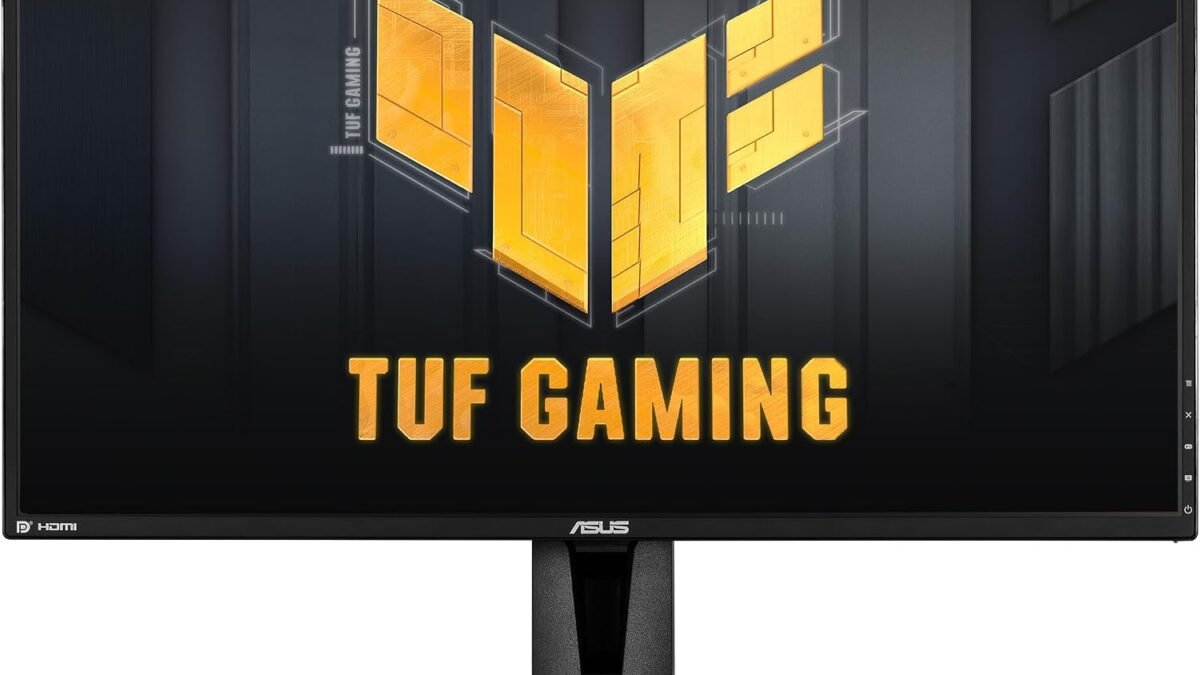
ASUS TUF Gaming VG27AQ
~$249.99- Best resolution-to-refresh-rate balance in this price range
- Wide, accurate IPS viewing angles
- Largest review base of any monitor on this list, proven reliability
- IPS glow visible in very dark scenes
- Stand is functional but not premium
- No USB-C connectivity
Bottom line: The ASUS TUF Gaming VG27AQ is the best 27-inch 165Hz gaming monitor for most buyers in 2026 — QHD, IPS, and G-SYNC Compatible with no real weak point.
Best 27-Inch 165Hz Gaming Monitors in 2026: Top Picks From Budget to Premium
If your GPU can push past 100fps and your monitor still caps out at 60Hz, you’re leaving performance on the table every time you play. A 27-inch 165Hz monitor is the current sweet spot: big enough to matter, fast enough to feel the difference over 60Hz immediately, and — as of 2026 — cheap enough that “budget” no longer means a washed-out panel. We compared five real options across the price range, from a $135 FHD panel to a $300 QHD Nano IPS display, so you can match the spec sheet to what you actually need instead of overpaying for headroom you won’t use.
Disclosure: DecodeGear may earn a commission from qualifying purchases made through the Amazon links below, at no extra cost to you.
Quick Verdict
| Monitor | Panel | Refresh | Price | Best For |
|---|---|---|---|---|
| KTC H27E22P | FHD VA | 240Hz (280Hz OC) | $134.99 | Highest refresh on a budget |
| Amazon Basics 27″ | FHD | 165Hz | $139.99 | Absolute cheapest entry |
| Samsung Odyssey G55C | QHD Curved VA | 165Hz | ~$249.99 | Immersion, single-player games |
| ASUS TUF Gaming VG27AQ | QHD IPS | 165Hz | ~$249.99 | Best all-rounder |
| LG UltraGear 27GP850-B | QHD Nano IPS | 165Hz | ~$299.99 | Color accuracy + competitive play |
1. KTC H27E22P — Fast VA, FHD (~$134.99)
Best for: squeezing the highest refresh rate out of the smallest budget
240Hz native (280Hz overclocked) at 1080p for under $135 — that’s a refresh rate most $250 monitors don’t hit.
Rating: 4.5/5 (1,249 ratings) | Price: $134.99
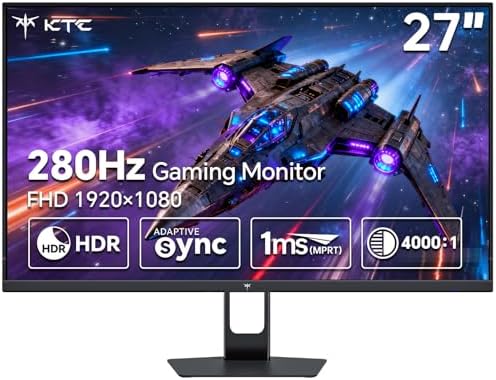
KTC isn’t a household name yet, but it’s carved out a real niche building fast VA panels at prices the big brands won’t match. The H27E22P’s 126% sRGB coverage won’t win a color-accuracy contest against the IPS panels further down this list, and VA’s slower pixel response means you’ll see more ghosting in fast-motion scenes than on an IPS screen at the same refresh rate. If you’re playing competitive shooters where every millisecond of clarity counts, that’s a real tradeoff, not a footnote.
Specs: 27″ FHD (1920×1080), Fast VA, 240Hz native / 280Hz OC, 1ms GTG, Adaptive-Sync, HDR support, HDMI + DisplayPort
Pros: Exceptional refresh-per-dollar, 1ms response, HDR support at this price is rare
Cons: VA ghosting in fast motion, FHD only, no G-SYNC/FreeSync certification (works via generic Adaptive-Sync)
2. Amazon Basics 27″ Gaming Monitor — FHD, 165Hz (~$139.99)
Best for: buyers who just want 165Hz and nothing else to think about
No frills, no brand cachet — just a 165Hz FHD panel backed by Amazon’s own return policy.
Rating: 4.6/5 (417 ratings) | Price: $139.99
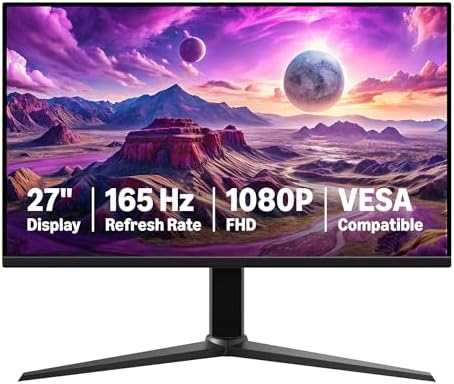
This is the monitor for someone who finds the whole “which panel type, which sync tech” conversation exhausting. It’s 1080p, it’s 165Hz, it’s VESA-mountable, and at $139.99 it’s actually $5 cheaper than the KTC above it while offering a lower refresh ceiling — proof that “budget” pricing in this category isn’t strictly tied to spec sheets. The panel type isn’t heavily marketed, which is usually a sign it’s a fairly generic TN or VA panel rather than anything class-leading; don’t expect the viewing angles or color depth of the IPS options further down.
Specs: 27″ FHD (1920×1080), 165Hz, 1ms response, Adaptive-Sync, VESA compatible
Pros: Lowest price of the group, simple setup, solid customer rating despite generic branding
Cons: Fewer refresh Hz than the KTC for a similar price, no standout feature, sparse spec disclosure from Amazon
3. Samsung Odyssey G55C (LS27CG552ENXZA) — QHD Curved, 165Hz (~$249.99)
Best for: single-player and open-world games where immersion matters more than flat-panel accuracy
1000R curvature wraps the edges of the screen into your peripheral vision — genuinely different from every flat panel on this list.
Rating: 4.5/5 (163 ratings) | Price: ~$249.99
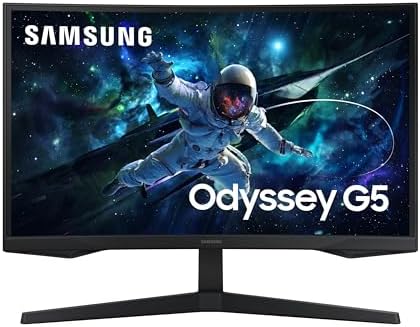
Samsung’s curved VA panel jumps you to QHD (2560×1440) and adds HDR10, and the 1000R curve is aggressive enough that you’ll notice it immediately — some people love that wraparound feel, others find it distracting for productivity work on the same screen. Worth knowing before you buy: curved monitors don’t wall-mount or multi-monitor-align as cleanly as flat panels, so factor that into your desk setup.
Specs: 27″ QHD (2560×1440), 1000R curved VA, 165Hz, 1ms(MPRT), HDR10, AMD FreeSync
Pros: QHD resolution at a mid-range price, genuine immersion factor, HDR10 support
Cons: Curve isn’t for everyone, fewer ratings than competitors (less track record), VA response times trail IPS in this price bracket
4. ASUS TUF Gaming VG27AQ — QHD IPS, 165Hz, G-SYNC Compatible (~$249.99)
Our Top Pick: ASUS TUF Gaming VG27AQ
QHD, IPS, G-SYNC Compatible, and 165Hz for around the same price as the curved Samsung — this is the one with no real weak point.
Score: 8.9/10 | Rating: 4.5/5 (1,361 ratings) | Price: ~$249.99
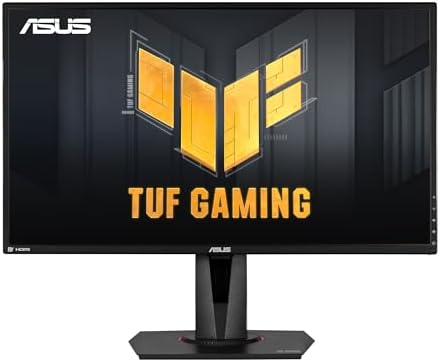
This is the monitor we’d point most people toward. IPS panels give up a little contrast compared to VA, so blacks on the VG27AQ won’t look as deep as on the Odyssey G55C in a dark room — but you get wider, more accurate viewing angles and faster pixel response in exchange, which matters more for actual gameplay than static contrast numbers do. G-SYNC Compatible certification means Nvidia GPU owners get a smoother variable refresh experience than generic Adaptive-Sync provides. It’s also the most-reviewed monitor on this list by a wide margin — 1,361 ratings is a real track record, not a new listing still building trust.
Specs: 27″ QHD (2560×1440), IPS, 165Hz (supports 144Hz native mode), 1ms, G-SYNC Compatible, Extreme Low Motion Blur, VESA mountable
Pros: Best resolution-to-refresh-rate balance here, wide viewing angles, largest review base (proven reliability), G-SYNC Compatible
Cons: IPS “glow” visible in very dark scenes, stand is functional but not premium-feeling, no USB-C
5. LG UltraGear 27GP850-B — QHD Nano IPS, 165Hz, G-SYNC Compatible (~$299.99)
Best for: buyers who want the most accurate colors and don’t mind paying $50 more for it
Nano IPS narrows the color gamut precision beyond standard IPS — noticeable if you also do photo or video work on the same screen.
Rating: 4.5/5 (787 ratings) | Price: ~$299.99
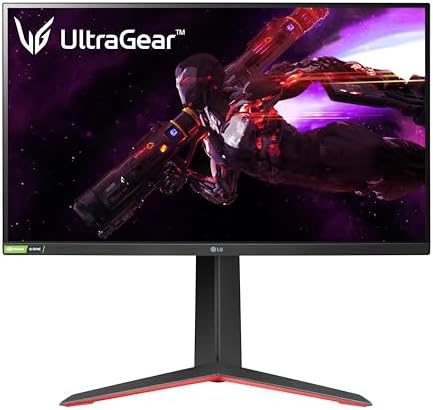
LG’s Nano IPS panel is the most color-accurate option on this list, with a tilt/height/pivot adjustable stand that the cheaper options skip entirely. The catch is straightforward: you’re paying roughly $50 more than the ASUS for the same resolution and refresh rate, and the difference is real but subtle — mostly relevant if you care about color work, not just frame rates. For pure gaming performance, the extra money buys you a nicer stand and marginally better color, not a faster or sharper picture.
Specs: 27″ QHD (2560×1440), Nano IPS, 165Hz, 1ms, G-SYNC Compatible, AMD FreeSync Premium, tilt/height/pivot stand
Pros: Best color accuracy of the group, adjustable stand included, strong build quality reputation
Cons: Priciest option here, marginal gaming-performance gain over the ASUS for the extra cost, occasional price swings (check current price before buying)
Which 165Hz Gaming Monitor Should You Buy?
If your budget is genuinely capped under $150, get the KTC H27E22P — it beats the Amazon Basics on refresh rate for about the same money. If you want the cleanest jump from a 60Hz monitor without overthinking panel types, the ASUS TUF Gaming VG27AQ is the one to buy; it’s the best-reviewed, most balanced option on this list and there’s no scenario where we’d talk someone out of it. Pick the Samsung Odyssey G55C only if you specifically want the curved, immersive feel for single-player games — it’s a preference call, not an upgrade. And get the LG UltraGear 27GP850-B if color accuracy matters to your work as much as your gaming, and $50 isn’t a dealbreaker.
If you’re building the rest of the rig around a new monitor, our budget gaming PC build guide walks through matching a GPU that can actually push 165fps at QHD. And if desk space is the real constraint rather than price, our handheld gaming PC roundup covers a completely different way to hit high refresh rates.
Frequently Asked Questions
Is QHD or FHD better for a 165Hz gaming monitor?
QHD (2560×1440) gives you a sharper image and more screen real estate, but it also demands significantly more GPU power to actually hit 165fps. If your graphics card struggles to average over 100fps at 1440p in the games you play, an FHD 165Hz panel like the KTC or Amazon Basics will feel smoother in practice than a QHD screen you can’t fully drive.
Do I need G-SYNC or FreeSync certification, or does generic Adaptive-Sync work fine?
Generic Adaptive-Sync (as on the KTC) still reduces screen tearing and works with both AMD and Nvidia GPUs. Official G-SYNC Compatible or FreeSync Premium certification (ASUS, LG) means Nvidia and AMD respectively have tested and validated the implementation, which typically means a wider, more reliable variable refresh range — worth the difference if you’re picky about it, not essential if you’re not.
What cable do I need to actually hit 165Hz?
DisplayPort is the safer bet across this whole list — every monitor here supports it, and it comfortably carries QHD at 165Hz. HDMI works too on most of these panels, but check the HDMI version; older HDMI 1.4 ports cap out well below 165Hz at QHD resolution, while HDMI 2.0+ handles it fine.
Is a 165Hz monitor still worth buying in 2026, or should I go higher?
240Hz and 360Hz panels exist, but the jump from 60Hz to 165Hz is where your eyes notice the biggest difference — going from 165Hz to 240Hz is a much smaller perceptual gain for a real price jump. Unless you’re playing competitively at a level where frames genuinely decide matches, 165Hz remains the practical sweet spot in 2026.
Leave a Reply