Amazon Fire TV Stick 4K Max
From $59.99- Fastest interface at this price point
- Largest app library and highest review count of the group
- Xbox Cloud Gaming support built in
- Ad-heavy home screen
- Deepens Amazon ecosystem lock-in
Bottom line: The Amazon Fire TV Stick 4K Max is the best streaming device for most people in 2026 — fast, cheap, and packed with app support, if you can live with an ad-driven home screen.
You already own four devices that can technically stream Netflix. None of them do it well — the smart TV app is slow to update, the console fan spins up like a jet engine just to load a menu, and the laptop-to-TV cable setup died with your last HDMI adapter. A dedicated streaming device fixes this for less than a dinner out, but “just buy the cheap Fire Stick” is bad advice for a surprising number of households shopping for the best streaming devices in 2026.
Affiliate disclosure: DecodeGear may earn a commission from qualifying purchases made through links in this article, at no extra cost to you.
We compared specs, current Amazon.com pricing, and verified customer ratings across the five streaming devices actually worth buying in 2026 — not last decade’s holdovers. Here’s the fast version, followed by the details on each.
Quick Verdict: Best Streaming Devices in 2026
| Device | Price | Rating | Best for |
|---|---|---|---|
| Amazon Fire TV Stick 4K Max | $59.99 | 4.6/5 (76,229) | Best overall value |
| Roku Ultra | $89.88 | 4.4/5 (98,747) | No ecosystem lock-in |
| Google TV Streamer | $99.98 | 4.4/5 | Smart-home hub duty |
| Apple TV 4K (3rd gen) | ~$249 | 4.7/5 (3,350) | Apple households |
| Nvidia Shield TV Pro | $199.00 | 4.0/5 (3,897) | Gaming & Plex power users |
1. Amazon Fire TV Stick 4K Max — Best Overall (~$60)
Our Top Pick: Amazon Fire TV Stick 4K Max
The best balance of price, speed, and app support — with the caveat that Amazon really wants you looking at ads.
Score: 8.6/10 | Price: $59.99
76,229 ratings at 4.6/5 is the largest, most consistent review base of anything in this comparison, and it holds up. The Fire TV Stick 4K Max ships with Wi-Fi 6E, HDMI 2.1, and a quad-core chip that’s genuinely faster than the previous generation — menus load without the half-second hang that made older Fire Sticks feel cheap. It now runs Xbox Cloud Gaming natively, so it doubles as a $60 game console for anyone with Game Pass Ultimate.
The catch is one you’ve probably already read about: the home screen is an ad platform first, an app launcher second. Alexa+ AI search is genuinely good at finding what you want across apps, but you’ll scroll past sponsored tiles to get there every time.
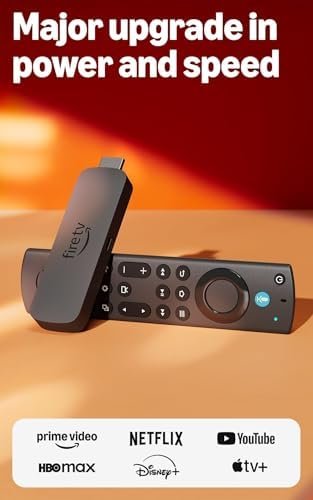
Specs: 4K UHD, Dolby Vision/Atmos, HDR10+ · Wi-Fi 6E · Bluetooth 5.2 · 16GB storage, quad-core CPU · HDMI 2.1 · Alexa+ voice search · Xbox Cloud Gaming support
Pros: Fastest interface at this price, largest app library, Xbox Cloud Gaming built in, excellent value
Cons: Ad-heavy home screen, locks you deeper into Amazon’s ecosystem
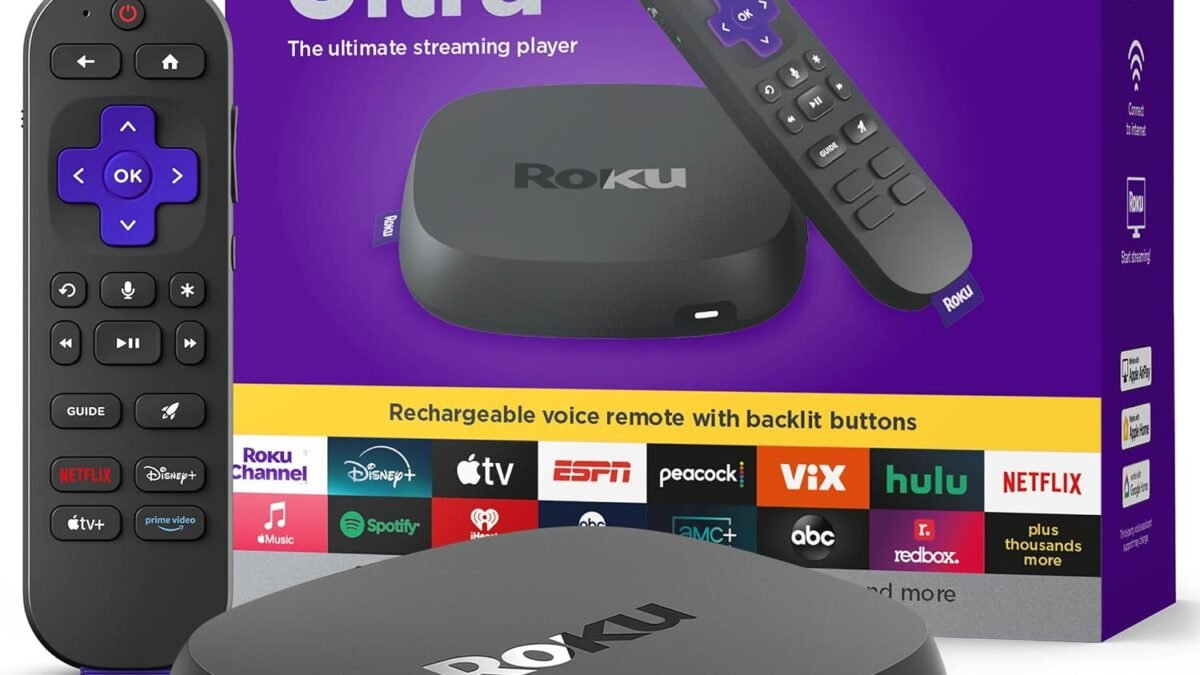
2. Roku Ultra — Best for Avoiding Ecosystem Lock-In (~$90)
Our Pick: Roku Ultra
No Amazon, Google, or Apple account required to actually use it — Roku OS just launches apps.
Score: 8.4/10 | Price: $89.88
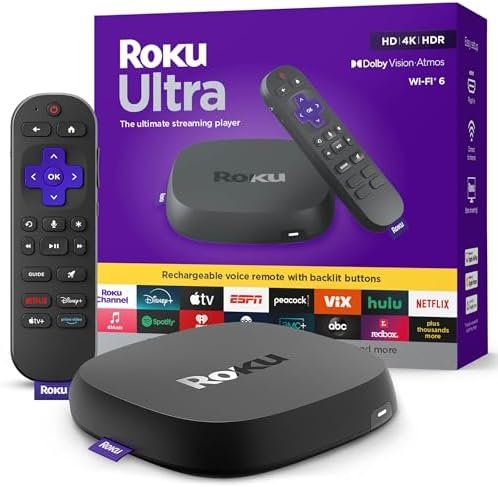
98,747 ratings — more than any other device here — and the strongest single argument for Roku is philosophical as much as technical: it doesn’t try to sell you anything beyond streaming. There’s no push toward a specific voice assistant, no smart-home upsell, just the fastest possible route to whatever app you already pay for. The Voice Remote Pro adds backlit buttons and a “find my remote” chime, which sounds trivial until it saves you fifteen minutes of couch-cushion archaeology.
Roku quietly raised its base pricing in 2026, which dents its old reputation as the budget pick — it’s now priced closer to Google’s and Nvidia’s boxes than to Amazon’s. You’re paying for neutrality, not for being the cheapest option on the shelf anymore.
Specs: 4K/HDR10+/Dolby Vision + Atmos · Wi-Fi 6 + Bluetooth · Ethernet port · Voice Remote Pro with lost-remote finder · Roku OS
Pros: No ecosystem lock-in, huge app catalog, best remote of the group, Ethernet port included
Cons: No longer the budget option it used to be, ads on the home screen too
3. Google TV Streamer — Best Smart-Home Hub (~$100)
Our Pick: Google TV Streamer
Built-in Ethernet and a Matter/Thread hub make this as much a smart-home purchase as a streaming one.
Score: 8.0/10 | Price: $99.98
Google replaced Chromecast with an actual box, not just a dongle, and the reasoning becomes clear once you notice the built-in Ethernet port and Thread radio — this thing wants to run your smart home, not just your Netflix queue. Gemini for TV handles conversational search (“something funny but not dumb, under 90 minutes”) better than any voice assistant we’ve seen documented on a streaming device.
The honest caveat: it’s the newest listing of the five, with a far smaller review base than the Fire TV Stick or Roku Ultra. That’s not a defect, but it means less real-world mileage has accumulated on it yet — worth knowing if you value a long public track record over a feature set.
Specs: 4K HDR up to 60fps, Dolby Vision/Atmos · 32GB storage, 4GB RAM · Wi-Fi, Bluetooth 5.1, HDMI 2.1, USB-C, built-in Ethernet · Gemini for TV · Matter/Thread hub
Pros: Only device with built-in Ethernet, doubles as a Matter/Thread smart-home hub, best voice search
Cons: Smallest review history of the five, Google account required to unlock the smart-home features
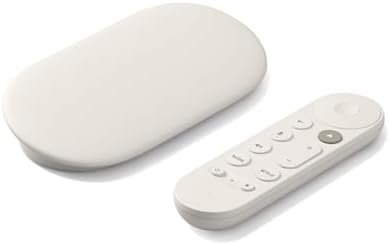
4. Apple TV 4K (3rd Generation) — Best for Apple Households (~$249)
Our Pick: Apple TV 4K
The highest-rated device in this entire comparison — if you can find one in stock.
Score: 8.8/10 | Price: ~$249
At 4.7/5 across 3,350 ratings, Apple TV 4K is the best-reviewed device here by a clear margin, and AirPlay/HomeKit/Handoff integration for an iPhone household is close to unmatched. Apple raised pricing to $249 in June 2026, and as of this writing Amazon.com shows no active listing in stock for any capacity — third-party retailers have reportedly discounted units as low as $139, but we can’t verify a live Amazon buybox right now, so we’re linking you to current search results instead of a dead product page. Check back, or compare live pricing directly, before assuming it’s unavailable everywhere.
A refreshed 4th-generation model is rumored for September 2026, which is worth factoring in if you’re not in a rush — buying the outgoing model at a hiked price with no confirmed restock date is a real risk right now, not a hypothetical one.
Specs: 4K Dolby Vision/HDR10+, Spatial Audio/Dolby Atmos · A-series chip · tvOS · Thread support · doubles as a Matter hub
Pros: Highest rating of the five, best AV/OS polish, deep Apple ecosystem integration
Cons: Most expensive, currently hard to buy new on Amazon, refresh rumored for September
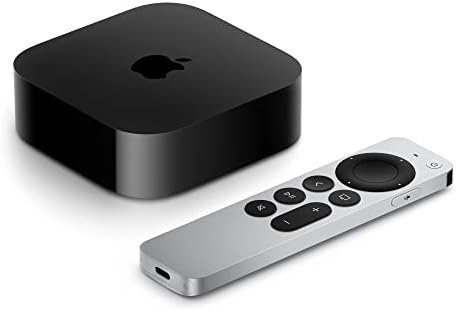
5. Nvidia Shield TV Pro — Best for Gaming and Plex (~$199)
Our Pick: Nvidia Shield TV Pro
The only box here with real USB ports, AI upscaling, and a proper Plex Media Server built in.
Score: 7.8/10 | Price: $199.00
If you’re ready to buy, most people should stop at the Fire TV Stick or Roku Ultra above — but if you run a Plex library, sideload Android apps, or want game-streaming and emulation flexibility, nothing else here comes close. Two USB 3.0 ports mean actual external storage, not just a cloud subscription, and Nvidia’s AI upscaling genuinely improves lower-resolution sources on a 4K panel.
The uncomfortable truth, at 4.0/5 — the lowest rating of the five — is that Nvidia has quietly discontinued the entry-level Shield TV and won’t confirm long-term plans for the Pro either. It also still lacks AV1 and HDR10+ decoding, a real gap against boxes half its price. Buy it for what it does today, not for where Nvidia says it’s going.
Specs: Tegra X1+ chip, 3GB RAM, 16GB storage · Dolby Vision/Atmos · AI upscaling to 4K · 2x USB 3.0 ports · built-in Plex Media Server · Android TV OS
Pros: Real USB expansion, best-in-class Plex server, AI upscaling, deepest Android TV app support
Cons: Lowest rating here, no AV1/HDR10+ support, Nvidia is vague about its future
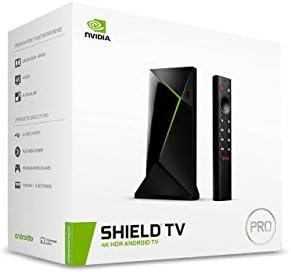
Which One Should You Buy?
Buying on price alone, the Fire TV Stick 4K Max wins — it’s the cheapest device with the interface speed to match boxes twice its price, and Xbox Cloud Gaming support is a legitimate bonus few reviews mention. If the ad-driven home screen bothers you more than $30 matters, the Roku Ultra is the neutral alternative that treats you like a customer, not an ad impression.
If you’re already deep in Google’s smart-home ecosystem — Nest cameras, Thread locks, a house full of Matter devices — the Google TV Streamer earns its higher price by doing hub duty most boxes can’t. Apple households should default to the Apple TV 4K on review quality alone, with the caveat that you may need to hunt for stock or wait on the rumored September refresh. And if your streaming box also needs to be a Plex server or an emulation machine, the Shield TV Pro remains the only real option here, uncertain long-term roadmap and all.
We go much deeper on the display side of this decision in our guide to picking a smart TV — worth reading if you’re buying both a TV and a streaming box at the same time. And if 4K picture quality is the actual bottleneck rather than the box feeding it, our Sony Bravia 9 review covers what’s actually changed since the newer model launched. Budget-first shoppers should also check our best TVs under $500 roundup before spending on a premium streaming box for a mid-range panel.
Frequently Asked Questions
Do I need a 4K streaming device if my TV is already smart?
Usually yes. Built-in smart TV platforms get slower with every firmware update and rarely receive new features after year two. A $60 external box like the Fire TV Stick 4K Max is often faster than the TV it’s plugged into, even on a TV bought within the last two years.
What’s the actual difference between these and just using my game console?
Boot time and interface focus, mostly. A PS5 or Xbox Series X can stream everything on this list, but takes longer to wake and buries streaming apps behind a games-first menu. A dedicated box is built to get you into an app in under five seconds.
Is Dolby Vision worth paying extra for?
Only if your TV supports it — every device here can output Dolby Vision, but the picture improvement only happens if your display can decode it. Check your TV’s spec sheet before treating this as a deciding factor between boxes.
Which of these has the least intrusive ads on the home screen?
None of them are ad-free, but Roku’s ad presence is generally considered the least aggressive of the group, followed by Google TV Streamer. Fire TV’s home screen carries the most sponsored content, which tracks with Amazon’s business model for the device.
Leave a Reply