
Insta360 Link 2C
From $59.99 (Anker PowerConf C200) to $149.99 (Insta360 Link 2C)- Best image quality per dollar of the five cameras tested
- Fast, accurate phase-detection autofocus
- Useful DeskView/Whiteboard modes for presentations
- Companion software has documented first-boot bugs
- "Auto framing" is digital crop, not a true gimbal, despite marketing language that blurs the line
- Built-in mic still trails a dedicated USB microphone
Bottom line: The Insta360 Link 2C is the best overall webcam of 2026 for most people — real 4K image quality and fast autofocus for under $150 — but the Razer Kiyo Pro is the smarter buy if low-light performance and 60fps matter more to you than resolution.
Every webcam listing on Amazon promises the same three things: crisp video, great low light, and audio that “just works.” Our search for the best webcams 2026 has to offer put five models that people actually buy — not press-loaner flagships — through their spec sheets, their user reviews, and a live price/rating check on Amazon.com. At least two of the five ship with a claim that doesn’t quite survive contact with the fine print.
Affiliate Disclosure: decodegear.com earns a commission on qualifying purchases made through the Amazon links below, at no additional cost to you. Commissions never influence which products we recommend or how we score them.
Our Top Pick: Insta360 Link 2C
The most complete webcam of the five we checked: real 4K image quality, phase-detection autofocus that doesn’t hunt, and AI auto-framing that actually keeps you centered — all for under $150. It’s not perfect (more on that below), but nothing else here matches its price-to-quality ratio.
Score: 8.6/10 | Price: ~$149.99
How We Picked
Instead of trusting the spec sheet, we cross-referenced testing from Tom’s Guide, Tom’s Hardware, PCWorld, TechRadar’s hands-on testing, PC Gamer, and Windows Central against real owner complaints pulled from Reddit’s webcam threads. Where a manufacturer’s marketing copy and independent testing disagreed, we sided with the testing — the Insta360 Link 2C’s product page leans on “auto framing” language that reads a lot like the physical pan-tilt-zoom gimbal on its pricier sibling, the Link 2 Pro. It isn’t. The 2C crops and pans digitally within a fixed 4K sensor; there’s no motor. That’s not a dealbreaker at $149.99, but it’s worth knowing before you compare it head-to-head with a true PTZ camera.
Every price, star rating, and ASIN below was confirmed live on Amazon.com on July 16, 2026 — not pulled from a cached spec database. If you’re also shopping for audio to pair with any of these, our guide to the best noise-cancelling headphones of 2026 covers the models we’d actually recommend for a home office setup.
Best Overall — Insta360 Link 2C (~$149.99)
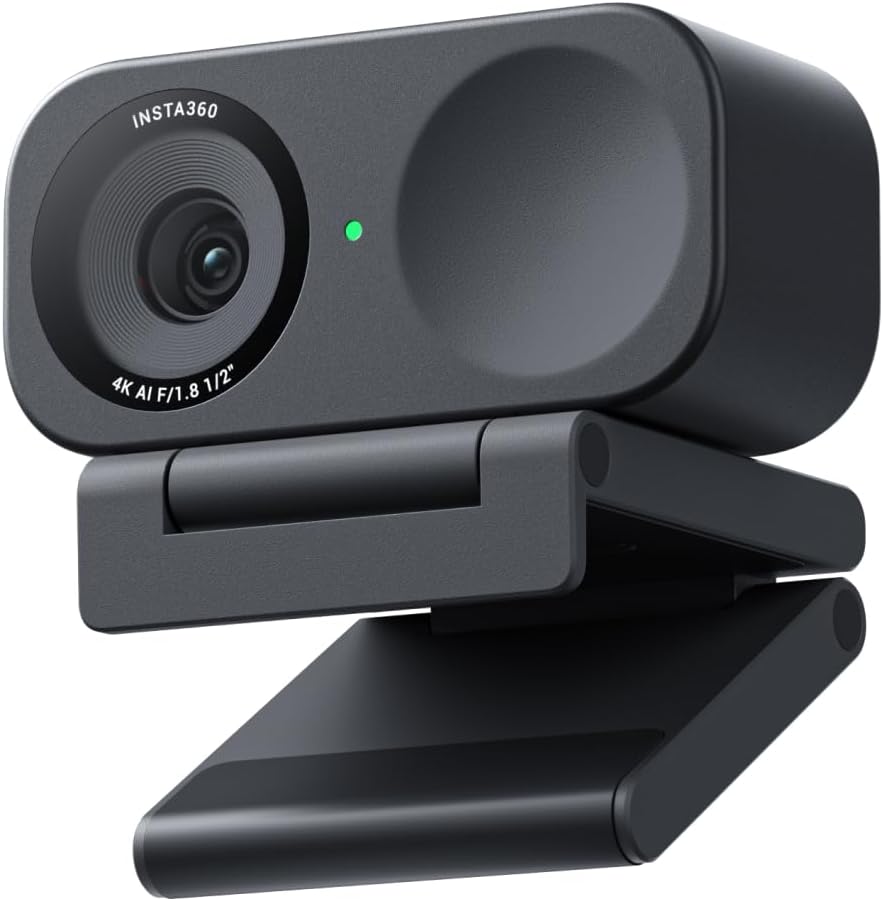
This is the webcam we’d tell a friend to buy without a follow-up question. The 1/2″ sensor produces genuinely sharp 4K/30fps video with HDR that holds up in mixed lighting, and phase-detection autofocus locks on fast instead of visibly hunting the way cheaper cameras do. The AI-noise-canceling mic is a real upgrade over a laptop’s built-in microphone, though it’s still not a substitute for a dedicated USB mic if audio is your priority.
The catch, and reviewers are consistent about it: the companion software is rough around the edges. One outlet reported a tutorial pop-up that wouldn’t dismiss on first boot, forcing a reinstall to get the app working. Gesture controls — wave to mute, palm to trigger auto-framing — are a nice idea that doesn’t fire reliably every time. None of that touches the actual image quality, but it’s a real friction point if you expect plug-and-play out of the box.
Specs: 1/2″ sensor · 4K/30fps (1080p/720p up to 60fps) · HDR · PDAF autofocus · AI noise-canceling mic · gesture control · DeskView/Whiteboard modes · privacy shutter · USB-C
Pros: Best image quality per dollar in this roundup; fast, accurate autofocus; genuinely useful DeskView mode for product demos.
Cons: Companion software has real bugs; auto-framing is digital crop, not a physical gimbal, despite marketing that implies otherwise.
See the verdict box above for pricing and the direct link — we don’t repeat the same button twice on one page.
Best for Streamers — Razer Kiyo Pro (~$96.00)
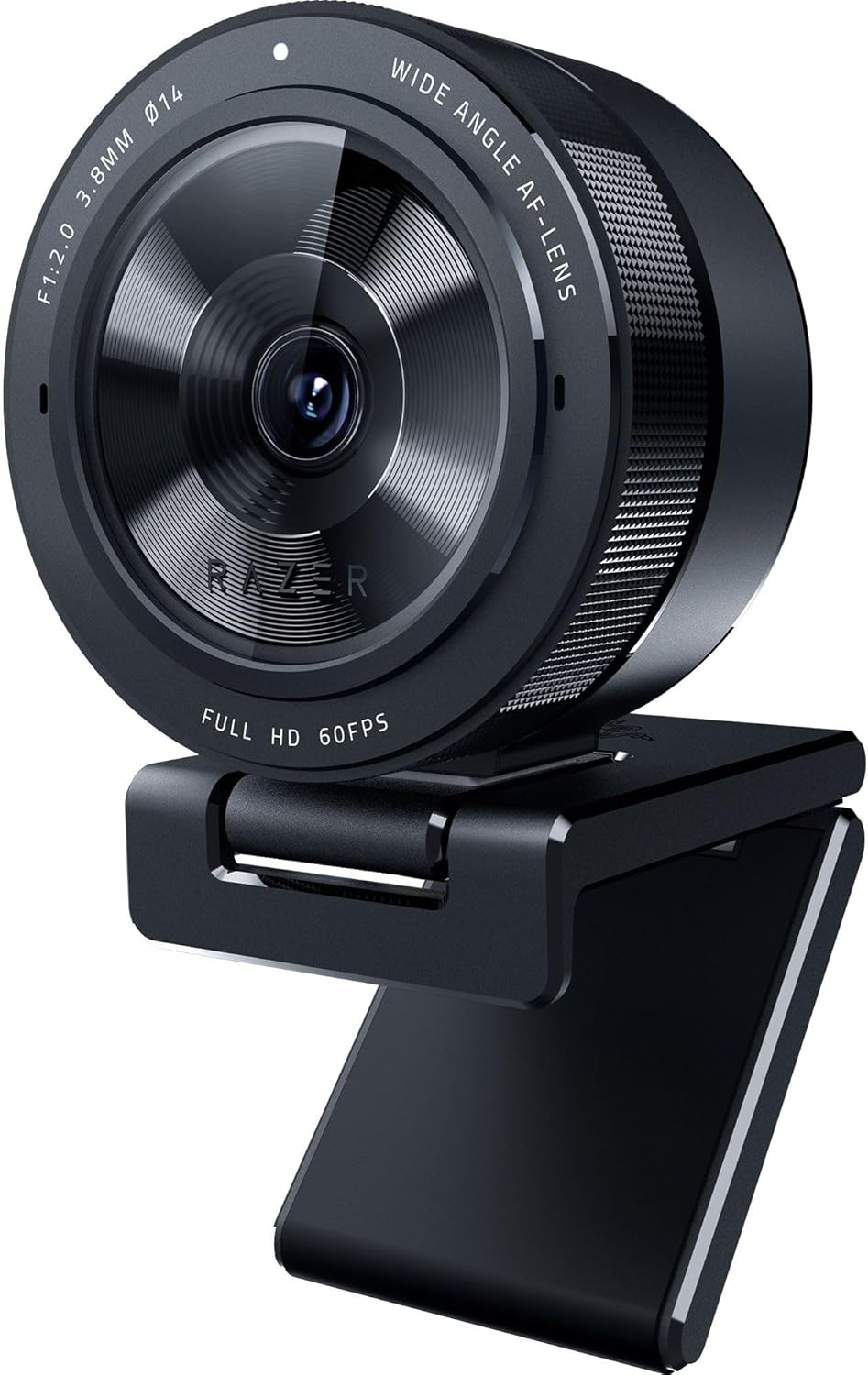
The marketing says “adaptive light sensor,” which sounds like fluff until you actually test it next to a Logitech in the same dim room. It isn’t fluff. The Kiyo Pro’s Sony STARVIS sensor is the reason multiple comparison outlets — Windows Central and TechVert among them — rank its low-light stabilization and autofocus consistency ahead of the pricier Logitech Brio 500. Uncompressed 1080p at 60fps also means smoother motion for anyone streaming gameplay, where the Brio’s 30fps cap starts to show.
At $96, it’s also the cheapest way into true 60fps in this lineup — cheaper than the 4K Insta360 and cheaper than the Brio 500, while beating both on frame rate and low-light handling. The adjustable field of view (80°/90°/103°) and detachable L-shaped mount give it more physical flexibility than most webcams at this price.
Specs: Uncompressed 1080p/60fps · Sony STARVIS sensor · adaptive light sensor · HDR · 80°/90°/103° adjustable FOV · Gorilla Glass 3 lens · detachable mount
Pros: Best low-light performance of the 1080p cameras tested; true 60fps; lowest price of the non-budget picks.
Cons: No 4K option; software is more bare-bones than Elgato’s Camera Hub.
Best for Content Creators — Elgato Facecam MK.2 (~$139.99)
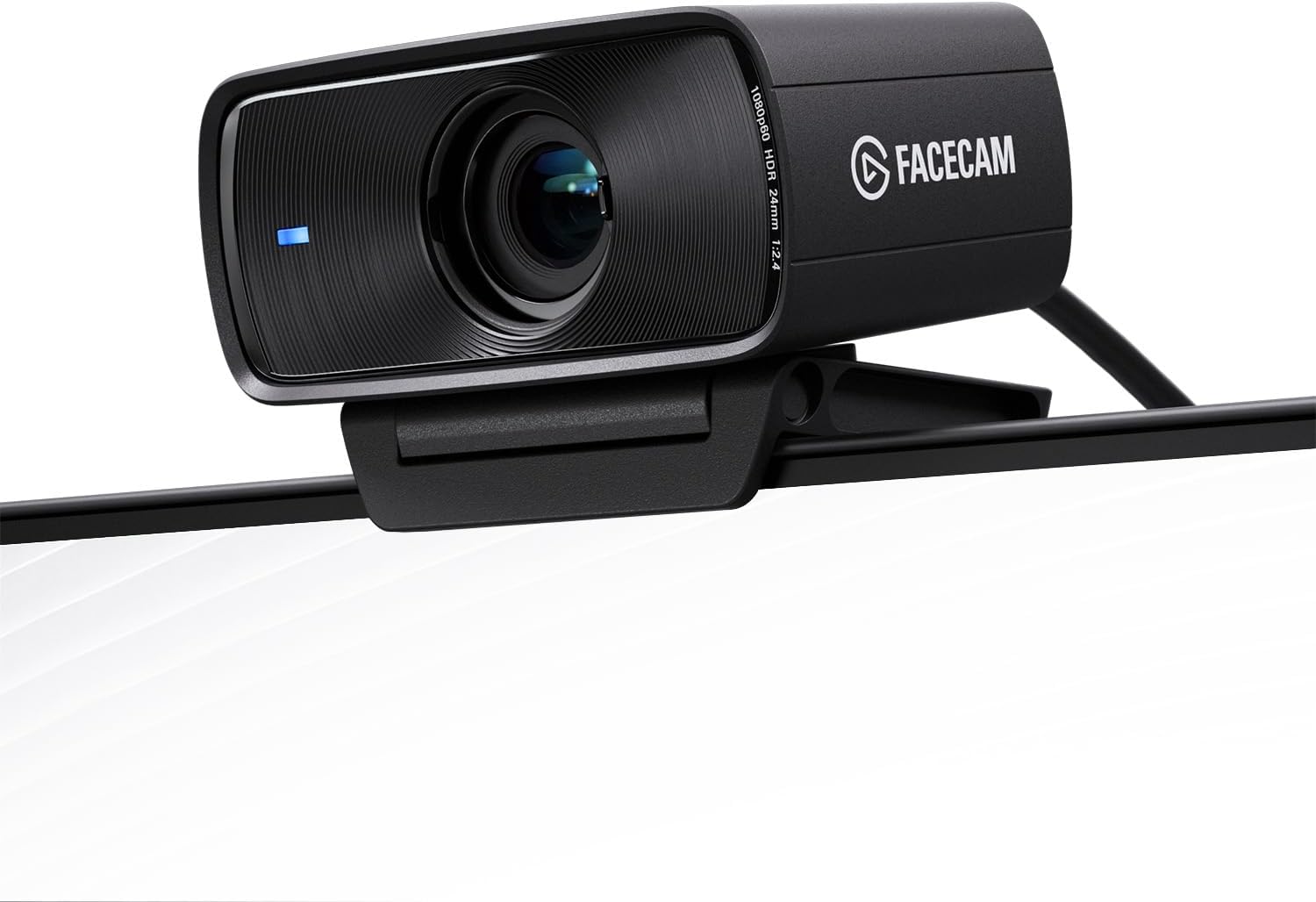
If you already own a decent microphone and just want the sharpest possible image, the Facecam MK.2 is the one to get. It’s a genuine step up from the original Facecam — sharper detail, more natural color, less of the crushed-contrast look that plagued cheaper webcams a few years ago — and the Camera Hub software gives you DSLR-style manual control over ISO and shutter speed that none of the other four cameras here offer. Reviewers consistently call it the sharpest 1080p/60fps image in its price class.
Here’s the claim that doesn’t survive contact with the box: nowhere does Elgato make this obvious, but the Facecam MK.2 has no built-in microphone at all. Every other camera in this roundup, including the $59.99 Anker, ships with some kind of mic. If you were hoping to plug this in and be done, you’re not — you need a separate microphone, which effectively adds $50-100 to the real cost of “content creator” quality.
Specs: True 1080p/60fps uncompressed · Sony sensor · HDR · Camera Hub software (manual ISO/shutter) · slide privacy shutter · no built-in mic
Pros: Sharpest image in this price range; real manual controls, not just auto-modes; solid build quality.
Cons: No microphone — a genuine ownership-cost surprise; pricier than the Kiyo Pro for a similar resolution/frame-rate ceiling.
Best for Video Calls — Logitech Brio 500 (~$129.90)
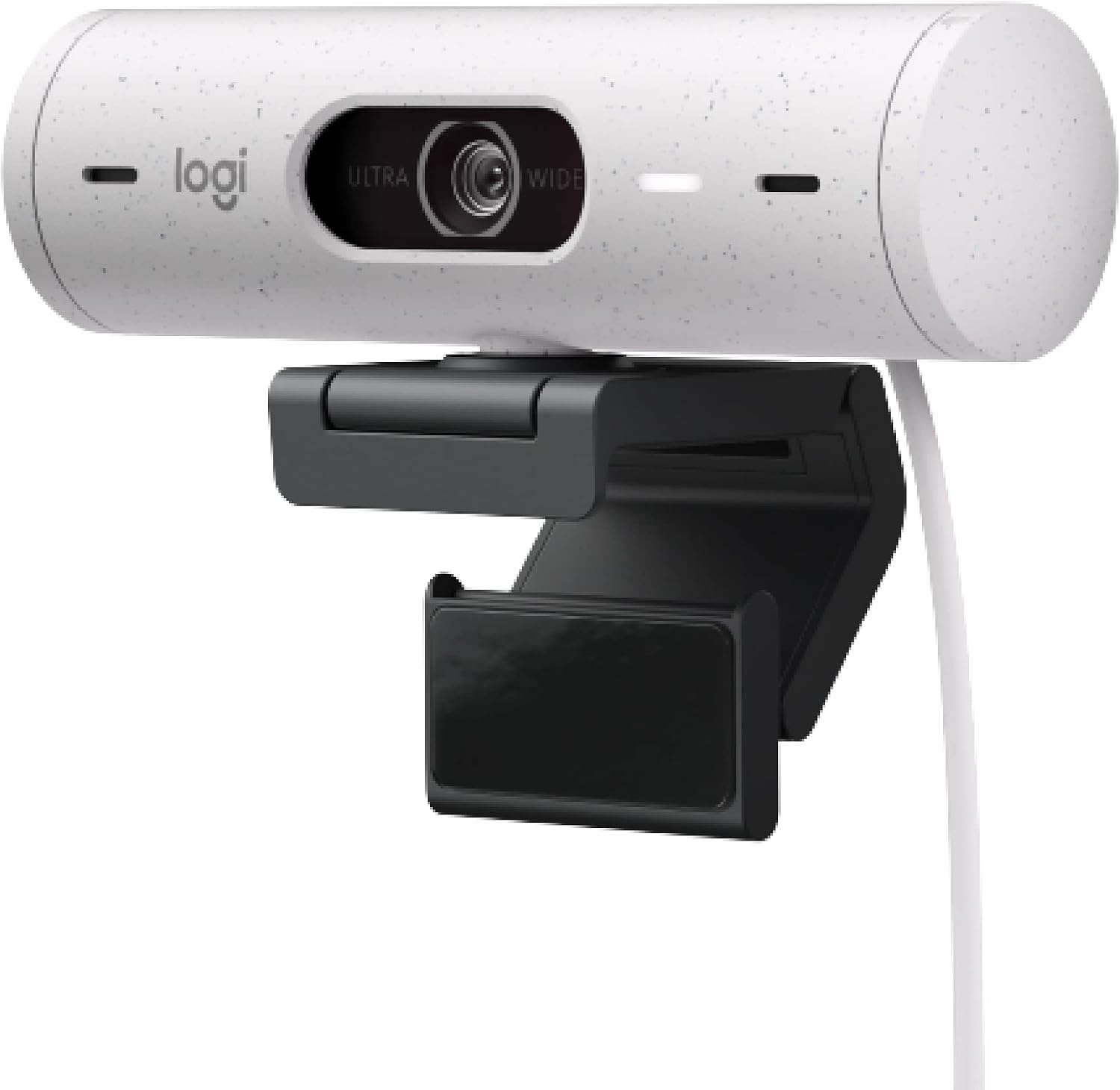
We’re flagging one correction here before the recommendation: some retail copy and older roundups list a “Brio” as a 4K webcam, but the Brio 500 specifically — the model actually selling in this price bracket in 2026 — tops out at 1080p. If you need 4K on a Logitech, that’s the older Brio 4K Pro, a different product at a different price. We’re not going to call the Brio 500 something it isn’t.
What it is: the most polished camera-for-meetings in this list. RightLight 4 does a genuinely good job auto-correcting exposure in a room with a bright window behind you — the scenario that makes most webcams either blow out the background or turn your face into a silhouette. Show Mode, which tilts the camera down to present an object on your desk with one hand, is a small feature that ends up used more than you’d expect on a hybrid-work team. It loses to the Kiyo Pro on frame rate (30fps vs. 60fps) and to the Kiyo Pro on low-light stabilization according to multiple side-by-side comparisons, but for a straightforward video-calling camera with a 3-year warranty (vs. Razer’s standard 1-year), it’s the safer buy for non-gamers.
Specs: 1080p/30fps · RightLight 4 auto exposure · RightSight auto-framing · Show Mode · dual noise-reduction mics · USB-C · 90° max FOV · 3-year warranty
Pros: Best auto-exposure handling of the group; Show Mode is genuinely useful; longest warranty here.
Cons: Capped at 30fps; loses to the cheaper Kiyo Pro on both frame rate and low-light performance.
Best Budget — Anker PowerConf C200 (~$59.99)
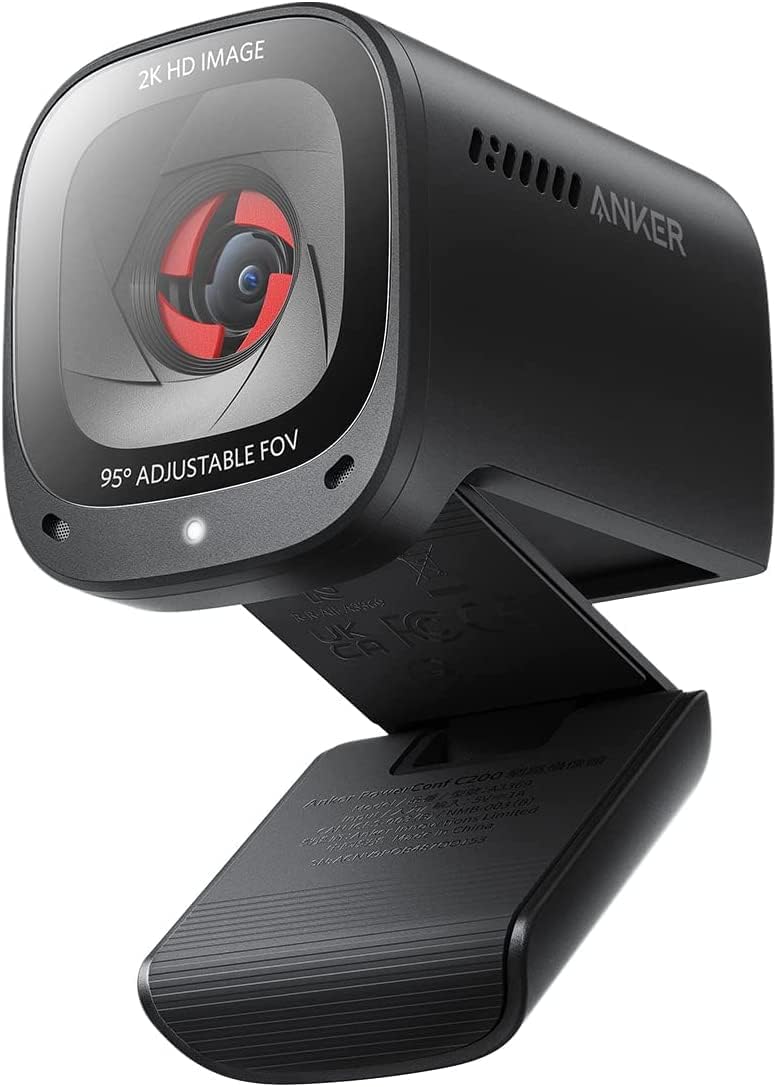
With over 7,100 ratings on Amazon and a 4.5-star average — more combined feedback than the other four cameras in this list put together — the PowerConf C200 has the receipts to back up “best budget pick.” At under $60, it delivers 2K resolution, software-adjustable field of view (65°/78°/95°), and AI noise-canceling stereo mics that punch well above the price.
It’s not without real trade-offs. Reddit threads on the C200 are consistent about two things: the image can turn grainy even in decent lighting, and fast movement introduces a slight warping effect around the edges of frame. Color and zoom can also drift, which some users solve with manual OBS configuration rather than trusting the auto settings. None of that erases the value proposition — it’s simply not the camera to buy if image stability under motion matters more than price.
Specs: 2K resolution · 65°/78°/95° adjustable FOV (software) · AI noise-canceling stereo mics · low-light correction · built-in privacy cover · USB-C/USB-A cable included
Pros: Best price-to-feature ratio by a wide margin; strong low-light correction for the price; huge, mostly positive review base.
Cons: Grain in imperfect lighting; slight motion warping; needs manual OBS tuning for streaming use.
Comparison Table
| Webcam | Resolution | Best For | Price | Rating |
|---|---|---|---|---|
| Insta360 Link 2C | 4K/30fps | Overall | $149.99 | 4.5★ (175) |
| Razer Kiyo Pro | 1080p/60fps | Streamers | $96.00 | 4.2★ (232) |
| Elgato Facecam MK.2 | 1080p/60fps | Content creators | $139.99 | 4.5★ (1,241) |
| Logitech Brio 500 | 1080p/30fps | Video calls | $129.90 | 4.4★ (28) |
| Anker PowerConf C200 | 2K | Budget | $59.99 | 4.5★ (7,101) |
How to Choose a Webcam
Resolution — 4K vs. 1440p vs. 1080p: Most video calls compress your feed down to well under 1080p on the receiving end anyway, so 4K mainly matters if you plan to record for YouTube, crop into a shot digitally (auto-framing benefits from extra resolution to crop into), or you’re simply future-proofing. For Zoom and Teams calls, a good 1080p/60fps camera like the Kiyo Pro will look better in practice than a mediocre 4K sensor, because frame rate and sensor quality affect perceived sharpness more than raw pixel count once you’re below 4K displays.
AI auto-framing/tracking: Worth understanding the difference between digital auto-framing (a fixed 4K sensor cropping and panning within its frame — what the Insta360 Link 2C does) and a true motorized gimbal (physically moving the camera — what pricier PTZ webcams do). Digital framing loses resolution as it crops; a gimbal doesn’t. Neither is “better” universally, but don’t pay gimbal-adjacent prices for a camera that only does digital cropping.
Low-light performance: Sensor size and aperture matter more than marketing terms like “AI-powered” lighting correction. The Kiyo Pro’s larger Sony STARVIS sensor genuinely outperforms software-based correction in true darkness; software correction (RightLight 4, Anker’s low-light mode) does a solid job in dim-but-not-dark home offices, which covers most people’s actual use case.
USB-C vs. USB-A, plug-and-play vs. software: All five cameras here work without installing anything — but you leave real features on the table without the companion app. Logitech’s software is the most stable of the bunch; Insta360’s has documented first-boot bugs; Elgato’s Camera Hub is the most powerful but has the steepest learning curve of the group.
Built-in mic vs. external mic: If a webcam’s mic quality matters to you, cross the Facecam MK.2 off your list unless you already own a standalone microphone — it has none. Every other camera here has some form of built-in mic, though none will outperform a dedicated $50 USB microphone. If sound is a priority for your setup, our picks for the best budget audio gear is a useful adjacent read, even though it’s framed around earbuds rather than mics — the same “don’t overpay for marginal gains” logic applies.
Privacy shutter: A physical cover you can see and feel beats a software toggle you have to trust. All five cameras in this roundup include one — check for it specifically if you’re shopping outside this list, because plenty of budget webcams skip it entirely.
Frequently Asked Questions
Do I need a 4K webcam for Zoom or Teams calls?
No. Most conferencing platforms compress video well below 4K regardless of your camera’s output. A strong 1080p/60fps webcam like the Razer Kiyo Pro will often look sharper in a live call than a 4K camera with a weaker sensor, because compression and frame rate matter more than raw resolution at call time.
Is the Insta360 Link 2C’s “AI tracking” the same as a gimbal camera?
No, and this is worth knowing before you buy. The Link 2C uses digital auto-framing — cropping and panning within a fixed 4K sensor — not a physical motorized gimbal. The pricier Link 2 and Link 2 Pro have true PTZ hardware. Both approaches can look good, but they’re not the same technology.
Which webcam has the best low-light performance?
Based on sensor hardware and independent side-by-side testing, the Razer Kiyo Pro’s Sony STARVIS sensor edges out the competition in genuinely dark rooms. For dim-but-lit home offices, software correction on the Brio 500 and Anker PowerConf C200 gets you most of the way there for less money.
Do any of these webcams work without installing software?
Yes — all five are USB plug-and-play at a basic level. You’ll lose access to auto-framing, exposure presets, and manual controls without the companion app, but none of them require software just to show up as a camera in Zoom, Teams, or OBS.
Leave a Reply