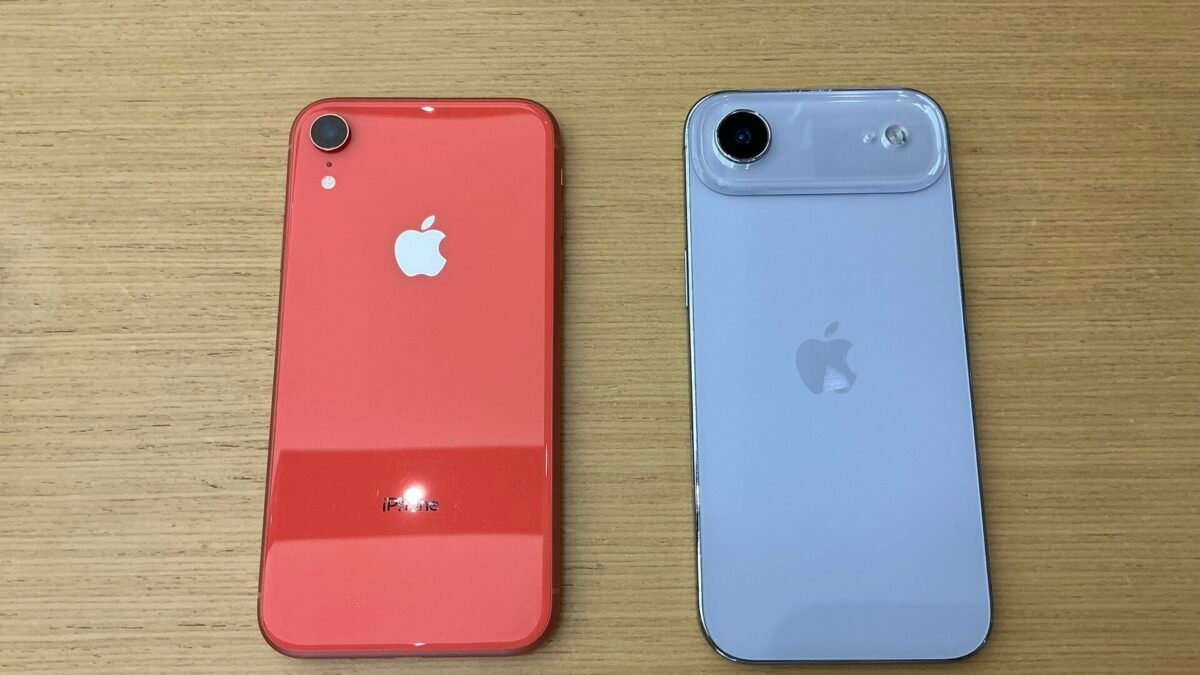
On October 26, 2026, Apple released security updates for its current and older systems on the same day. Its security releases list shows iOS and iPadOS 27.2, iOS and iPadOS 26.7.2, iOS and iPadOS 18.7.11, macOS Golden Gate 27.2, macOS Tahoe 26.7.2, macOS Sequoia 15.8.2, Safari 27.2, tvOS 27.2, watchOS 27.2 and visionOS 27.2. The release that needs the quickest attention is the smallest one. iOS 18.7.11, for the iPhone XS, iPhone XS Max, iPhone XR and the 7th-generation iPad, fixes a flaw that Apple says “may have been exploited in an extremely sophisticated attack against specific targeted individuals.”
Which of these updates you need depends on the device and on the version it runs now. The table below matches each one to Apple’s list. After that: what the exploited flaw is, a camera-permission fix that appears in most of the notes, how to install, and what the list shows for Macs on macOS Sonoma.
Which update does your device need?
| Device | Update listed on October 26 | Note |
|---|---|---|
| iPhone 11 or later on iOS 27 | iOS 27.2 | Also listed for newer iPads (see below) |
| iPhone 11 or later still on iOS 26 | iOS 26.7.2 | Apple lists iOS 26.7.2 for iPhone 11 and later |
| iPhone XS, iPhone XS Max, iPhone XR | iOS 18.7.11 | Includes the exploited CoreGraphics fix |
| iPad Pro 12.9-inch (4th gen) and later, iPad Pro 11-inch (2nd gen) and later, iPad Air (4th gen) and later, iPad (9th gen) and later, iPad mini (6th gen) and later | iPadOS 27.2 | Or iPadOS 26.7.2 if the iPad is still on iPadOS 26 |
| iPad Pro 12.9-inch (3rd gen), iPad Pro 11-inch (1st gen), iPad Air (3rd gen), iPad (8th gen), iPad mini (5th gen) | iPadOS 26.7.2 | Listed for 26.7.2, not for 27.2 |
| iPad (7th gen) | iPadOS 18.7.11 | Includes the exploited CoreGraphics fix |
| Mac on macOS Golden Gate | macOS Golden Gate 27.2 | |
| Mac on macOS Tahoe | macOS Tahoe 26.7.2 | Safari 27.2 is also listed for Tahoe |
| Mac on macOS Sequoia | macOS Sequoia 15.8.2 | Safari 27.2 is also listed for Sequoia |
| Mac on macOS Sonoma | None listed | Latest Sonoma entry: 14.8.9, August 6, 2026 |
| Apple TV 4K (2nd gen) and later | tvOS 27.2 | |
| Apple TV HD, Apple TV 4K (1st gen) | tvOS 26.6.1 | Apple says this update has no published CVE entries |
| Apple Watch Series 9 and later | watchOS 27.2 |
The iPad rows need the closest look. Apple’s notes for iPadOS 27.2 list the iPad Pro 12.9-inch from the 4th generation, the iPad Air from the 4th generation, the iPad from the 9th generation and the iPad mini from the 6th generation. The notes for iPadOS 26.7.2 go one generation further back on each line. If your iPad is one of those older models, iPadOS 26.7.2 is the update Apple lists for it.
The exploited flaw, and why older iPhones got the fix later
The flaw is CVE-2026-86950, in Apple’s CoreGraphics component. Apple’s notes for iOS 18.7.11 say “processing a maliciously crafted file may lead to arbitrary code execution,” and that Apple is aware of a report that it may have been exploited against specific targeted individuals “on versions of iOS before iOS 27.” Apple describes the fix as an out-of-bounds write “addressed with improved bounds checking.”
This is not the first fix for that flaw. Apple’s notes for iOS 26.7.1, released September 28, 2026, list the same CVE with the same warning for the iPhone 11 and later and for the iPads on iPadOS 26. iOS 18.7.11 brings it to the iPhone XS, iPhone XS Max, iPhone XR and 7th-generation iPad four weeks later. So if you own one of those four devices, this is the update to install first.
Apple’s note describes an attack on “specific targeted individuals,” not on iPhone owners in general. That points to a lower risk for a typical owner, but the fix only protects a device once it is installed, and the iOS 18.7.11 notes list two more fixes besides this one.
Another fix in most of the notes: camera access
CVE-2026-86990 is in CoreMedia. Apple’s notes describe the impact as “a malicious app may be able to access the camera without user permission” and the fix as “improved access restrictions.” It appears in the notes for iOS and iPadOS 27.2, 26.7.2 and 18.7.11, macOS Golden Gate 27.2 and macOS Tahoe 26.7.2. Apple does not mark it as exploited. Of the October 26 notes we read, only iOS 18.7.11 carries Apple’s exploitation warning, and that warning is about CVE-2026-86950.
How to install the update
- iPhone or iPad: Apple’s update guide says to back up the device, plug it into power and connect to Wi-Fi. Then open Settings, tap General, tap Software Update, and tap Download and Install if an update is available. Under Automatic Updates, the Automatically Install option downloads and installs updates overnight while the device is charging and on Wi-Fi.
- Mac: open System Settings, click General, then Software Update. Apple’s Mac update guide says you will be asked for your administrator password, and to let the installation finish without putting the Mac to sleep or closing its lid. Software Update only offers software that is compatible with your Mac.
On an iPhone or iPad, the Software Update screen shows the version currently installed, so you can compare it with the table above once the update finishes.
If your Mac runs macOS Sonoma
Apple’s list has no macOS Sonoma update dated October 26. The most recent Sonoma entry on the list is macOS Sonoma 14.8.9, from August 6, 2026. Safari works the same way: Safari 27.2 is listed for macOS Sequoia and macOS Tahoe, and the last Safari entry that names Sonoma is Safari 26.6.1, from August 18, 2026.
The list does not say Sonoma support has ended, so do not read it that way. What it does show is that the October fixes, including the camera-permission fix above, reached Golden Gate and Tahoe, while Sequoia got its own 15.8.2 update and Sonoma got nothing on that date. Software Update shows the updates and upgrades that are compatible with your Mac, so open it to see whether a newer macOS is offered. If none is, keep your apps up to date and be careful with files and apps from sources you do not know.
For other devices with update deadlines, see our explainers on Windows 11 24H2 reaching end of updates and how long ChromeOS devices get updates.
How we checked: this article is based on Apple’s security releases list and its security notes for iOS 27.2, 26.7.2, 26.7.1 and 18.7.11, macOS Golden Gate 27.2, Tahoe 26.7.2 and Sequoia 15.8.2, plus Apple’s update guides for iPhone, iPad and Mac, all read on October 31, 2026. Device lists, version numbers and CVE descriptions are Apple’s. DecodeGear has not tested these updates or the vulnerabilities.
Leave a Reply