Every budget build guide from three years ago is useless right now, and it’s not because the parts changed — it’s because the math changed. GDDR and DRAM have been climbing since late 2025 on the back of AI datacenter demand, and a $600 budget gaming PC in 2026 buys a noticeably different spec sheet than it did in 2023. This guide is built around what that money actually gets you today, tier by tier, and the mistakes that waste more of your budget than any single part choice.
What you’ll learn: how to spec a build at $600, $900, and $1200, which component is never worth cutting corners on, and the four mistakes that quietly ruin more budget builds than bad luck ever does.
Start With the CPU/GPU Pairing, Not the Brand You Like
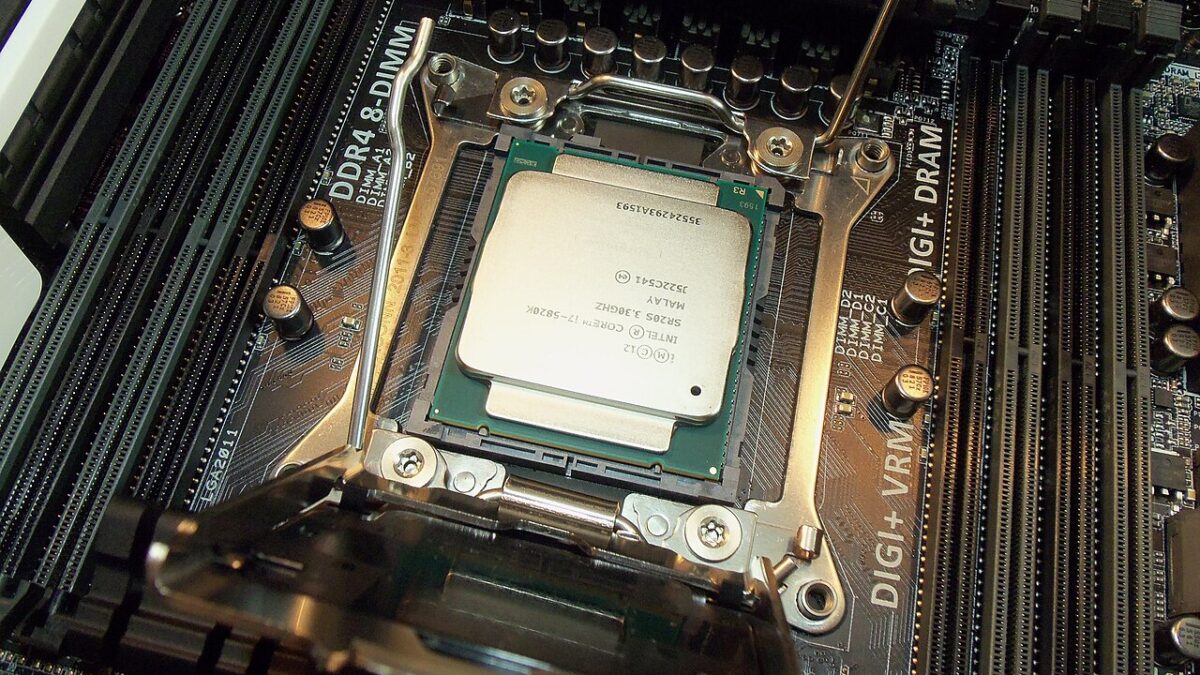
The AMD Ryzen 5 7500F (~$148) is the reference point for budget AM5 builds right now — 6 cores, 12 threads, no integrated graphics, which is fine because you’re pairing it with a dedicated card anyway. If you’re on Intel already (say, an existing LGA1700 board), a Core i5-13400F or 14400F-class chip in the $150-180 range does the same job.
The mistake we see constantly: pairing that CPU with a Ryzen 7 or Core i7 “for future-proofing” on a $600 budget. At 1080p — which is where most budget builds live — the extra cores sit idle while your GPU carries the actual frame rate. Save that upgrade for a $1200+ tier where the GPU can use it.
The GPU Tier Is Where the 2026 Memory Squeeze Actually Bites
Here’s the uncomfortable number: the RTX 5060 has a $299 MSRP that barely exists in the wild. Street prices run $429-615 depending on the AIB partner — a Gigabyte WindForce sits closer to $430, while a beefed-up MSI Ventus 3X OC 16GB variant pushes past $600. That gap isn’t retailer greed; it’s GDDR contract pricing up roughly 19-20% since late 2025, and AMD’s board partners passed through another ~10% hike on GDDR kit costs this July. The AMD RX 9060 (the RX 7600-class tier) is usually the cheaper equivalent and a legitimate pick for the $600 build. If you can stretch to $900-1200, the RTX 5060 Ti 8GB (~$400) is the meaningful step up — enough headroom for 1080p at 144fps without the RTX 5060’s compromises.
None of this is expected to cool off soon, either — Tom’s Hardware reports that Intel and Silicon Motion have both pointed to 2028 as the earliest realistic normalization window for memory pricing. Treat 2026 GPU prices as the new baseline, not a temporary spike to wait out. We cover this dynamic in more depth in our breakdown of whether to buy a GPU now or wait if you’re still on the fence about timing.
RAM: The One Category That’s Actually Behaving
Oddly, a 16GB DDR5-5200 kit at around $65 is currently cheaper than the DDR4 equivalent — an inversion that would’ve sounded backwards a few years ago, and still feels strange given how loudly “memory shortage” gets talked about elsewhere. 16GB is the real floor for a new build in 2026; don’t go lower to save $20.
Pro tip most guides skip: buy 2x8GB, not 1x16GB. Dual-channel matters more than the spec sheet implies — the difference between a properly paired kit and a single stick has been measured at roughly 55-60fps versus 35fps on the same GPU in the same game. That’s not a rounding error, that’s the difference between playable and not.
PSU and Case: Where Corner-Cutting Actually Breaks Things
A reliable 80+ Bronze PSU in the 550-650W range runs $55-85 from brands like Corsair (CX series), EVGA (BR series), or Thermaltake Smart. Going 80+ Gold typically adds $15-25, and it’s worth it at the $900+ tier for the efficiency and headroom if you upgrade the GPU later.
This is the one place we’d tell you to never chase the cheapest listing. An unbranded PSU running at its rated limit is the single most-cited cause of instability and outright hardware failure in budget-build forums — power delivery problems don’t just crash your game, they can take other components with them. Pair that with a $40-70 case that actually has front mesh airflow (think Cooler Master Q300L or NZXT H310-class), not a closed-front case that looks sleek and cooks your GPU under load.
Storage: The Easy Category
A 1TB NVMe drive from an established brand — Kingston NV2, WD Blue SN580, Crucial P3 — runs $55-75 and is about the only line item in this build that hasn’t been meaningfully squeezed by the DRAM shortage (NAND flash feels the pinch too, but far less sharply than DRAM or GDDR). If you’re outgrowing 1TB fast, our guide to the best external SSDs covers portable storage that plugs the gap without opening the case again.
Putting Together Your Budget Gaming PC Build by Price Tier
$600: Ryzen 5 7500F + RX 9060 or entry RTX 5060 + 16GB DDR5 (2x8GB) + 550W 80+ Bronze + basic mesh-front case + 500GB-1TB NVMe.
$900: same CPU tier + a better-cooled RTX 5060 AIB card + 16GB DDR5 + 650W 80+ Gold + a case with more fan headroom + 1TB NVMe.
$1200: step up to an RTX 5060 Ti 8GB, same solid CPU/RAM foundation, and put the extra headroom into a better cooler and case rather than a bigger CPU.
Frequently Asked Questions
Should I buy used GPUs to save money in this market?
It can work if you verify mining/heavy-use history and get a return window, but given how tight new GPU margins already are at the budget tier, the savings are often smaller than people expect — verify actual local used prices before assuming it beats a new RX 9060.
Is it worth waiting for GPU prices to drop before building?
Based on current guidance from memory manufacturers, no meaningful relief is expected before 2028. If you need a PC now, build for today’s prices rather than waiting on a correction that isn’t scheduled to arrive.
Do I need Wi-Fi built into the motherboard?
Not at the budget tier — a $10-15 USB Wi-Fi adapter does the same job and lets you put that motherboard budget toward a board with better VRMs or more USB ports instead.
What’s the biggest single mistake in a $600 build?
Undersized or unbranded PSUs, by a wide margin. It’s the one part where “good enough” isn’t — a $20 PSU upgrade is cheaper than replacing a GPU it took down with it.
None of this requires future-proofing paranoia — it requires matching each component to what the others can actually use, and refusing to save money on the PSU. Build to the tier you can afford today; the market isn’t giving you a reason to wait.
Leave a Reply