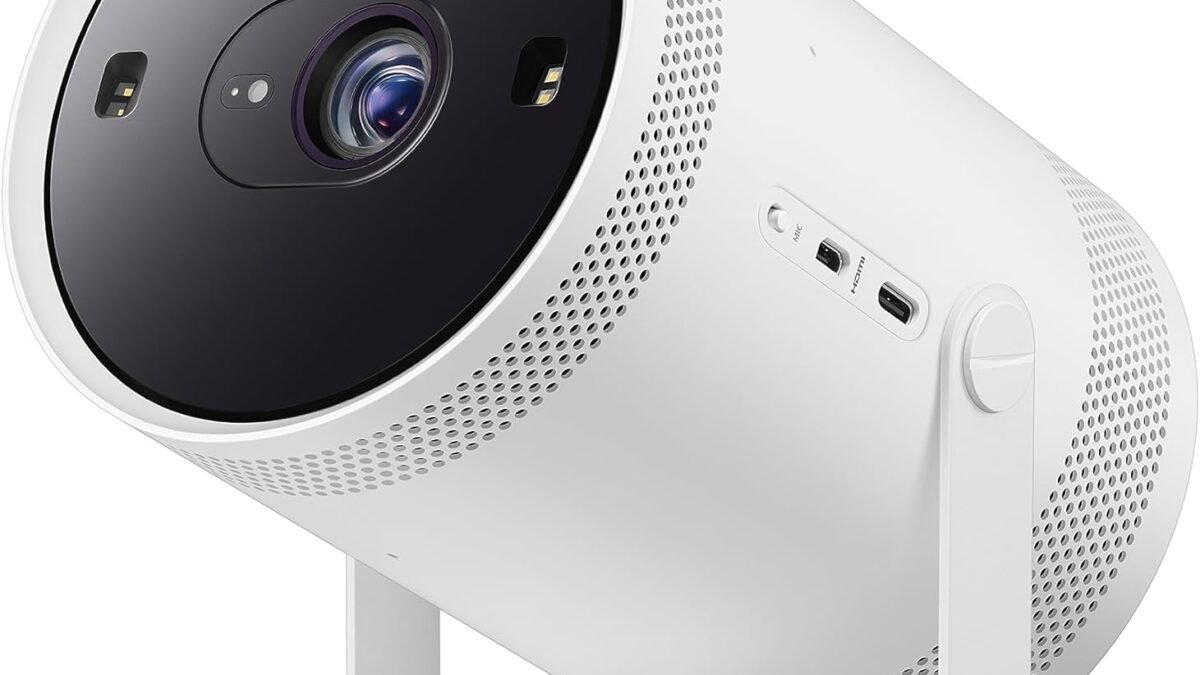
A projector that fixes its own keystone, reads the color of your wall, and squares the image on a curtain with fold marks sounds like it should cost nothing extra — it’s just software. Samsung disagrees: The Freestyle+ launched this month at $1,199.99, roughly 50% more than the model it replaces. So the real question isn’t whether AI calibration works. It’s whether it’s worth paying for, or whether a projector and ten minutes of manual setup gets you 90% of the result for a third of the price.
Sound is the other half of a projector setup people underspend on after overspending on the screen — if you’re building the room around this purchase, our best soundbars under $300 roundup pairs naturally with any of the picks below. But the projector decision itself comes first, so here’s the actual framework, not a spec sheet.
Disclosure: DecodeGear may earn a commission from qualifying purchases made through Amazon links on this page.
What “AI calibration” actually means on a 2026 projector
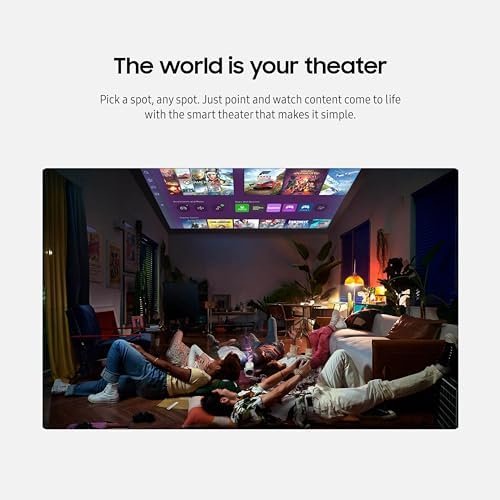
Every ultra-portable projector has struggled with the same physics problem: they rarely sit dead-center in front of a flat, white, purpose-built screen. They sit on a shelf, angled toward a wall, sometimes aimed at a curtain with fold marks or wallpaper with a pattern. Traditional keystone correction squares the image geometrically, but it doesn’t know the wall is beige instead of white, or that a fold in the fabric is bending part of the picture.
The 2026 generation of “AI calibration” — Samsung’s version is called 3D Auto Keystone plus Wall Calibration — adds a camera-and-sensor read of the actual surface. It detects wall color, irregular geometry (corners, curtain folds), and adjusts brightness and color balance per-zone, not just overall. It’s genuinely a different category of correction than the keystone slider you’ve used on a budget projector for the last five years.
The new wave — Samsung’s Freestyle+ and the $1,200 question
Samsung’s Freestyle+ (model SP-LFF3H) went on sale in the US in mid-July 2026 at $1,199.99, keeping the same cylindrical, tripod-friendly body as earlier Freestyle models but adding a brighter 430-ISO-lumen DLP engine, 1080p output scaling to 100 inches, and the new calibration stack described above. It is not currently sold through Amazon.com — we checked live on July 31 and found only the older 2023 Freestyle 2nd Gen listed there, so if Amazon marketplace protections and easy returns matter to you, that’s worth knowing before you go looking for it in your usual cart.
For context, the previous-generation Freestyle retailed at $800 when new. That’s the real premium here: roughly $400 extra, entirely for the calibration software and the brighter lamp, since the core “point it at a wall and watch something” experience hasn’t fundamentally changed.
What AI calibration fixes (and what it doesn’t)
Where it earns its keep: rentals and rooms you can’t drill into. If you’re projecting onto a bedroom wall with a texture or a slight paint tint, on a fabric room divider, or into a corner because that’s the only surface available, per-zone color and geometry correction removes a genuine daily annoyance — the washed-out, slightly trapezoidal image that never looks quite right no matter how you nudge the keystone slider.
Where it doesn’t help: brightness. No amount of AI correction adds lumens. A 430-ISO-lumen projector in a room with any ambient light still looks the same regardless of how well it’s calibrated — you still need blackout curtains or nighttime viewing for a genuinely sharp image. It also doesn’t fix a bad speaker or add HDR contrast the panel doesn’t have. Calibration corrects geometry and color mapping; it doesn’t manufacture picture quality that isn’t there.
It’s also worth being honest about how often the correction actually runs. Most AI calibration systems recalibrate on power-on or when they detect the projector has moved — not continuously. If you set it once against a fixed wall and never relocate the unit, you’re paying for a feature that fires a handful of times and then sits idle. The people who get the most value are the ones who genuinely move the thing: different rooms on different nights, a patio wall in summer, a hotel room on a trip.
When the budget pick is still the smarter buy
If you have a dedicated, permanent spot — a home theater corner, a flat screen, consistent lighting you control — you’re paying for a problem you don’t have. The Samsung Freestyle 2nd Gen (SP-LFF3CLAXXZA), the outgoing model, is currently listed on Amazon.com at around $324.99, marked down from its $497.90 list price, and still includes basic auto-keystone correction — just not the wall-color and irregular-surface reading of the Plus. For a fixed setup against a real screen or a plain wall, that’s the more rational buy; you’re not paying $400 to solve a problem your room doesn’t create.
Budget Pick: Samsung Freestyle 2nd Gen (SP-LFF3CLAXXZA)
Basic auto-keystone, 1080p, portable tripod body — without the wall-color calibration of the Plus. The rational buy for a fixed room with a real screen or plain wall.
Price: ~$324.99 (down from $497.90 list) | Best for: fixed setups, plain walls, budget-conscious buyers
If your budget tops out well below either of these, our budget roundup under $150 and our best projectors under $250 cover the tier where AI calibration doesn’t exist at all yet — you’re choosing on brightness and battery life instead. And if you specifically want a projector built for outdoor or backyard use, we go deeper on that exact use case in our XGIMI Halo+ review, which handles uneven outdoor surfaces with its own (non-AI) auto-focus system.
Pro tip — what most buyers overlook
The spec that actually matters more than “AI calibration: yes/no” is throw distance flexibility combined with real lumens, not marketing lumens. A projector rated at 430 ISO lumens with excellent calibration still won’t beat a 700-lumen unit with mediocre calibration in a room with any daylight. Before you pay the calibration premium, measure your actual room: distance to the projection surface, whether you can control ambient light, and whether the surface is genuinely irregular or just slightly off-center. Most living rooms are the latter — solvable with a $30 tripod adjustment, not a $400 software upgrade.
Frequently Asked Questions
Is an AI-calibrating projector worth it for a college dorm or rental?
Often yes — irregular walls and no ability to mount a screen are exactly the scenario where automatic wall-color and geometry correction saves real setup time, repeatedly, every time you move the projector.
Does AI calibration improve picture quality, or just fix geometry?
Both, within limits. It corrects color mapping for a tinted or patterned surface and squares uneven geometry, but it can’t add brightness or contrast the panel doesn’t physically have.
Can I get similar results manually on a cheaper projector?
Partially. Manual keystone plus a plain, light-colored wall gets you most of the geometric correction for free. What you can’t replicate manually is real-time color compensation for a tinted or patterned surface.
Is the Samsung Freestyle+ available on Amazon?
Not as of July 31, 2026 — it’s sold through Samsung.com and select retailers. The outgoing Freestyle 2nd Gen is the Amazon-available option in the same product line.
Leave a Reply