Most first-time 3D printer buyers make the same mistake: they pick a machine based on print quality benchmarks in a YouTube video, then get stuck for a week fighting bed adhesion, warping, or a printer that needed an hour of tinkering before it printed anything at all. The printer that wins the spec sheet isn’t always the printer that gets you printing today — and for a beginner, time-to-first-successful-print matters more than anything else.
Here’s what actually decides whether your first 3D printer is a good experience or a shelved project: FDM vs. resin, auto-leveling vs. manual, enclosed vs. open frame, and which specs are worth paying for versus marketing noise. We’ll go through all of it, then point you to two specific beginner picks that are actually in stock right now.
FDM vs. resin — pick this first, before you compare any specific model
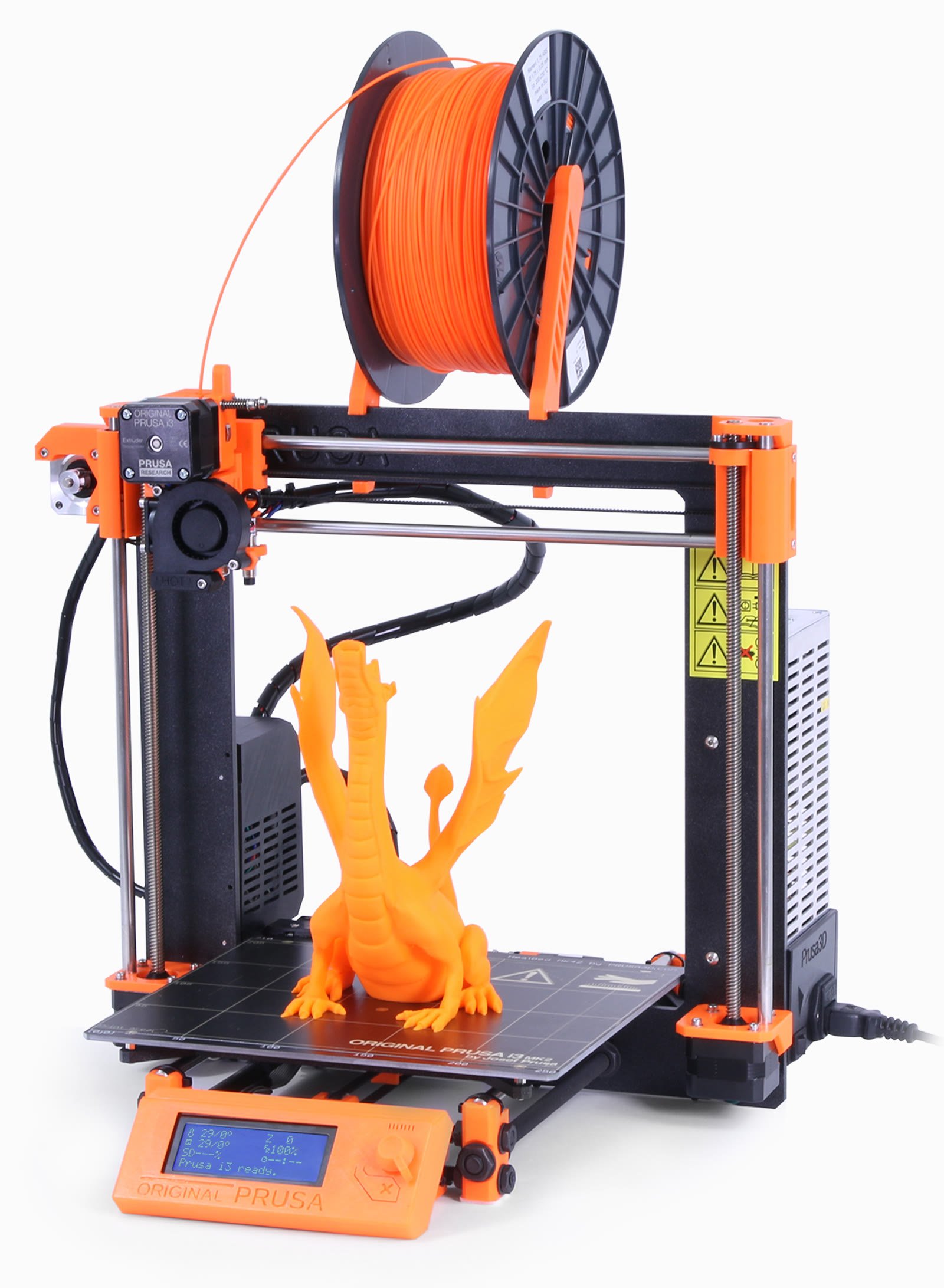
FDM (fused deposition modeling) printers melt a spool of plastic filament — usually PLA — and lay it down layer by layer. They’re cheap to run, forgiving of mistakes, and the mess is just a stray plastic string here and there. This is the right category for almost every beginner: functional parts, brackets, toys, cosplay props, replacement parts for things around the house.
Resin printers (MSLA/SLA) cure liquid resin with UV light, layer by layer, and the print quality on small, detailed objects — miniatures, jewelry, dental models — is dramatically better than FDM can manage. The tradeoff is real: uncured resin is toxic until cured, you need isopropyl alcohol and a wash-and-cure station, gloves and ventilation are not optional, and the build volume is usually much smaller. Unless you specifically know you want to print tabletop miniatures or jewelry-scale detail, start with FDM. It’s the format that forgives beginner mistakes.
The spec that matters most: auto bed leveling
Bed leveling used to be the single biggest reason beginners gave up on 3D printing. If the nozzle is too close to the bed in one corner and too far in another, the print either won’t stick or gets gouged apart within the first few layers — and manually leveling a bed with a sheet of paper and four thumbscrews is fiddly even for people who’ve done it before.
Every printer worth buying as a beginner in 2026 has automatic bed leveling: the printer probes the bed in a grid before each print and compensates for any unevenness in software. This alone is why a printer like the 🛒 Bambu Lab A1 on Amazon ($299.99) has become the default recommendation — full auto-calibration, active flow rate compensation, and it’s genuinely ready to print within about 20 minutes of unboxing.
Enclosed vs. open frame
Open-frame printers (no walls or roof around the print area) are cheaper and easier to service, and for PLA — the plastic almost every beginner starts with — an enclosure isn’t necessary. PLA doesn’t warp badly at room temperature and doesn’t off-gas anything dangerous.
Enclosed printers matter once you move to ABS, ASA, or other engineering filaments that need a stable, warm chamber to print without cracking or warping, and the enclosure also cuts down noise and keeps curious pets or kids away from a hot nozzle. If you’re starting with PLA (you should be), don’t pay extra for an enclosure yet — you can add an aftermarket tent later for about $40–$55 if you ever move to ABS.
Direct drive vs. Bowden, and the specs that barely matter
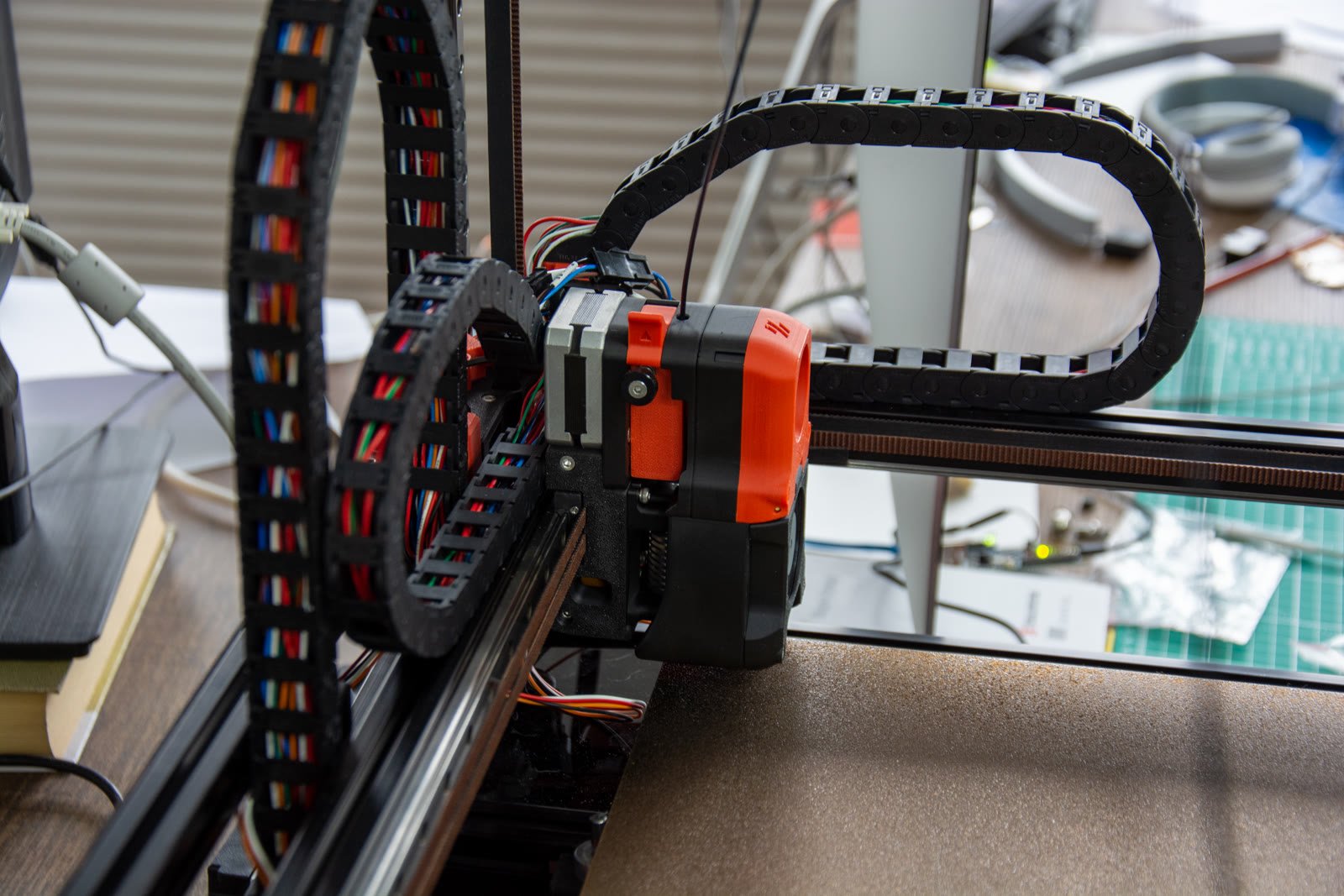
Direct drive extruders sit right on top of the hotend, which gives better control over flexible filaments (TPU) and reduces stringing. Bowden setups push filament through a tube from a motor mounted away from the hotend, which means a lighter, faster-moving print head but slightly less precise extrusion control. For a beginner sticking to PLA and PETG, either works fine — direct drive is the safer default if you think you’ll experiment with flexible filament down the road.
Marketing specs that get a lot of attention but rarely matter for a beginner: max print speed above 500mm/s (you won’t run stock profiles that fast until you’ve tuned the machine), and nozzle temperatures above 300°C (PLA prints around 200°C; you only need the higher ceiling for engineering filaments like nylon or polycarbonate). Build volume matters more than either of those — a 180×180mm bed is fine for most first projects, but if you already know you want to print cosplay armor or large planters, size up from the start rather than buying twice.
Budget tiers: what to actually buy
Under $300, the 🛒 Bambu Lab A1 on Amazon is the pick most beginners should default to: it’s the printer with the fewest steps between unboxing and a good first print, and its ecosystem (MakerWorld model library, companion app) removes a lot of the early trial-and-error that used to scare people off the hobby.
If you want to spend less and don’t mind a slightly steeper learning curve, the Creality Ender 3 V3 KE (around $259) still gives you auto leveling and a 500mm/s-rated direct-drive extruder, and Creality’s Ender 3 line has the largest third-party parts and mod community in the hobby — useful once you outgrow the stock machine and want to upgrade individual components instead of replacing the whole printer.
Pro tip: budget for filament and a few accessories, not just the printer
The printer is the smallest ongoing cost. Budget an extra $30–$50 for your first few spools of PLA (roughly $20–$25/kg for quality filament), a $10–$15 spatula or scraper set for removing prints, and isopropyl alcohol for cleaning the build plate between prints. Skip the temptation to buy a huge filament color pack on day one — buy one spool of a plain color, get comfortable with the printer, and expand from there once you know what you’re actually printing.
If you’re setting up a small desk for this hobby, our budget home office setup guide covers the desk and storage side of things, and if the computer running your slicer software is aging, our best mini PCs under $300 roundup has options small enough to sit right next to the printer. Once you’re ready to back up hours of sliced files and finished models, see our best external SSDs picks.
FAQ
Do I need a dedicated computer for slicing?
No. Slicer software (Bambu Studio, Cura, PrusaSlicer) runs fine on almost any laptop or mini PC from the last several years. You just need enough USB or Wi-Fi connectivity to send the sliced file to the printer.
Is PLA safe to print indoors?
Yes, in a normally ventilated room. PLA has a much lower off-gassing profile than ABS or ASA. If you move to those filaments later, print in a ventilated space or use an enclosure with a filtered fan.
How long does a typical first print take?
A small calibration test (a “Benchy” boat model, the hobby’s standard test print) takes 15–30 minutes on a modern auto-leveling printer. Functional parts and larger models can run several hours to overnight.
Do I need to buy a separate resin printer eventually?
Only if you specifically want highly detailed miniatures or jewelry-scale prints. Most beginners never outgrow what FDM can do, and many hobbyists who own both still reach for the FDM printer for anything functional.
The printer itself is only half the decision — the other half is picking a category (FDM, almost always) and a feature set (auto-leveling, direct drive) that gets you printing in your first sitting instead of your first week. Get those two things right, and any of the picks above will treat you well.
Leave a Reply