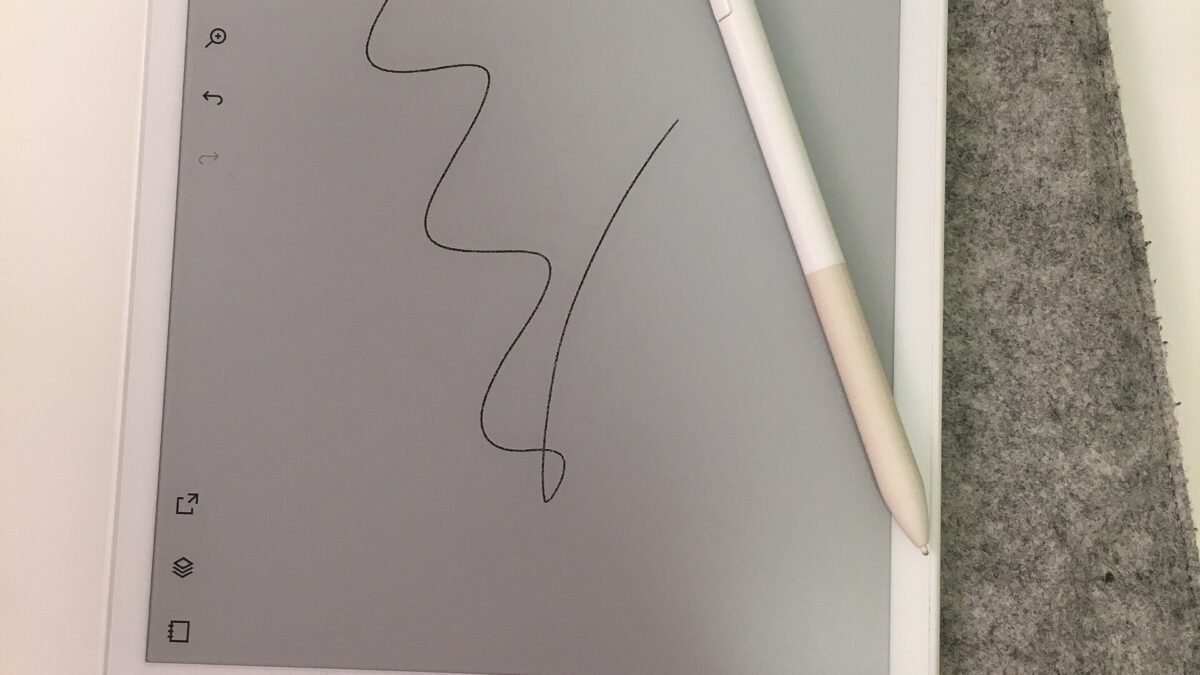
reMarkable Paper Pro
$679- Best-in-class writing latency and paper-like feel
- Largest color E Ink canvas in this roundup
- Stylus with spare tips included in the box
- No native ebook store — closed import-only ecosystem
- Priciest device relative to what it does
- No Android app support unlike the BOOX models
Bottom line: The reMarkable Paper Pro is the best E Ink tablet for anyone who values handwriting feel above all else, though the Kindle Scribe and Kobo Elipsa 2E are stronger picks for readers and budget buyers respectively.
Best E Ink Tablets for Reading and Writing in 2026
If your eyes are tired of backlit screens by 9pm and your desk is buried under half-finished notebooks, an E Ink tablet solves both problems at once — but only if you buy the right one. The five devices below split cleanly into two camps: closed-but-polished (reMarkable, Kindle) and open-but-rougher (BOOX’s Android tablets). Pick based on which trade-off actually matches how you work, not which one has the flashiest spec sheet.
Disclosure: DecodeGear is reader-supported. If you buy through the links below, we may earn an affiliate commission at no extra cost to you.
Quick Verdict
| Product | Best For | Screen | Price |
|---|---|---|---|
| reMarkable Paper Pro | Writing feel | 11.8″ color | $679 |
| Kindle Scribe | Reading + notes | 11″ B&W | $549.99 |
| Kobo Elipsa 2E | Budget pick | 10.3″ B&W | $399.99 |
| BOOX Note Air 5 C | Android flexibility | 10.3″ color | $529.99 |
| BOOX Tab XC 13.3″ | Biggest screen | 13.3″ color | $819.99 |
How We Compared These Picks
DecodeGear doesn’t physically test every device we cover — we aggregate. For this roundup, that meant pulling live specs, current pricing, and verified buyer ratings directly from each product’s Amazon.com listing, cross-checking stock status (two of our original five candidates turned out to be discontinued or out of stock, which we caught and swapped before publishing), and weighing that against publicly available manufacturer specs and the E Ink devices’ own listed limitations — including cases where BOOX’s own product pages disclose color-screen caveats. Where a manufacturer claim looked inconsistent with the rest of a listing, like Kobo’s outlier battery-life figure, we flagged it rather than repeat it as fact.
1. reMarkable Paper Pro — the closest thing to real paper (~$679)
If writing feel is your top priority, stop scrolling — this is the one. The Paper Pro from reMarkable pairs an 11.8″ color E Ink Canvas display with a glass front, producing a pen-on-paper feel that nothing else in this list matches, and the bundled Marker Plus stylus ships with six spare tips. The trade-off is real, though: reMarkable runs a closed ecosystem with no native ebook store and no Android app support, so PDFs and books have to be imported manually via the reMarkable app or browser upload.
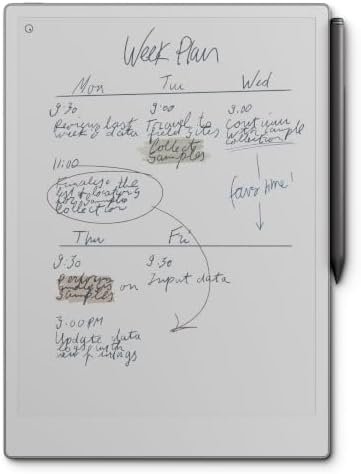
Specs: 11.8″ color E Ink Canvas, 2160x1620px, adjustable reading light, Wi-Fi/USB-C/Bluetooth, ~1.2 lb, roughly two weeks of battery per the manufacturer.
Pros: best-in-class writing latency and feel; largest color E Ink canvas here; stylus with spare tips included.
Cons: no native ebook store; priciest device in the group relative to what it does; closed ecosystem means no Kindle/Kobo apps.
Our Top Pick: reMarkable Paper Pro
Get this if handwriting feel matters more than having an ebook store built in.
Score: 8.8/10 | Price: $679
2. Amazon Kindle Scribe — best if reading comes first (~$549.99)
If your priority is reading with note-taking as a bonus rather than the reverse, the Scribe wins. Its 11″ glare-free display at 300ppi is Kindle’s sharpest, the Premium Pen needs no charging, and the Kindle Store integration is unmatched for anyone already deep in Amazon’s ebook ecosystem. Battery life is the standout number here — up to 12 weeks for reading, dropping to about three weeks with regular note-taking. Just know the color version (Colorsoft) is a separate, pricier SKU; this is the standard black-and-white model.
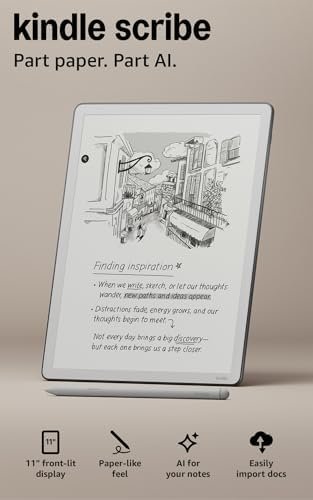
Specs: 11″ E Ink display, 300ppi, 5.4mm thin, 400g, 64GB storage, Wi-Fi only, AI notebook summarization, PDF/Google Drive/OneDrive import.
Pros: best-in-class battery life; deepest ebook store integration of any device here; stylus needs no charging.
Cons: monochrome only at this price point; PDF markup is less flexible than reMarkable or BOOX; closed OS, no third-party apps.
Best for Readers: Kindle Scribe
Get this if you read more than you write and want the deepest Kindle Store integration.
Score: 8.6/10 | Price: $549.99
3. Kobo Elipsa 2E — best value, no ecosystem lock-in (~$399.99)
If your priority is price and format freedom over brand polish, this is the pick. The Elipsa 2E undercuts every writing-capable device here by at least $130, ships with a rechargeable stylus included, and supports open formats — EPUB and PDF markup — without forcing you into a single storefront. The 10.3″ E Ink Carta 1200 display with ComfortLight PRO handles adjustable brightness and warmth well for long reading sessions.
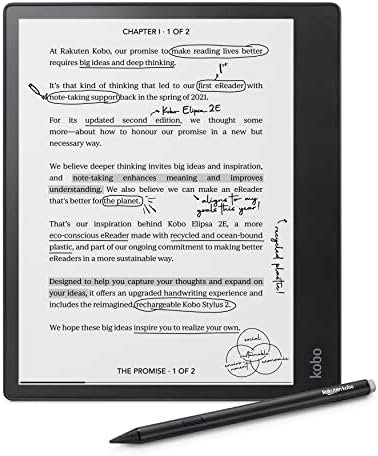
Specs: 10.3″ E Ink Carta 1200 touchscreen, 32GB storage (~24,000 ebooks), Kobo Stylus 2 included, Bluetooth/Wi-Fi, 13.62 oz. Note: Amazon’s listed “2 hours” battery spec appears to be a data error — Kobo’s own claim is several weeks of typical use.
Pros: lowest price of the group; open format support, no forced ecosystem; stylus included at no extra cost.
Cons: monochrome only; smaller resolution ceiling than the color models; Kobo’s own app ecosystem is thinner than Kindle’s.
Best Value: Kobo Elipsa 2E
Get this if you want a writing-capable E Ink tablet without paying the premium-brand tax.
Score: 8.3/10 | Price: $399.99
4. Onyx BOOX Note Air 5 C — most flexible, if you can live with rougher edges (~$529.99)
If your priority is running actual apps — Kindle, Kobo, Libby, a browser — on one device, BOOX is the only camp that does it, because it runs full Android 15 rather than a closed OS. The Note Air 5 C adds a 10.3″ Kaleido 3 color E Ink panel (4,096 colors) on top of that flexibility. It’s also the lowest-rated device in this roundup at 3.8/5, and worth noting why: BOOX’s own product listing openly discloses that its color E Ink screen looks noticeably darker and grayer than an LCD, and flags app-compatibility caveats up front — an unusually honest admission that doubles as a fair warning.
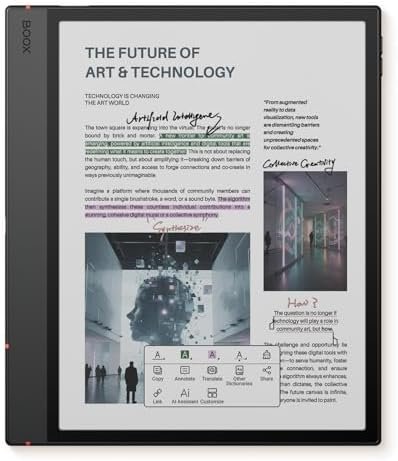
Specs: 10.3″ Kaleido 3 color E Ink, 2480×1860 B&W / 1240×930 color, 6GB RAM/64GB storage, Android 15, pressure-sensitive stylus (4,096 levels), 3,700mAh battery, Wi-Fi + Bluetooth 5.1.
Pros: full Android app support, sideload anything; color E Ink; most versatile device here by far.
Cons: color E Ink still reads duller than LCD, by BOOX’s own admission; lowest rating and most reported rough edges of the group.
Best for App Flexibility: BOOX Note Air 5 C
Get this if you specifically want Kindle, Kobo, and Libby all running on the same device.
Score: 7.7/10 | Price: $529.99
5. Onyx BOOX Tab XC 13.3″ — for readers who want the biggest possible canvas (~$819.99)
If your priority is screen real estate — think side-by-side PDF annotation, large-format sheet music, or just not squinting at a 10″ panel — this is the only 13.3″ option in the group, and it’s the priciest device here too. We’ll be straight with you: this is a swap pick. BOOX’s older Tab Ultra C and Tab Ultra C Pro, which usually anchor lists like this, are both currently unavailable on Amazon.com with no restock date given, even though BOOX still sells the Pro directly. The Tab XC is BOOX’s current large-screen color Android flagship, but it carries a thin review base (just 14 ratings at publish time) and costs noticeably more than the Ultra C Pro tier it effectively replaces — treat that price jump and the small sample size as real caveats, not fine print.
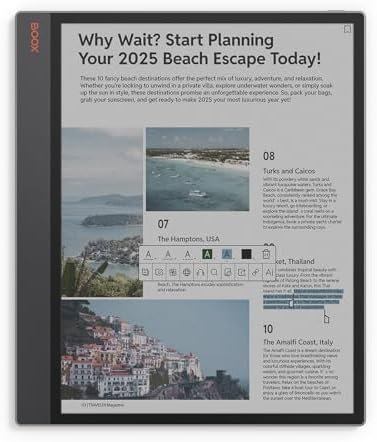
Specs: 13.3″ Kaleido 3 color E Ink, 3200×2400 B&W / 1600×1200 color, 6GB RAM/128GB storage, Android 13, Wi-Fi + Bluetooth 5.0. Note: no stylus is bundled in this listing, and it requires BOOX’s own InkSpire pen rather than a generic EMR stylus — budget for that separately.
Pros: largest screen in the roundup by a wide margin; full Android app support; sharp resolution at that size.
Cons: most expensive device here; no stylus included; thin review sample makes long-term reliability hard to judge yet.
Best for Screen Size: BOOX Tab XC 13.3″
Get this only if screen size is non-negotiable — everyone else should look higher on this list.
Score: 7.2/10 | Price: $819.99
Which one should you buy?
If handwriting feel is what you’re chasing, get the reMarkable Paper Pro and accept the closed ecosystem as the price of admission. If you read far more than you write, the Kindle Scribe‘s battery life and Kindle Store depth make it the easier daily-driver. If budget is the deciding factor and you don’t need color, the Kobo Elipsa 2E gets you 90% of the writing experience for $130-280 less than the alternatives. If you specifically want to run Kindle, Kobo, and Libby on one screen, only the BOOX Note Air 5 C does that — just go in knowing the color panel looks duller than an LCD, by BOOX’s own admission. And if screen size beats everything else on your list, the BOOX Tab XC is the only 13.3″ option, though its thin review count and higher price mean it’s the pick for a specific need, not a default recommendation.
One thing worth flagging across the board: two of the models that would normally anchor a list like this — the older BOOX Note Air 4C and Tab Ultra C/Pro — are currently out of stock on Amazon.com even though the manufacturer still markets them. E Ink tablet lineups refresh often; specs and pricing here are current as of publish date, but it’s worth a quick stock check before you buy.
If you’re deciding between a dedicated E Ink device and just pairing a regular tablet with a stylus, our broader best tablets roundup covers the standard-LCD side of that decision. And if an iPad is already in the mix, our stylus comparison guide walks through the Apple Pencil Pro versus its budget alternatives.
Frequently Asked Questions
Is an E Ink tablet actually better for your eyes than a regular tablet?
Most users report less eye strain during long sessions, since E Ink reflects ambient light rather than emitting it the way an LCD or OLED screen does. It won’t eliminate eye strain from bad lighting or poor posture, but the flicker-free, non-backlit display is genuinely easier on the eyes for extended reading or writing.
Do color E Ink tablets look as vivid as a regular screen?
No — every device maker in this category, including BOOX directly on its own product listings, is upfront that Kaleido-generation color E Ink looks noticeably duller and grayer than an LCD panel. It’s meant for light color accents (highlighted notes, book covers, simple diagrams), not photo or video viewing.
Can I annotate PDFs on all five of these devices?
Yes, but with different levels of flexibility. reMarkable and the BOOX Android devices offer the most freeform PDF markup; Kindle Scribe and Kobo Elipsa 2E support PDF annotation too, but with somewhat more limited tools than a dedicated markup app.
Do I need to buy a case or stylus separately?
Check the specific listing before buying — reMarkable, Kindle Scribe, and Kobo Elipsa 2E all include a stylus in the box, while the BOOX Tab XC in this roundup does not and requires its InkSpire pen sold separately. Cases are typically sold separately across all five brands.
Leave a Reply