
Best Smart Home Starter Kits Under $150 in 2026
Your apartment is still dumb in 2026? While your neighbors are controlling lights with their voice and getting doorbell alerts on their phones, you’re still fumbling for a switch in the dark. The good news: getting started costs less than a dinner out. These five kits will make your home smarter without emptying your wallet.
Disclosure: We earn a small commission on qualifying purchases through our Amazon links — at no extra cost to you. Our picks are independent and based on testing and research.
Quick Comparison
| Kit | Price | Voice Assistant | Highlight | Best For |
|---|---|---|---|---|
| Amazon Lighting Starter Kit | ~$80 | Alexa | No hub needed | First-timers |
| Amazon Echo Hub Kit | ~$130 | Alexa | Centralized control panel | Growing smart homes |
| Echo Show 8 Security Bundle | ~$150 | Alexa | Display + camera + doorbell | Security-focused users |
| Echo Show 8 (3rd Gen) | ~$100 | Alexa | Best standalone display | Any ecosystem anchor |
| Lutron Caseta Dimmer Kit | ~$80 | Alexa / Google / HomeKit | No neutral wire required | Lighting purists |
1. Amazon Smart Home Lighting Starter Kit — No Hub, No Hassle (~$80)
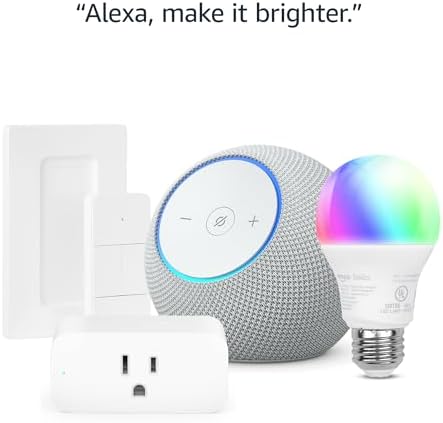
- Echo Dot Max serves as both a voice assistant and a Bluetooth speaker
- Smart plug lets you automate any lamp, fan, or appliance
- Smart bulb supports color temperature adjustments and schedules
- Direct Wi-Fi connection — no separate hub or bridge required
- Compatible with Alexa routines and third-party smart home devices
Pros:
- Absolute beginner-friendly setup in under 10 minutes
- Lowest price point of any complete bundle on this list
- Echo Dot Max doubles as a quality music speaker
Cons:
- No visual display for video calls or screen-based controls
- Limited to Alexa ecosystem — no Apple HomeKit support
- Single bulb and plug may feel underwhelming for larger apartments
2. Amazon Smart Home Starter Kit (Echo Hub) — The Control Center (~$130)
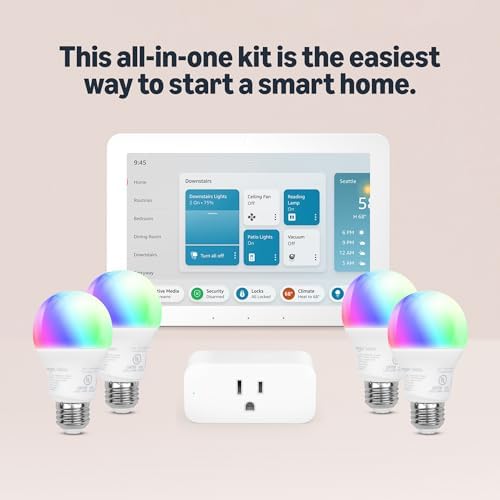
- Echo Hub: dedicated 8-inch smart home control panel with touchscreen
- Includes 4 smart bulbs for full room lighting coverage
- Supports Matter and Zigbee devices natively
- Visual dashboard shows all connected devices at a glance
- Wall-mountable for a permanent command center look
Pros:
- Four bulbs deliver real whole-room impact out of the box
- Echo Hub screen makes control intuitive without voice commands
- Best long-term scalability of any kit under $150
Cons:
- Highest price on this list before the security bundle
- Echo Hub requires a permanent wall spot — not ideal for renters
- No built-in camera or security features
3. Amazon Echo Show 8 + Blink Security Bundle — The Full Security Stack (~$150)
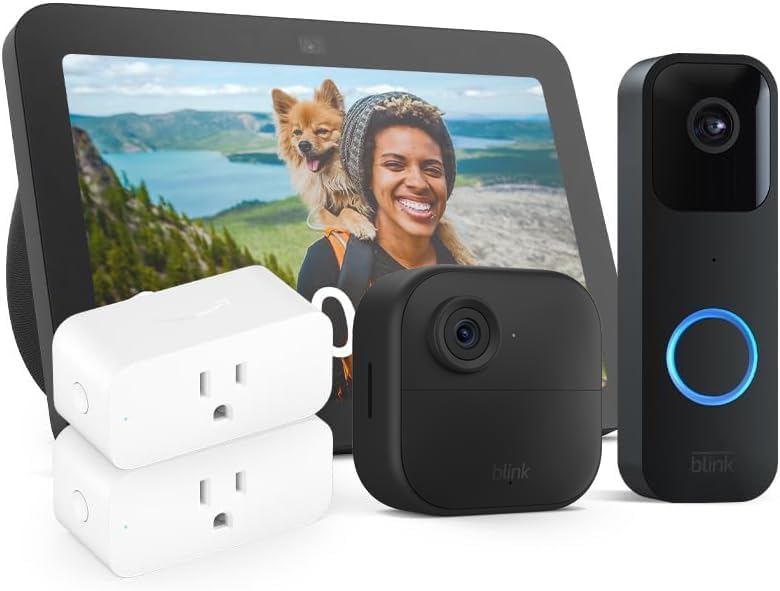
- Echo Show 8 displays live camera feeds directly on screen
- Blink Video Doorbell sends motion alerts to your phone
- Blink mini indoor camera for interior monitoring
- Smart plugs for basic automation included
- No mandatory subscription — free local USB storage option
Pros:
- Best value for anyone prioritizing home security
- Echo Show 8 doubles as a kitchen display, photo frame, and video call hub
- Blink ecosystem is battery-powered — no wiring needed
Cons:
- No smart bulbs included — lighting automation requires extra spend
- Cloud storage for extended video history requires a paid Blink subscription
- Blink cameras are basic — no color night vision
4. Echo Show 8 (3rd Gen) — The Best Smart Display Anchor (~$100)
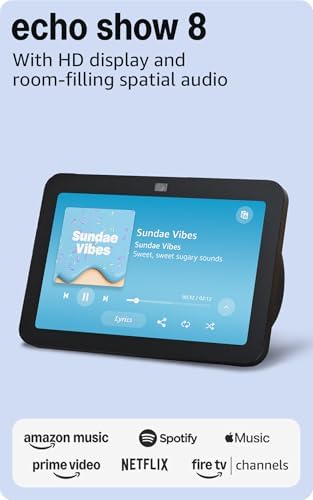
- 8-inch HD display with adaptive color for ambient mode
- Built-in Zigbee hub — controls compatible devices without extra hardware
- 13 MP camera for video calls
- Supports Matter over Wi-Fi for cross-ecosystem compatibility
- Works as a digital photo frame, recipe guide, and smart home dashboard
Pros:
- Built-in Zigbee hub eliminates the need for separate bridges
- Most versatile device on this list — not just a speaker
- Excellent Matter support for future-proofing your setup
Cons:
- Sold alone — no bulbs or plugs included
- Requires additional purchases to build a full smart home setup
- Tied to Amazon/Alexa ecosystem primarily
5. Lutron Caseta Smart Dimmer Starter Kit — Ecosystem-Agnostic Lighting (~$80)
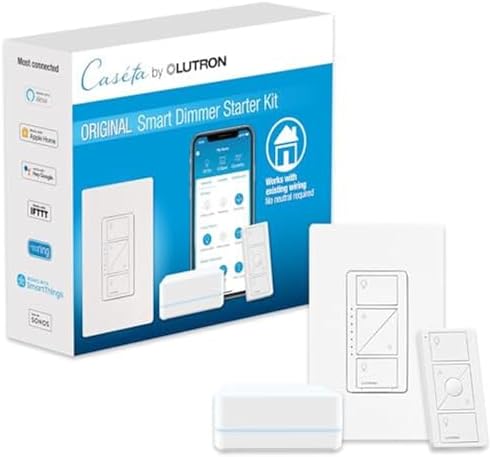
- Replaces the physical wall switch — works with all bulb types
- No neutral wire required — works in older homes and apartments
- Includes Pico remote for wireless 3-way control
- Works with Alexa, Google Home, and Apple HomeKit simultaneously
- Smart Bridge included for app control and scheduling
Pros:
- Only option on this list that works natively with Apple HomeKit
- Switch-based approach is more reliable than smart bulbs
- Industry-leading reliability — Lutron has the best track record in smart lighting
Cons:
- Requires basic wiring — not truly no-install for complete beginners
- No camera, security, or display features
- Renters should confirm with landlord before swapping wall switches
Which Smart Home Starter Kit Is Right for You?
Renter in a small apartment — Go with the Amazon Lighting Starter Kit (~$80). Zero permanent changes, plugs straight into the wall, and the Echo Dot Max sounds great.
Homeowner planning to expand — The Amazon Echo Hub Kit (~$130) is your best bet. The Hub grows with your home, and four bulbs give you an immediate visual upgrade across a whole room.
Security-focused user — The Echo Show 8 Security Bundle (~$150) is the obvious pick. You get a doorbell camera, indoor camera, smart display, and plugs — all fully integrated into Alexa.
Lighting purist or Apple HomeKit user — The Lutron Caseta Kit (~$80) is the only choice. It works across all three major voice assistants and delivers the most reliable dimming experience available.
Frequently Asked Questions
What is Matter and do these kits support it?
Matter is a new smart home connectivity standard backed by Apple, Google, Amazon, and Samsung. It lets devices from different brands work together without extra hubs or compatibility headaches. The Echo Show 8 (3rd Gen) and Echo Hub both support Matter natively. Lutron Caseta supports Matter via its Smart Bridge Pro (sold separately).
Should I choose Alexa or Google Home?
For these kits specifically, Alexa wins on device selection and bundle value — Amazon’s own ecosystem is deeply integrated and the bundles are priced well. Google Home is better if you’re heavily invested in Google services. If you use Apple devices primarily, the Lutron Caseta kit is the only option here with native HomeKit support.
Are there privacy concerns with always-on smart home devices?
All Echo devices have a physical microphone mute button that disconnects the mic hardware — no software can override it. Amazon does process voice commands through its servers. Review your Alexa privacy settings in the app to delete recordings automatically.
How difficult is it to install these kits?
The Amazon bundles require zero tools — plug in, open the Alexa app, and follow the on-screen steps. Most people are done in 10 minutes. The Lutron Caseta dimmer requires replacing your wall switch, which involves turning off the circuit breaker and connecting three wires — a 15-minute job for anyone comfortable with basic DIY.
Leave a Reply