Best Budget Gaming Monitors 2026
From $139You don’t need to spend $400 to get a monitor that makes your games look and feel great. I’ve been there — staring at a 60Hz screen while my friends talked about how buttery-smooth their 144Hz setups felt. The good news: in 2026, the gap between budget and mid-range gaming monitors has never been smaller. Here’s what I’d actually buy if I were building a gaming setup on a budget right now.
Disclosure: This post contains affiliate links. If you buy through them, we may earn a small commission at no extra cost to you. We only recommend monitors we’d genuinely use.
What to Look for in a Budget Gaming Monitor
Before we get into the picks, here’s a quick framework so you know what actually matters — and what’s just marketing noise.
Refresh rate: This is the big one. Going from 60Hz to 144Hz is a night-and-day difference you’ll feel immediately. At 165Hz or 180Hz, the gains are real but more subtle. For competitive shooters like Valorant or CS2, every Hz counts. For RPGs and story games, 144Hz is plenty.
Response time: Manufacturers love throwing “1ms” around, but there are two different specs — GtG (gray-to-gray) and MPRT (moving picture response time). GtG is the real-world number for pixel transitions. MPRT is a marketing trick enabled by strobing the backlight. A 1ms MPRT monitor can still have 4–5ms GtG. Check both.
Panel type: VA panels deliver deeper blacks and better contrast — great for cinematic games and dark environments. IPS panels have better color accuracy, wider viewing angles, and typically faster response. Here’s the thing: for competitive gaming, IPS is usually the better call. For immersive single-player experiences, VA’s contrast can be magical.
Adaptive sync: FreeSync works with AMD GPUs and is free to implement, so most budget monitors include it. G-Sync Compatible means NVIDIA certified FreeSync — the best of both worlds. You want one of these. Playing without adaptive sync once you’ve experienced it feels like going back to flip phones.
The Best Budget Gaming Monitors Under $200
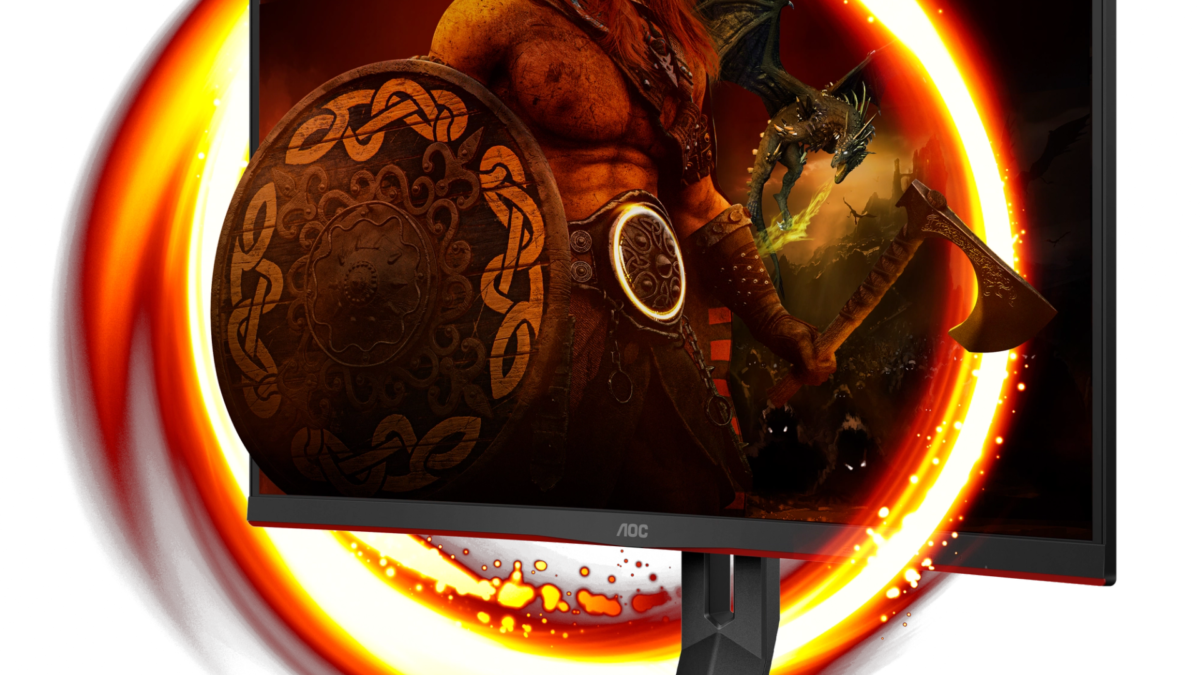
1. AOC C27G2Z — Best Overall for Fast-Paced Games (~$189)
Best for: Competitive FPS players who prioritize frame rate over color accuracy
If you’re a competitive player who lives in Valorant, CS2, or Apex Legends, the AOC C27G2Z deserves serious attention. A 240Hz refresh rate at this price is almost absurd — most monitors with this spec cost $100 more. The 0.5ms GtG response time means motion blur is nearly nonexistent, and FreeSync Premium keeps things tear-free even when your frame rate swings around.
The curved 27-inch VA panel wraps your peripheral vision nicely for immersive gameplay. VA does mean you’re trading some color accuracy compared to IPS — whites can look a touch yellow and off-axis colors shift slightly. But for fast-paced games where you’re staring at the center of the screen anyway, these trade-offs barely register. The wide color gamut also means games with vibrant art direction look genuinely punchy.
Specs:
- 27″ curved VA panel (1500R)
- 1920×1080 resolution
- 240Hz refresh rate
- 0.5ms GtG response time
- FreeSync Premium
- DisplayPort 1.2, HDMI 2.0
Pros: Blistering 240Hz, excellent motion handling, great for competitive play, curved design
Cons: VA panel means less color accuracy, 1080p only, no G-Sync certification
2. LG 27GP850-B — Best IPS Option / Best Colors Under $200 (~$199)
Best for: Gamers who want great colors for both gaming AND content consumption
The LG 27GP850-B is the one I’d personally put on my desk. Nano IPS technology gives you significantly better color reproduction than standard IPS — we’re talking 98% DCI-P3 coverage, which you’d normally find on monitors twice the price. The result is that every game — whether it’s the neon-soaked streets of Cyberpunk 2077 or the lush environments of Elden Ring — looks genuinely beautiful.
At 165Hz native (overclockable to 180Hz), it’s not quite as fast as the AOC above, but for most players that difference is imperceptible. The 1ms GtG response keeps things snappy, and G-Sync Compatible certification means NVIDIA users can enjoy buttery-smooth adaptive sync without paying the G-Sync premium. If you’re on the fence between this and the AOC, ask yourself: do you also watch movies, edit photos, or do anything where color accuracy matters? If yes, this is your pick.
Specs:
- 27″ Nano IPS panel (flat)
- 1920×1080 resolution
- 165Hz (OC to 180Hz)
- 1ms GtG response time
- G-Sync Compatible + FreeSync Premium
- DisplayPort 1.4, 2× HDMI 2.0, USB-A hub
Pros: Exceptional color accuracy, G-Sync Compatible, overclockable to 180Hz, USB hub, premium build quality
Cons: At $199 it’s pushing the ceiling, 1080p only, no height adjustment on base
3. MSI G274F — Best Value Pick for 180Hz IPS Under $150 (~$149)
Best for: Budget-first buyers who don’t want to sacrifice refresh rate or panel quality
Here’s the thing about the MSI G274F: it offers 180Hz IPS for $50 less than its closest competitor. That’s a genuinely good deal. The IPS panel means you get accurate colors and wide viewing angles — perfect if friends gather around to watch you game, or if you use the monitor for casual content creation between sessions.
The 1ms MPRT response time is the marketing number, so real-world pixel transitions are a bit slower — but in practice, at 180Hz, you’ll notice minimal ghosting in most games. The design is clean and minimal with thin bezels, and FreeSync support keeps adaptive sync covered for AMD users. If your GPU is NVIDIA, just note this isn’t G-Sync Compatible certified, so you may need to enable FreeSync manually in the NVIDIA control panel.
Specs:
- 27″ IPS panel (flat)
- 1920×1080 resolution
- 180Hz refresh rate
- 1ms MPRT response time
- FreeSync
- DisplayPort 1.2, 2× HDMI 1.4
Pros: Excellent price-to-performance, 180Hz IPS, sleek modern design, thin bezels
Cons: No G-Sync certification, HDMI limited to 1.4 (144Hz cap over HDMI), limited ergonomics
If you’re pairing your monitor with a mechanical keyboard, check out our picks for the best budget mechanical keyboards — we found some great sub-$75 options that complete the setup.
4. ASUS TUF Gaming VG249Q1A — Best 24″ Compact Option (~$139)
Best for: Desk-space constrained setups, LAN party regulars, or those upgrading from a 24″ TN panel
Not everyone wants a 27-inch monitor. If you’re playing competitively, some pros actively prefer 24-inch screens because the smaller size means your eyes naturally scan the entire screen faster — every pixel of game information is within easy sightlines without moving your head. The ASUS TUF VG249Q1A is built exactly for this use case.
At 165Hz with AMD FreeSync and an IPS panel, it punches well above its $139 price. The 1ms MPRT keeps motion clean in fast games. ASUS’s TUF Gaming line is known for build quality that outlasts cheaper options — the stand is solid, the buttons are responsive, and the cable management is clean. If you’re coming from an old 60Hz TN monitor, this will feel like a revelation.
Specs:
- 24″ IPS panel (flat)
- 1920×1080 resolution
- 165Hz refresh rate
- 1ms MPRT response time
- AMD FreeSync
- DisplayPort 1.2, 2× HDMI 1.4
Pros: Compact and desk-friendly, solid build quality, great for competitive gaming, good price
Cons: Smaller screen may feel cramped for RPGs or media consumption, HDMI 1.4 limits
5. Samsung Odyssey G3 (S27AG302) — Best Samsung Budget Pick (~$179)
Best for: Brand-loyal Samsung buyers and anyone wanting a big-brand monitor with good after-sale support
Samsung doesn’t need an introduction, and that brand recognition comes with real benefits: consistent quality control, widespread availability, and customer service that’s easier to reach than off-brand alternatives. The Odyssey G3 is Samsung’s entry point into gaming monitors, and it’s a competent one.
The 165Hz VA panel delivers solid motion performance with that VA trademark: deep blacks and rich contrast that makes dark scenes in games like Dark Souls or Resident Evil genuinely atmospheric. FreeSync Premium ensures adaptive sync for AMD users, and the 1ms MPRT keeps the panel feeling responsive. It won’t wow you in any single category, but it won’t disappoint you in any either. Sometimes “reliably good” is exactly what you need.
Specs:
- 27″ VA panel (flat)
- 1920×1080 resolution
- 165Hz refresh rate
- 1ms MPRT response time
- FreeSync Premium
- DisplayPort 1.2, 2× HDMI 1.4
Pros: Samsung reliability, deep contrast (VA panel), FreeSync Premium, solid build
Cons: VA ghosting in very fast motion, not G-Sync Compatible, colors not as vibrant as IPS options
Which Monitor Should You Pick?
Here’s how I’d think about it depending on who you are:
- You play competitive FPS above all else → AOC C27G2Z. 240Hz is the real deal and nothing else at this price touches it.
- You want the best all-around experience → LG 27GP850-B. Nano IPS colors + G-Sync Compatible is a combination you won’t find cheaper.
- You’re on a strict budget and want IPS + high refresh rate → MSI G274F. 180Hz IPS for $149 is genuinely hard to argue with.
- You prefer a compact 24″ setup for competitive play → ASUS TUF VG249Q1A. Built for esports, proven build quality.
- You want a trusted brand with solid after-sales support → Samsung Odyssey G3. Dependable, well-supported, no surprises.
For a broader context on where these sit relative to mid-range options, take a look at our gaming monitor tier list up to $300 — it shows exactly what extra money buys you and where the diminishing returns kick in.
Frequently Asked Questions
Is 144Hz or 165Hz worth it for casual gaming?
Yes — even for casual gaming. The jump from 60Hz to 144Hz is one of the most dramatic improvements you can make to your gaming experience, regardless of what you play. Games feel more responsive, menu navigation feels snappier, and character movement looks dramatically smoother. The difference between 144Hz and 165Hz is subtle but real. Since most monitors in this price range offer 165Hz for the same price as older 144Hz options, there’s no reason not to get it.
IPS vs VA — which is better for gaming?
It depends on what you play. IPS panels win on color accuracy, viewing angles, and typically faster pixel response — better for competitive gaming and any work that involves color judgment. VA panels win on contrast ratio (often 3000:1 vs IPS’s 1000:1), which means deeper blacks and more atmospheric visuals in dark games. For pure competitive play, IPS. For cinematic single-player RPGs or horror games, VA’s contrast is a genuine advantage. Most people in this price range are better served by IPS unless contrast is a priority.
Do I need G-Sync or FreeSync?
You want some form of adaptive sync — yes. Playing without it once you’ve experienced it is painful (screen tearing is distracting once you know what to look for). FreeSync is AMD’s standard and is free to implement, so it’s on almost every monitor here. G-Sync Compatible means the monitor has been NVIDIA-certified to work well with GeForce cards via FreeSync. If you have an NVIDIA GPU, prioritize G-Sync Compatible. If you’re on AMD, any FreeSync monitor works perfectly.
Is 1080p or 1440p better for gaming under $200?
At this price point, 1080p is the right call. Here’s why: to drive 1440p at 144Hz+ smoothly, you need a GPU that costs more than these monitors — typically a 4070 or RX 7800 XT and above. Budget gamers are usually pairing these monitors with mid-range GPUs where 1080p at high refresh rates is the sweet spot. 1440p monitors under $200 also tend to top out at 75–100Hz, which defeats the purpose. Get 1080p at 144Hz+ now; upgrade to 1440p when your GPU budget grows.
The Bottom Line
If I were setting up a gaming rig on a budget right now, I’d reach for the LG 27GP850-B without much hesitation — the Nano IPS quality and G-Sync compatibility make it the most versatile pick of the bunch. But if you live in competitive shooters and frame rate is everything, the AOC C27G2Z’s 240Hz at $189 is an offer that’s genuinely hard to refuse.
None of these monitors will make you feel like you’re settling. That’s the whole point — 2026’s budget tier is yesterday’s enthusiast tier. You don’t need to compromise anymore.
Leave a Reply