How to Choose a Graphics Card in 2026
Most people shopping for a GPU right now make the same mistake: they open a price comparison site, sort by “best value,” and buy whatever sits at the top — then wonder six months later why their new card runs out of memory in the exact games it was supposed to handle. Picking a graphics card in 2026 isn’t really about finding the fastest chip you can afford anymore. Memory capacity, power draw, and a genuinely wild pricing market have all become bigger factors than raw benchmark numbers, and none of that shows up on the box.
Here’s what actually matters when you’re choosing a GPU this year, plus two current picks — one mid-range, one high-end — that hold up against what’s really driving prices right now.
VRAM Matters More Than the Resolution on the Box
GPU marketing still leans hard on resolution (“built for 4K!”), but VRAM — the card’s dedicated video memory — is the spec that actually determines whether a card ages well. At 1440p in 2026, 12GB is the realistic floor; go below that and you’ll hit stutter in texture-heavy open-world games well before the GPU core itself runs out of horsepower. If you do anything with local AI models — running a small LLM, Stable Diffusion, or similar — VRAM matters even more, since model size is capped almost entirely by how much memory the card has, not how fast its cores are. A 16GB card with modest core performance will often outlast a 12GB card with a faster chip, simply because it doesn’t hit a hard wall.
Ray Tracing and Upscaling: Check the Generation, Not Just the Feature
Every current-gen card claims “ray tracing” and “AI upscaling,” so the feature name alone tells you nothing — it’s the generation that matters. Nvidia’s current DLSS 4 generation adds Multi Frame Generation, which can meaningfully change how a card performs in supported titles versus the previous DLSS 3 generation on older cards. AMD’s FSR 4 closed most of the visual-quality gap it used to have against DLSS, though third-party testing still generally puts it a half-step behind in the most demanding ray-traced scenes. If a listing doesn’t specify which generation of upscaling tech a card supports, that’s usually a sign it’s running last generation’s silicon at a discount — not necessarily a bad deal, just not what the marketing implies.
Power Draw Isn’t Just a Spec — It’s a Compatibility Check
TDP (thermal design power) determines whether a card will actually run in the case and PSU you already own, and it’s the spec most first-time upgraders skip entirely. A mid-range card in the 180W range will run comfortably on most 550–650W power supplies bought in the last few years. High-end cards routinely draw 300W or more, which usually means checking your PSU’s wattage and confirming it has the right modern power connector — not just assuming “it’ll fit.” Skipping this check is the single most common reason people end up needing an unplanned PSU upgrade the same week their new GPU arrives.
Why GPU Prices Are Elevated Right Now
If sticker prices have felt aggressive this year, that’s not your imagination and it’s not a repeat of the 2021 mining boom. The driver this time is structural: AI datacenters are consuming memory chips — the same GDDR and HBM memory used in consumer GPUs — at a pace that’s outrunning supply. On some high-end cards, VRAM now accounts for over 80% of the bill of materials, and both AMD and Nvidia raised prices at the start of 2026 as a direct result. Unlike a speculative bubble, this demand is coming from multi-year hyperscaler contracts, which means don’t expect a quick snap-back — entry-level cards in particular are projected to stay tight through the rest of 2026. We covered the memory side of this squeeze in more detail in our piece on the AI-driven memory shortage, which is worth a read if you want the full supply-chain picture.
Affiliate disclosure: DecodeGear may earn a commission if you buy through the links below, at no extra cost to you. Prices and specs are verified against live Amazon listings at time of publication but can change.
Two Picks That Make Sense Right Now
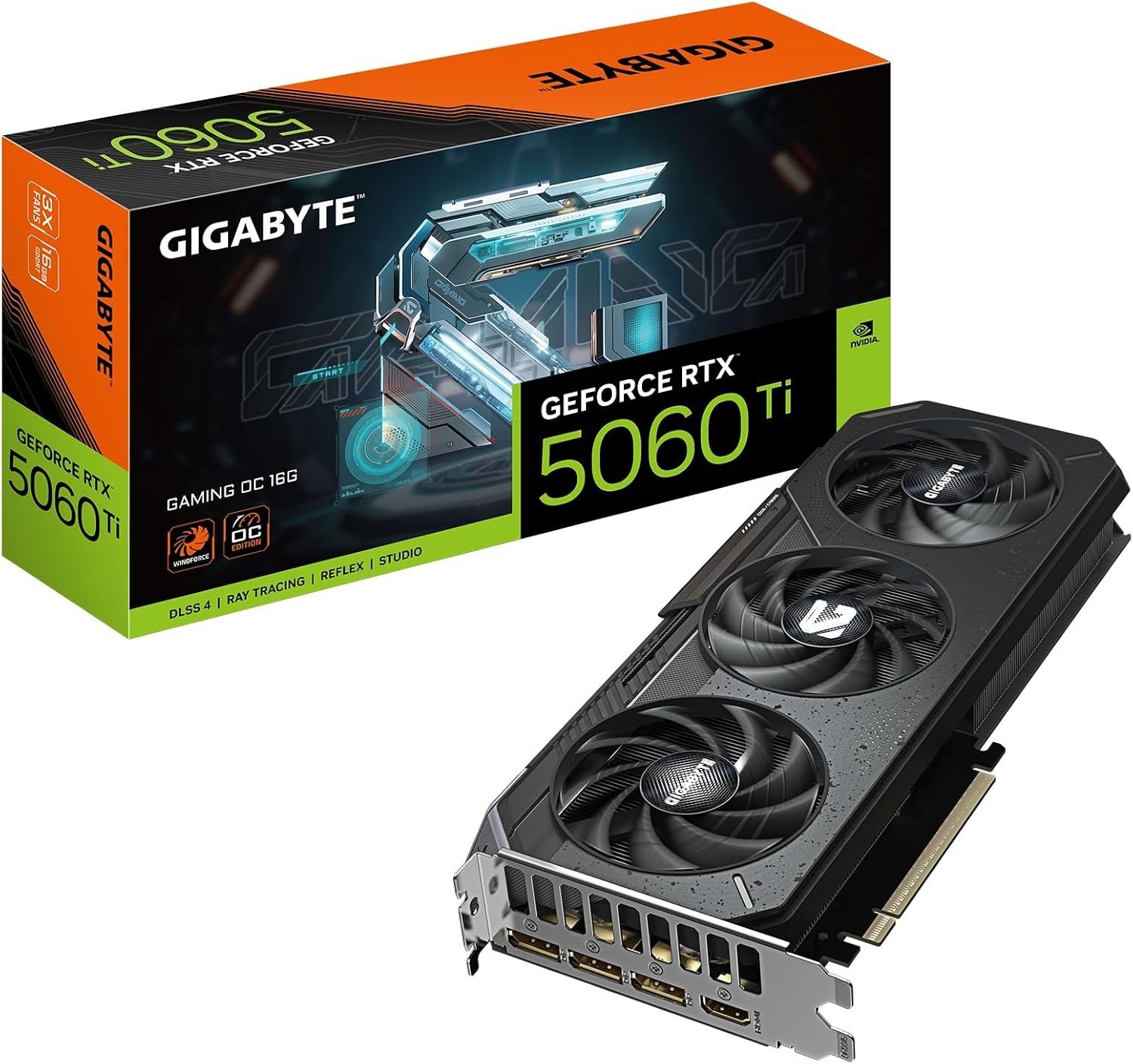
Mid-range: GIGABYTE GeForce RTX 5060 Ti Gaming OC 16G (~$392) — 16GB GDDR7 on a 128-bit bus, Blackwell architecture with DLSS 4 and Multi Frame Generation, PCIe 5.0, roughly 180W TDP. This is the card to get if you play at 1440p and want VRAM headroom that will still make sense in two years, including for light local AI experimentation, without paying high-end prices.
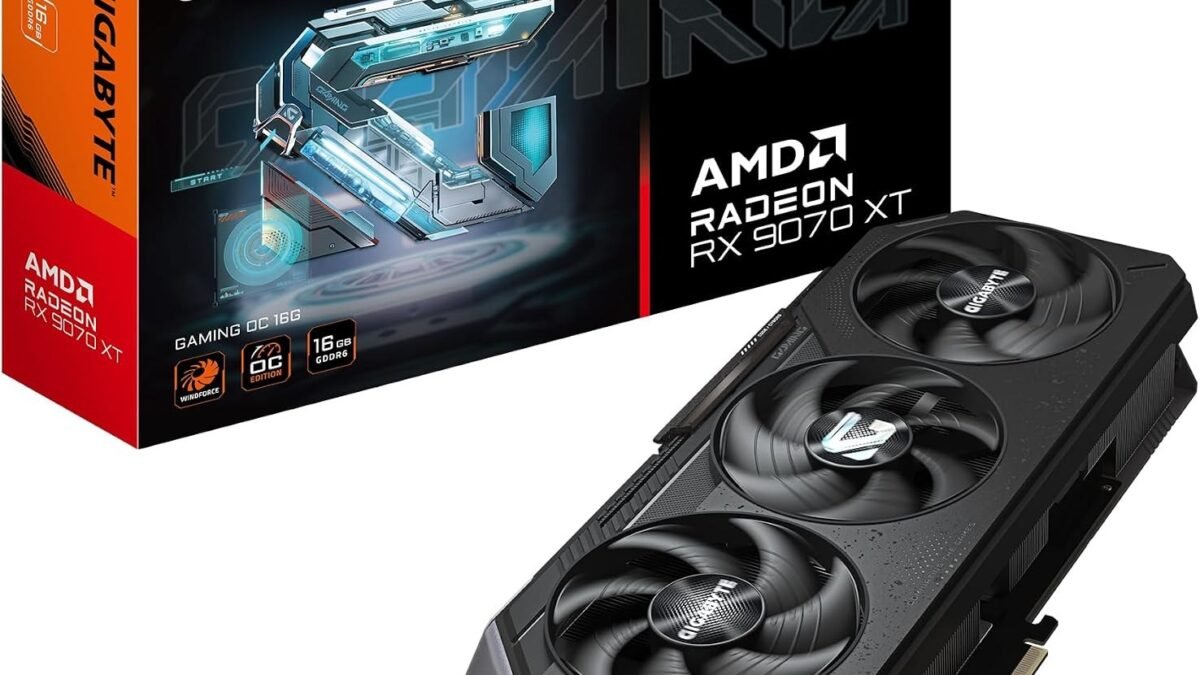
High-end: GIGABYTE Radeon RX 9070 XT Gaming OC 16G (~$739) — 16GB GDDR6, RDNA4 architecture with FSR 4, PCIe 5.0. Independent testing has it landing around 95% of the RTX 5070 Ti’s performance for roughly 80% of the price, which is exactly the kind of gap that makes it the better-value high-end pick this generation rather than chasing the absolute top Nvidia tier, where price climbs far faster than performance does.
Pro Tip: Match the Card to Your Monitor, Not the Other Way Around
Buying the highest-tier GPU you can afford only pays off if your monitor can actually display the result. A 300W flagship card paired with a 60Hz 1080p monitor is money left on the table — the panel becomes the bottleneck, not the GPU. If you’re due for a monitor upgrade too, our roundup of the best OLED gaming monitors pairs well with either pick above, especially the high-end card, which has the headroom to actually push high refresh rates at OLED’s native resolution.
If building or upgrading a desktop isn’t something you want to deal with right now, it’s also worth remembering that a strong laptop GPU has closed a lot of the gap with desktop cards this generation — our budget gaming laptop picks cover that route if you’d rather skip the PSU-compatibility math entirely.
Frequently Asked Questions (FAQ)
How much VRAM do I actually need in 2026?
12GB is the realistic minimum for 1440p gaming today. 16GB is the safer target if you want the card to stay comfortable for two-plus years, or if you do any local AI/LLM work, where memory capacity — not core speed — is usually the limiting factor.
Is it worth waiting for GPU prices to drop?
Probably not in the near term. The current price pressure comes from structural AI-driven memory demand, not a speculative bubble, and multiple industry reports point to continued tightness through the rest of 2026 rather than a quick correction.
Should I prioritize Nvidia or AMD?
Neither brand wins outright anymore — it depends on the price tier. Nvidia currently leads on upscaling maturity (DLSS 4) at the high end, while AMD’s RX 9070 XT undercuts Nvidia’s comparable tier on price for very close performance, making it the stronger value pick this generation.
Do I need to upgrade my power supply for a new GPU?
Check your PSU’s wattage and connector type before buying, not after. Mid-range cards around 180W are fine on most 550–650W supplies bought in recent years; high-end cards drawing 300W+ often need both more headroom and a modern connector standard.
The fastest card on a benchmark chart isn’t automatically the right buy this year — the card that matches your monitor, your case, and how long you actually want it to last usually is. Start with VRAM and power compatibility, and the rest of the decision gets a lot simpler.
Leave a Reply