Disclosure: This post contains affiliate links. If you buy through our links, we may earn a commission at no extra cost to you.
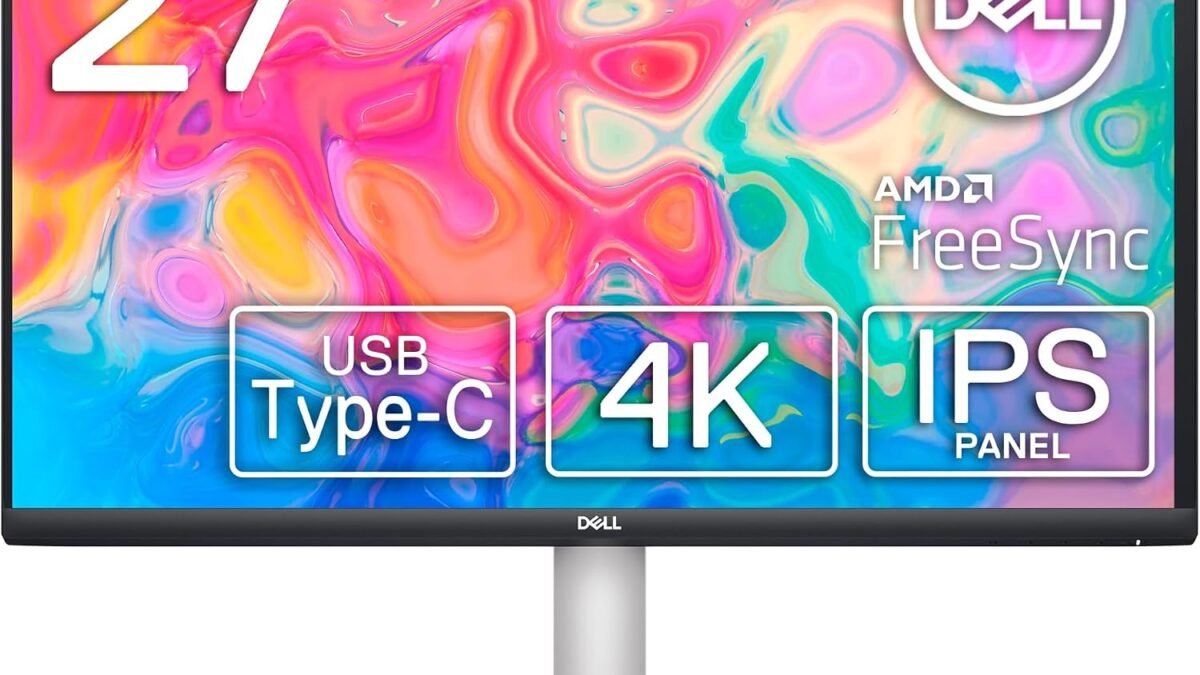
Working on a 1080p laptop screen all day is a form of slow torture. Text is fuzzy, spreadsheets feel cramped, and your eyes pay the price by 4 PM. The Dell S2722QC solves all of it: 4K clarity on a 27-inch IPS panel, a single USB-C cable that charges your laptop and transmits video simultaneously, and a fully adjustable stand that actually lets you set the right ergonomic height. For under $300, it’s the cleanest home office monitor upgrade available.
Quick Verdict
Dell S2722QC 27″ 4K USB-C Monitor — The best home office monitor under $330. 4K IPS, USB-C 65W charging, full ergonomic stand, and 99% sRGB. One cable replaces your entire desk setup.
Score: 9/10 | Price: $279–$330
Key Specifications
| Panel | 27″ IPS, 4K UHD (3840×2160) |
|---|---|
| Refresh Rate | 60Hz |
| Response Time | 4ms GtG |
| Brightness | 350 nits |
| Color Coverage | 99% sRGB, HDR10 |
| Connectivity | USB-C (65W PD), 2x HDMI 2.0, 2x USB-A 3.0, audio jack |
| Speakers | Dual 3W built-in |
| Stand Adjustments | Tilt, height, swivel, pivot |
The One-Cable Desk Setup
The USB-C port on the Dell S2722QC does three things at once: it delivers the display signal, provides 65W of power delivery to charge your laptop, and connects you to the monitor’s USB-A ports for peripherals. One cable between your MacBook Air, Dell XPS, Lenovo ThinkPad, or any modern USB-C laptop — and you have a 4K display, a charging connection, and USB hub. No power brick sitting on your desk. No separate video cable. One cable.
65W covers the majority of thin-and-light laptops fully. MacBook Air 13″/15″ (30W–35W), Dell XPS 13 (45W), ThinkPad X1 Carbon (65W) — all charge at full speed while displaying 4K. High-performance laptops with discrete GPUs (45W+ charge requirement) may charge slowly during heavy workloads; for those, consider the LG 27UP850K with 90W PD.
4K at 27 Inches: Why It Matters for Productivity
At 4K resolution on a 27-inch display, text is rendered at 163 pixels per inch. That’s the same pixel density as an iPhone. Web pages, PDFs, documents, and spreadsheets look as sharp as print. On a 1080p 27-inch monitor, you get 81 PPI — technically readable, but noticeably softer. If you read or write for hours a day, the difference in eye strain is significant.
The practical benefit of 4K at this size is screen real estate. You can genuinely have two full-width documents side by side. A browser, a Slack window, and a spreadsheet simultaneously visible without cramping. The 99% sRGB coverage means photos and design work look accurate — useful for anyone doing casual photo editing, social media content creation, or video review work.
Pros and Cons
Pros
- USB-C 65W charges most laptops while transmitting 4K — true single-cable setup
- 4K IPS at 27″ — exceptional text clarity for productivity work
- 99% sRGB — accurate colors for photo editing and content review
- Full ergonomic stand: height, tilt, swivel, and portrait pivot
- Built-in 3W speakers eliminate the need for external audio in minimal setups
- Dell 3-year warranty with reliable US support
Cons
- 60Hz only — fine for productivity, not for gaming
- Not Thunderbolt 4 — some Mac M3/M4 users may notice limitations
- 350 nits brightness is modest in sun-facing rooms
- No KVM switch for multi-computer setups
How It Compares
| Monitor | Price | Resolution | USB-C PD | Best For |
|---|---|---|---|---|
| Dell S2722QC | $279–$330 | 4K | 65W | Best all-around home office value |
| LG 27UP850K-W | $280–$320 | 4K | 90W | Power-hungry laptops, DCI-P3 content |
| ASUS ProArt PA279CV | $320–$380 | 4K | 65W | Professional color accuracy, designers |
| BenQ GW2786TC | ~$200 | 1080p | 65W | Budget pick, has mic, but soft text |
Who Should Buy It
The Dell S2722QC is for remote workers and home office users who want a clean, capable 4K setup without overpaying. If you’re currently using your laptop’s built-in screen all day, this is one of the highest-impact upgrades you can make to your productivity and eye comfort. If you charge via USB-C already, the single-cable setup alone is worth the purchase.
If your laptop requires more than 65W during heavy workloads (gaming laptops, M3 Max MacBook Pro under load), step up to the LG 27UP850K at a similar price for 90W PD. If you’re a photographer or designer who needs factory-calibrated color accuracy, the ASUS ProArt PA279CV adds $40-50 for Delta E <2 calibration.
Final Verdict
The Dell S2722QC is the home office monitor recommendation for 2026. 4K IPS clarity, USB-C single-cable setup, full ergonomic stand, and Dell reliability — at $279, it’s the kind of purchase you make once and forget about. PCWorld, DisplayNinja, and StorageReview all recommend it as the best-value 4K monitor for productivity. 4,500+ Amazon reviews back that up. If you’re upgrading your home office, start here.
→ Check the latest price on Amazon
Frequently Asked Questions
Will USB-C 65W charge a MacBook Pro?
It charges a MacBook Pro at 65W, which covers casual use fully. Under heavy CPU/GPU load, a MacBook Pro 14″ may draw more than 65W and charge slowly or slightly drain. For heavy MacBook Pro use, the LG 27UP850K with 90W is a better fit.
Can I use this monitor for gaming?
It has AMD FreeSync and 4ms response time, so casual gaming is fine. However, 60Hz is the ceiling — competitive FPS gaming at 144Hz+ requires a different monitor. For home office with occasional gaming, the S2722QC works; for gaming-first, look elsewhere.
Does the pivot mode (portrait orientation) work well?
Yes. The stand supports 90° pivot to portrait mode. 4K in portrait is excellent for reading long documents, coding, or social media content review. You’ll need to enable display rotation in your OS settings after physically rotating.
Are the built-in speakers good enough?
For video calls, background music, and casual use — yes. They’re 3W dual speakers, clearly better than laptop speakers. For music listening or media as a primary use, a dedicated speaker will be noticeably better.
Leave a Reply