Your earbuds are flawless on the empty 6 a.m. bus. Twelve hours later, in a gym packed with fifty other people, the same pair stutters like a scratched CD every time you rack a dumbbell. Same buds, same phone, same playlist — the only variable that changed is the room. If Bluetooth keeps cutting out in crowded places for you, nothing is broken. Your earbuds are fighting a radio brawl they were never designed to win, and here’s the twist worth sticking around for: the biggest jammer in the building is probably you.
Why Bluetooth Cuts Out in Crowded Places: The Brawl Over 2.4GHz
Bluetooth lives in the 2.4GHz ISM band, a slice of spectrum that’s unlicensed — meaning anyone can transmit there without asking permission. And everyone does. Wi-Fi routers, wireless mice and keyboards, baby monitors, smart plugs, security cameras, and yes, microwave ovens all shout into the same narrow corridor. In your living room, that’s manageable. In a commercial gym or an airport terminal, you’ve got dozens of phones, smartwatches, and earbuds transmitting at once, layered on top of the venue’s own Wi-Fi network. Packets collide, packets get lost, and lost packets are exactly what your ears register as skips and dropouts.
Quick tangent, because it’s too good to skip: the office microwave is a legitimate Bluetooth villain. Microwave ovens heat food using 2.4GHz energy, and no shielding is perfect — small leaks spray bursts of interference across the band. If your audio glitches every time someone reheats their lunch, that’s not a coincidence. It’s physics with a side of leftovers.
1,600 Hops per Second — and Nowhere Left to Land
Bluetooth’s engineers saw the crowding coming, and their workaround is genuinely elegant. Classic Bluetooth divides its spectrum into 79 channels of 1MHz each, starting at 2402MHz, and hops between them 1,600 times per second — one hop every 625 microseconds. The logic: if one channel is noisy, you’re only there for a fraction of a millisecond before jumping somewhere cleaner.
It gets smarter. Adaptive Frequency Hopping (AFH) keeps a live 79-bit map of the band, flags channels with high error rates as bad, and skips them on future hops. The spec requires that at least 20 channels stay in the rotation. Against a single home router, AFH works beautifully — your earbuds simply dance around the Wi-Fi channel. But in a packed venue, nearly all 79 channels are noisy at the same time. The map fills up with red, the 20-channel minimum kicks in, and your earbuds are forced to hop straight through interference because there’s nowhere clean left to land. Bluetooth isn’t badly designed — it’s a deliberately low-power protocol that simply can’t out-hop a saturated band.
Did You Know? Your Own Body Is the Bigger Problem
Here’s the part almost nobody suspects. The human body is roughly 60 to 70 percent water, and water absorbs 2.4GHz radiation exceptionally well. RF engineers put the attenuation at around 330 dB per meter of water at room temperature — roughly 100 dB per foot. Your torso isn’t a solid foot of water, but it doesn’t need to be: field measurements show about 3 dB of loss from body blockage alone, and received signal strength swinging by as much as 20 dB as a person simply rotates in place.
That 20 dB swing explains the classic mystery. Phone in your back pocket on the opposite side, audio fine while you walk — then you twist into a set of rows and the far earbud dies. The signal is trying to cross your entire torso, the most absorbent object in the room. In a crowded gym you’re also surrounded by dozens of other water-filled bodies, each one soaking up signal. For true wireless earbuds, your own anatomy is often a bigger factor than everyone else’s radios. It’s the same humbling lesson physics teaches all over audio — we broke down why noise-canceling headphones can’t block every sound in our look at the limits of ANC, and the moral is identical: some limits aren’t product flaws, they’re wave behavior.
Codecs, Buffers, and the Art of Hiding Failure
When packets do get lost, your gear works hard to hide it. Players keep a small buffer of audio ahead of what you’re hearing, so a dropped packet can be retransmitted before its turn arrives. A bigger buffer means fewer audible dropouts but more lag — which is exactly why video apps quietly delay the picture to keep lips in sync.
The codec matters more than most spec sheets admit. SBC, the aging default every device supports, runs at roughly 192 to 328 kbps, with latency typically cited around 150 to 200 milliseconds depending on the implementation. The newer LC3 codec — the heart of LE Audio — is the genuinely exciting upgrade. In the Bluetooth SIG’s formal listening tests, LC3 at just 160 kbps was rated above SBC running at 345 kbps. Same or better sound at roughly half the bitrate means each packet occupies less airtime, which leaves more headroom to retransmit lost data before you would ever hear the gap. LC3 also ships with built-in packet loss concealment, masking a lost packet intelligently instead of letting it glitch. Less data, sent smarter, with a graceful fallback — that’s the actual future of not stuttering.
The Multipoint Trap
One more culprit hides in your settings menu. Multipoint — the feature keeping your earbuds connected to laptop and phone simultaneously — forces the headphones to juggle two masters. When your idle phone pushes a notification mid-meeting, the buds have to arbitrate between streams, and that negotiation can surface as a brief dropout or an unwanted source switch. Windows support forums are full of stutter complaints that trace back to multiple Bluetooth devices doing exactly this dance. Convenience and stability are, quite literally, sharing bandwidth.
What Actually Helps
The honest fixes, ranked by effort:
- Move your phone to the same side as your earbuds’ antenna. A breast or jacket pocket beats a rear jeans pocket every time — less torso in the signal path, fewer dropouts.
- Update firmware and re-pair from scratch. Manufacturers regularly patch AFH and multipoint bugs, and a stale pairing profile can carry old problems forward.
- Disable multipoint when stability matters, and switch off Bluetooth on idle gadgets — the tablet and smartwatch you’re not using are still claiming airtime.
- At home, move your Wi-Fi to 5GHz or 6GHz. Your router stops competing with your headphones in the 2.4GHz band entirely. This attacks the same congestion problem we unpacked in why your Wi-Fi slows down at night — fixing one often quietly fixes the other.
- When you upgrade, look for LE Audio and LC3 support. It’s the long-term fix, not a band-aid. If you’re shopping anyway, our guide to choosing wireless earbuds in 2026 walks through which features genuinely matter and which are marketing noise.
- In truly hostile RF — the packed gym floor, the conference hall — wired still wins. That’s not product failure; that’s physics.
One honest caveat: the 5GHz trick only cleans up your own home. In public, it does nothing about strangers’ devices — nothing can.
A Small Miracle, Gracefully Degrading
Step back, and the real surprise isn’t that Bluetooth stutters in a crowded gym — it’s that it works at all. A deliberately low-power radio hopping 1,600 times a second, dodging dozens of competing transmitters, punching through the most absorbent material in the room (you), and still delivering music with imperceptible gaps most of the time. The next time your audio hiccups mid-set, you might hear it a little differently: not a gadget failing, but a tiny machine briefly losing a fight against the entire electromagnetic environment — and then, 625 microseconds later, winning again.
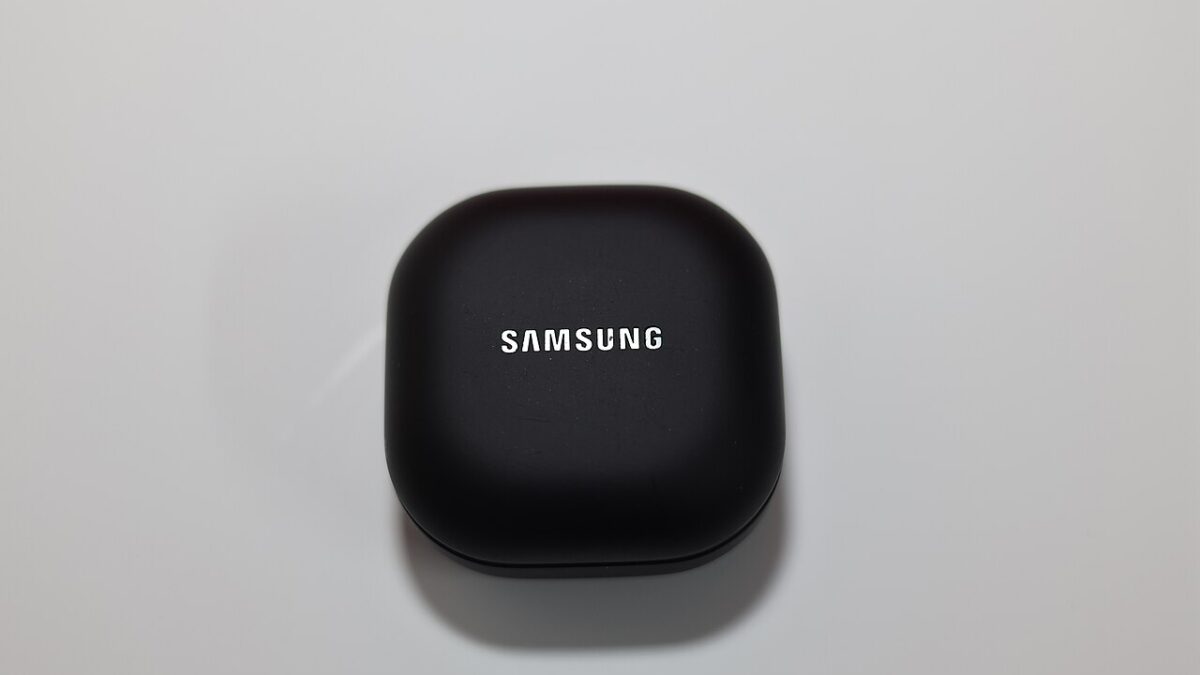
Featured image: Samsung Galaxy Buds2 Pro by Gannu03, Wikimedia Commons (CC BY-SA 4.0)
Leave a Reply