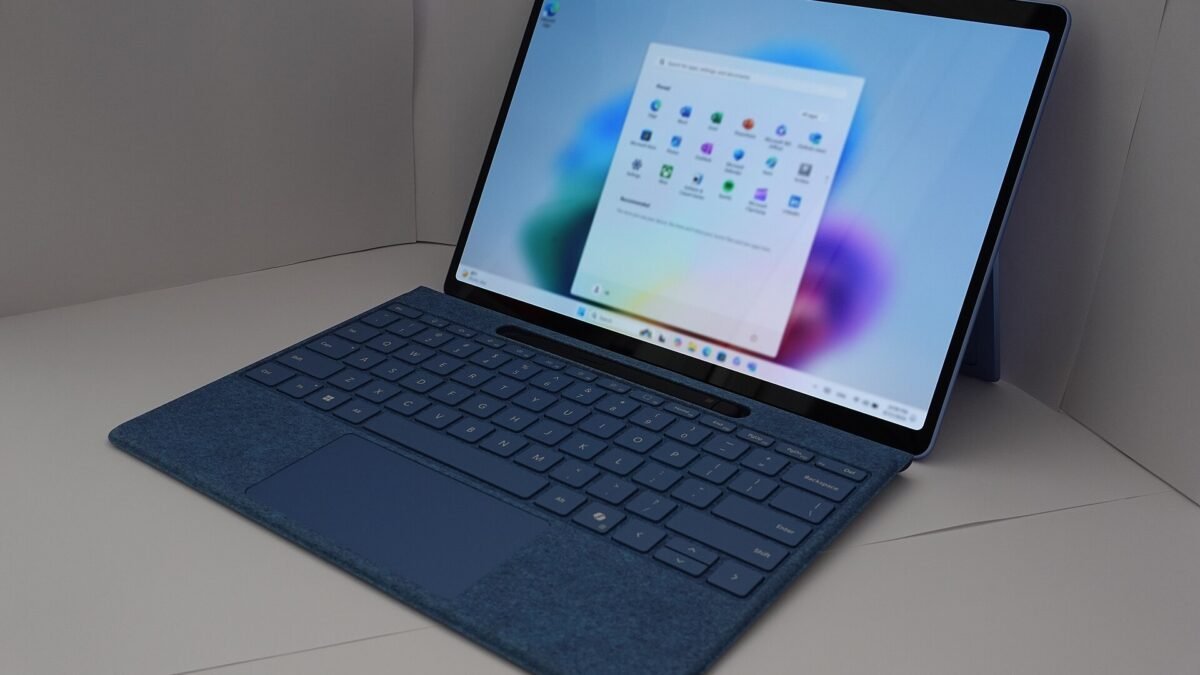
Microsoft is ending support for Windows 11 SE, the locked-down edition of Windows that comes preinstalled on low-cost school laptops such as the Surface Laptop SE. According to Microsoft’s Windows 11 SE overview, support for the edition, “including software updates, technical assistance, and security fixes,” ends in October 2026, and Microsoft “will not release a feature update after Windows 11 SE, version 24H2.”
Microsoft’s SE pages give a month, not a day. The closest dated marker is the version SE runs. Microsoft’s Windows 11 lifecycle page, which covers the SE edition along with Home, Pro, Pro Education and Pro for Workstations, says version 24H2 “was the last supported version for Windows 11 SE edition.” The release notes for KB5127648, the October 13, 2026 security update, say Windows 11 version 24H2 Home and Pro “has reached end of updates” and that the October 2026 monthly security update “is the last update available for these editions.” Those notes do not mention SE, so the safe reading is this: install any pending updates now, and do not count on more after October 2026.
What ends, and what keeps working
| Item | Status | Source |
|---|---|---|
| Feature updates for Windows 11 SE | None after version 24H2 | Windows 11 SE overview |
| Software updates, technical assistance and security fixes | End in October 2026 | Windows 11 SE overview |
| The laptop itself | Keeps working | Windows 11 SE overview |
| Surface Laptop SE drivers and firmware | Servicing period runs to January 11, 2028 | Surface driver and firmware lifecycle |
| Other Windows 11 editions | Newer versions 25H2, 26H1 and 26H2 remain in support | Windows 11 lifecycle page |
Microsoft’s advice is short: “While your device will continue to work, we recommend transitioning to a device that supports another edition of Windows 11 to ensure continued support and security.” In practice, an SE laptop that stays in use after October 2026 keeps running, but security flaws found in Windows after that point will not be fixed on it.
Why an SE laptop is not a regular Windows laptop
Windows 11 SE is a narrower product than Home or Pro. Microsoft’s Windows 11 SE FAQ says it is designed for “students in grades K-8 who use a laptop provided by their school, in a 1:1 scenario.” The overview says it is “only available preinstalled on devices from OEMs,” and that IT admins can manage SE devices remotely with Microsoft Intune for Education. Microsoft’s Surface Laptop SE page says that model is “only available to educational institutions and organizations.”
The bigger difference is what the owner of the laptop can do. The FAQ says: “Only IT admins can install apps. Users will not be able to access the Microsoft Store or download apps from the internet.” The overview’s app table lists web apps and progressive web apps as enabled by default. Classic Windows programs and Store apps fail unless they have been allowed to run.
That matters most if an SE laptop reaches you outside a school, for example through a resale listing. You get the browser, web apps and the apps that came installed, and Microsoft’s documents put everything else in the hands of an IT admin.
Surface Laptop SE: firmware support outlasts Windows SE support
Microsoft’s Surface driver and firmware lifecycle lists the Surface Laptop SE with a release date of January 11, 2022 and an end-of-servicing date for firmware and drivers of January 11, 2028. Its update history page says the device “is currently within its servicing period.”
Those are two separate tracks. The same lifecycle page says Surface devices get driver and firmware updates “for Windows OS versions released in the prior 30 months,” and that Windows feature and security updates follow the Windows lifecycle policy. Firmware and driver updates cover the hardware. They do not patch Windows.
What Microsoft does not say
The three Microsoft pages we read about Windows 11 SE devices, the SE overview, the SE FAQ and the Surface Laptop SE page, do not describe converting an SE laptop to Windows 11 Home, Pro or Pro Education. Their recommendation is a device that supports another edition. Microsoft’s list of supported operating systems for Surface devices covers other Surface Laptop models but does not include the Surface Laptop SE.
That does not prove a conversion is impossible. It means Microsoft has not documented one in the pages that cover these devices. A school’s IT staff manage its SE laptops, so they are the right people to ask about another edition. For an individual owner, do not buy or keep an SE laptop on the assumption that it can become a regular Windows 11 PC.
What to do, by situation
| Your situation | What to do |
|---|---|
| Your child’s school issued the laptop | Keep it updated through October 2026, then ask the school what it plans for SE devices. The school’s IT staff control apps, updates and any replacement. |
| You are not sure which edition a laptop runs | Open Settings, then System, then About. Microsoft’s support page says the edition and version appear under Windows specifications. |
| You own an SE laptop outside a school | Expect no security fixes after October 2026. Microsoft recommends moving to a device that supports another edition of Windows 11. |
| You are shopping for a cheap used laptop | Ask the seller which Windows edition it runs. An SE laptop runs only allowed apps and gets no Windows security fixes after October 2026. |
| You manage SE devices for a school | Plan the transition. Version 24H2 is the last SE version, and Surface Laptop SE firmware servicing ends January 11, 2028. |
If you are comparing school laptops with longer support windows, our explainer on Chromebook update dates covers how Google lists them. For the end of Windows 11 24H2 on Home and Pro PCs and the Windows 10 extended updates, see what ends in October 2026. If you are weighing a used or refurbished replacement, our guide to whether refurbished tech is worth it lists what to check.
How we checked: we read Microsoft’s Windows 11 SE overview and FAQ, the Surface Laptop SE features and update history pages, the Surface driver and firmware lifecycle and supported operating systems pages, the Windows 11 lifecycle and release information pages, the KB5127648 release notes and Microsoft’s support page on finding your Windows edition, plus coverage from Tom’s Hardware and Windows Central. DecodeGear did not test a Windows 11 SE device.
Leave a Reply