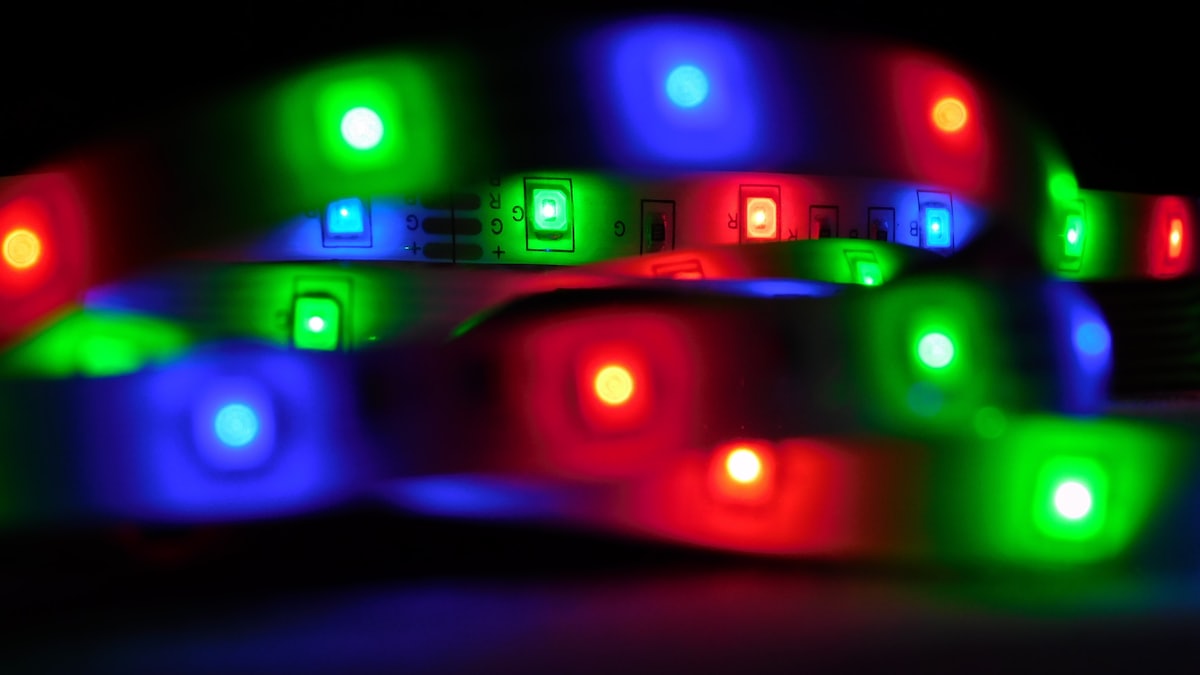
What Makes a Smart LED Strip “Smart”?
Not every LED strip with a Wi-Fi logo deserves to be called smart. A truly smart LED strip connects to your home network, responds to voice commands, syncs with other devices, and — increasingly in 2026 — speaks the Matter protocol so it works with any ecosystem without a proprietary hub. The gap between a $15 dumb strip and a $35 smart one is significant. The gap between a $35 smart strip and a $129 premium one is where things get nuanced. This guide gives you the framework to spend the right amount for your actual use case.
The 5 Things That Actually Matter When Buying LED Strips
1. RGB vs RGBIC — Understanding the Difference
This distinction alone eliminates half the buyer confusion in this category.
RGB strips treat the entire strip as one unit. Every LED changes to the same color at the same time. You can set it to red, blue, or purple — but the whole strip shifts together. Fine for single-color accent lighting, limiting for anything dynamic.
RGBIC strips (IC = Integrated Circuit) use addressable LEDs. Each segment has its own controller, so different sections of the strip can display different colors simultaneously. You can have a sunrise gradient running from warm orange at one end to cool blue at the other, or a music-reactive chase effect that actually moves across the strip. If visual effects matter to you, RGBIC is the minimum standard worth buying in 2026.
One practical caveat: RGBIC strips typically cannot be cut and still function. The IC chip logic depends on the full strip length. RGB strips are usually cuttable at marked intervals. If custom length matters more than effects, RGB may still be the right call.
2. Lumens and LED Density: How Bright Do You Need?
Manufacturers love to advertise wattage, but lumens tell you the actual light output you’ll experience.
- 400–800 lumens per meter: Accent and ambient lighting — behind a TV, under a bed frame, along a ceiling cove. This range creates atmosphere without blinding anyone.
- 1000+ lumens per meter: Task lighting — under kitchen cabinets where you’re actually chopping vegetables, or a workbench where precision matters.
LED density matters for visual quality, not just brightness. 30 LEDs/meter is the budget tier — you’ll see individual hotspots, especially on lighter surfaces. 60 LEDs/meter is the standard for most home use cases, with smooth color transitions. 120 LEDs/meter is the premium tier, producing near-seamless gradients that justify the price only if the strip is directly visible (not diffused behind a channel).
For most home office or desk setups, 60 LEDs/meter at 600–800 lumens/meter is the sweet spot.
3. App Control, Voice Assistants, and Matter
Every smart strip ships with a proprietary app. The quality varies wildly — some have scheduling, scenes, and music sync built in; others are glorified on/off switches. Before buying, search the app name in your platform’s store and read recent reviews.
Voice assistant compatibility (Alexa, Google Home, Apple HomeKit) used to require checking a compatibility matrix per product. Matter changes that. Matter is the 2022-forward smart home standard that lets a single device work with all major ecosystems natively. In 2026, if a strip is Matter-certified, you integrate it once and control it from any assistant without workarounds or secondary hubs. If long-term ecosystem flexibility matters to you — especially if you’re building out a larger smart home — prioritize Matter compatibility.
4. Adhesive Quality: The #1 Reason Strips Fail
The most overlooked spec in every buying guide. The failure mode is predictable: you install the strip, it looks great for three months, then one morning you find it dangling off the wall. The LED chip is fine. The adhesive gave up.
The dividing line is clear: 3M VHB (Very High Bond) tape is the industry benchmark for adhesive-backed strips. It bonds aggressively to clean surfaces, handles temperature variation, and lasts years without delaminating. Generic double-sided tape is the standard on budget strips — it works initially but fails under heat, humidity, or any surface that wasn’t perfectly clean at install time.
If a product listing doesn’t mention 3M VHB specifically, assume it’s using generic tape. You can supplement with aluminum LED channels (which also diffuse light and protect the strip), but that adds cost and complexity.
5. Length, Cuttability, and IP Rating
Most strips ship in 5-meter (16.4ft) or 10-meter (32.8ft) lengths. Measure your intended run before buying — adding extension cables introduces voltage drop over long distances, which causes uneven brightness (dimmer at the far end).
IP ratings define water resistance, which matters in kitchens and bathrooms:
- IP20: Indoor dry use only
- IP44: Splash resistant — safe near sinks if not directly exposed
- IP65: Water-jet resistant — suitable for most kitchen/bathroom installs
- IP67: Submersible — pool edges, outdoor water features
For most indoor installs, IP20 or IP44 is sufficient. Paying for IP67 in a bedroom is unnecessary.
Best Smart LED Strip Lights to Consider in 2026
Best Budget: Govee Wi-Fi RGBIC LED Strip (~$30)
The Govee Wi-Fi RGBIC strip covers the essentials at a price that’s hard to argue with. You get true RGBIC addressable LEDs, Alexa and Google Home compatibility, a music sync mode that actually responds to rhythm (not just volume), and a 16.4ft run in the box. The Govee Home app is one of the more capable in the budget tier, with scene presets, scheduling, and a DIY mode for custom segment colors. The adhesive is generic rather than 3M VHB, so surface prep matters more here. For a TV backlight or bedroom accent install, this is where most buyers should start.
Best Premium: Philips Hue Gradient Lightstrip (~$129)
The Philips Hue Gradient Lightstrip is the answer when you’re already in the Hue ecosystem or want a strip that integrates with everything. It’s Matter-native, works with Alexa, Google Home, and Apple HomeKit out of the box, and produces the smoothest multi-color gradients in the category. Philips Hue’s ecosystem also supports Sync Box integration for automatic TV and game content matching without a separate camera. The price is a serious commitment, but if you want a strip that integrates with your broader smart home without compromises, this is it.
Best for Beginners: Kasa Smart LED Strip KL430 (~$35)
The Kasa KL430 trades RGBIC effects for simplicity and reliability. Matter compatible, easy to set up through the Kasa app, and solid build quality from TP-Link. If you want a strip that just works without digging through app settings, this is the beginner recommendation. Limited dynamic effects, but excellent for static color scenes and scheduling.
Best for Gaming or TV Ambiance: Govee DreamView T1 Pro (~$70)
The DreamView T1 Pro adds a camera that captures your screen content in real time and mirrors the colors onto the surrounding strip. For gaming setups or home theater rooms, this is the closest you get to professional bias lighting without a custom installation. The camera-to-strip latency is low enough to not feel laggy, and the music sync mode still functions independently when you’re not using screen matching.
Smart LED Strip Use Cases
TV Bias Lighting
Bias lighting — a backlight behind your TV that extends the perceived color field — reduces eye strain during dark scenes and makes HDR content look more immersive. For this use case, RGBIC is worth the premium: a strip that can mirror warm tones on the left where the sunset is and cool tones on the right where the sky is dramatically outperforms a single-color glow. Measure the perimeter of your TV before buying. Most 55-inch sets need around 2.8–3 meters of strip coverage.
Under-Cabinet Kitchen Lighting
Under-cabinet lighting is a functional install, not an aesthetic one. Prioritize lumens (1000+ lm/m), IP44 or higher for splash protection, and a color temperature option that includes warm white (2700–3000K) for cooking environments. Music sync and RGBIC effects are largely irrelevant here. The Kasa KL430 or any solid white-capable strip at appropriate brightness handles this well.
Gaming Room and Desk Ambiance
This is where RGBIC effects and music sync justify their cost. A desk or monitor setup with reactive, addressable lighting creates the kind of immersive environment that actually feels like your smart home is responding to you rather than just being remotely controllable. Screen-sync options like the DreamView T1 Pro are the ceiling of this category; the Govee RGBIC strip is the floor that still delivers meaningful effects.
Installation Tips and Common Mistakes
Clean the surface before you stick anything. The single biggest installation failure is skipping this step. Use isopropyl alcohol (70%+) and let it dry fully before applying the strip. Paint, dust, or residue from previous tape will compromise any adhesive.
Use aluminum LED channels for visible runs. Channels diffuse hotspots, protect the strip from physical contact, and give installations a finished look. They also prevent heat buildup on long runs, which extends LED lifespan. For behind-TV or under-cabinet installs, channels are worth the extra $15–20.
Don’t exceed the rated run length in a single chain. Most consumer strips are designed for 5 or 10 meters from a single power injection point. Longer runs get dimmer at the far end due to voltage drop. For larger installations, use a second power supply at the midpoint or far end.
Test before you peel. Run the strip through its full color range while laying it loose before committing the adhesive. RGBIC effects, app connectivity, and brightness should all be verified while the strip is still repositionable.
FAQ
Can I cut smart LED strips to a custom length?
RGB strips generally yes — there are marked cut points every few centimeters and cutting there preserves function. RGBIC strips typically cannot be cut because the addressable IC logic depends on the full strip configuration. Always confirm in the product listing before buying if custom length is a requirement.
Do I need a hub for Matter-compatible strips?
No. That’s the point of Matter. A Matter-certified strip connects directly to your Wi-Fi network and registers with Alexa, Google Home, or Apple HomeKit without any brand-specific hub. This is a meaningful advantage over older Zigbee or Z-Wave products that required proprietary bridges.
How long do smart LED strips actually last?
LED chips themselves are rated for 25,000–50,000 hours under normal use — a decade of daily use at reasonable brightness levels. The failure points in practice are the adhesive (addressed above), the power supply (avoid very cheap third-party replacements), and the controller chip in RGBIC strips, which can be damaged by power surges. Strips from established brands like Govee, Philips, and Kasa have better component sourcing than generic imports, which is worth accounting for in the total cost comparison.
Leave a Reply