Does More RAM Actually Make Games Run Better? Here’s the Truth
TECH EXPLAINED
You’re mid-game, the action heats up, and your frame rate tanks into a slideshow. A friend swears that doubling your RAM fixed the exact same problem on his rig. But another friend says RAM makes zero difference once you’re past a certain point. So who’s right? The honest answer: both of them. Whether RAM affects gaming performance depends entirely on where you’re starting from — and understanding that distinction could save you from spending money on the wrong upgrade.
The question of whether does RAM affect gaming performance has a two-part answer: RAM capacity determines whether your system can even run a game properly, and RAM speed determines how fast data gets shuttled to your CPU. Get either one wrong for your setup, and you’ll feel it. Get both right, and your RAM will quietly do its job while your GPU does the heavy lifting.
How RAM Actually Affects Games
Think of RAM as a chef’s prep counter. The bigger the counter (capacity), the more ingredients — game textures, assets, NPC data, audio — can sit ready to use. The faster ingredients get passed from counter to chef (speed), the faster your CPU can process them. But here’s the catch: if the chef can only cook at a fixed speed because the stove is old (your GPU is the bottleneck), a bigger or faster counter won’t make dinner arrive sooner.
This analogy explains why RAM upgrades produce wildly different results for different people. Someone playing Cyberpunk 2077 on 8GB of RAM will see dramatic improvements after upgrading to 16GB or 32GB — the prep counter was simply too small to hold everything the kitchen needed. Someone already on 32GB who upgrades to 64GB while gaming on a mid-range GPU will notice absolutely nothing. The bottleneck moved somewhere else entirely.
RAM affects gaming in two distinct ways, and you need to address them separately.
How Much RAM Do You Need in 2026?
8GB: Not enough anymore. If you’re still on 8GB, this is your single biggest gaming bottleneck right now. Modern titles like Cyberpunk 2077 need 12GB of VRAM alone, on top of system RAM for the OS, background apps, and game logic. On 8GB, your system will constantly swap data to your slower SSD, causing the stutters and mid-game freezes that feel like your GPU is struggling — when really it’s your RAM starving it of data. Upgrade immediately.
16GB: The minimum for 2026 gaming. This is where most gamers should be today. At 1080p and 1440p, 16GB handles the majority of titles without issues. You’ll run Elden Ring, Call of Duty, and Fortnite without complaint. The exceptions are the increasingly common games that recommend 32GB — Hogwarts Legacy, Microsoft Flight Simulator 2024, and sprawling open-world titles that keep huge map segments loaded in memory. On 16GB with those games, you may notice occasional texture pop-in or stutters during fast travel.
32GB: The sweet spot for 2026. This is the amount that makes the most sense if you’re building or upgrading a gaming PC today. It’s enough headroom for every current title, including the heaviest open-world games at 4K. It also means you can stream your gameplay, keep a browser with 20 tabs open, and run Discord without any of those apps stealing resources from your game. Future-proof for the next two to three years of releases.
64GB: Only if you need it for work. Running a virtual machine, doing professional video editing, or compiling large software projects while gaming? Then 64GB makes sense. Purely as a gaming upgrade from 32GB? You’ll see zero improvement. The money is far better spent on a better GPU.
Does RAM Speed Matter for Gaming?
Yes — but only in specific scenarios, and with clear diminishing returns.
In 2026, DDR5 is now the mainstream standard. Both Intel’s Panther Lake and AMD’s Zen 5 platforms are DDR5-only, meaning if you’re building new, you’re already on DDR5. The question is which speed to target.
For AMD Ryzen systems, the magic number is DDR5-6000. AMD’s processors use a design where the memory controller and the CPU cores communicate over something called the Infinity Fabric. That fabric runs at half your memory speed — so DDR5-6000 pushes the Infinity Fabric to 3000MHz, its optimal operating point. Going from DDR5-4800 to DDR5-6000 can deliver a 5–15% FPS improvement in CPU-bound scenarios, which is most common in competitive games at 1080p where your GPU isn’t the limiting factor.
Beyond DDR5-6400, you hit steep diminishing returns. The extra cost for DDR5-7200 or DDR5-8000 kits rarely translates into gaming gains you’d actually notice. Save that money.
For Intel systems, the sweet spot is similar — DDR5-6000 to DDR5-6400 — though Intel’s memory controller is slightly more flexible. Either way, chasing the highest-binned RAM kits is a money sink for gaming purposes.
One important caveat: speed matters most when your CPU is the bottleneck. If you’re gaming at 4K on a high-end GPU, the GPU will be the limiting factor in almost every scenario, and faster RAM won’t move your frame counter at all. Speed upgrades pay off most at 1080p in competitive titles where you’re chasing high frame rates.
The Dual Channel Rule
This one is non-negotiable: always run two sticks, not one.
A single 32GB stick uses only one memory channel. Two 16GB sticks use both channels simultaneously, effectively doubling the data bandwidth available to your CPU. In practice, going from single-channel to dual-channel can improve gaming performance by 10–20% — sometimes more in CPU-bound games. It’s one of the highest-impact, lowest-cost performance changes you can make.
When buying RAM, always buy a matched kit (2×8GB, 2×16GB, 2×32GB). Don’t mix sticks from different manufacturers or speeds — the system will downclock everything to match the slower stick, and you may face stability issues. Check your motherboard’s QVL (Qualified Vendor List) to confirm compatibility before purchasing.
What to Upgrade Instead of RAM
If you’re already on 32GB of dual-channel DDR5, stop looking at RAM. Here’s where your upgrade budget actually matters:
- GPU first. In the vast majority of gaming scenarios, your graphics card is the bottleneck. A GPU upgrade delivers the most visible improvement to frame rates and image quality.
- CPU second. If you’re seeing consistent high CPU usage while your GPU sits under 80%, a faster processor may help — particularly in strategy games, simulations, or titles with dense NPC AI.
- Storage for load times. An NVMe SSD dramatically reduces game load times and open-world streaming stutters, though it won’t increase your in-game FPS once assets are loaded.
Also worth noting: RAM prices are rising right now due to ongoing DRAM supply constraints. If you’re on 8GB or 16GB and have been putting off an upgrade, the window to buy at today’s prices is narrowing. And while SSD prices fall, RAM keeps climbing — which makes the case for upgrading sooner rather than later even stronger.
Quick Decision Guide: What Should You Do?
Run through this before spending anything:
- On 8GB? Upgrade to 16GB or 32GB immediately. This is your number-one bottleneck.
- On 16GB DDR4? Fine for now. Consider upgrading to DDR5 when you next change your CPU and motherboard — don’t upgrade RAM in isolation on an old platform.
- On 16GB DDR5? Add another 16GB if you regularly play heavy open-world games or noticed RAM usage above 80% in Task Manager during gaming.
- On 32GB? Your RAM is not the problem. Buy a better GPU.
- Building new? Target 32GB of DDR5-6000 in dual-channel (2×16GB). That’s the 2026 sweet spot.
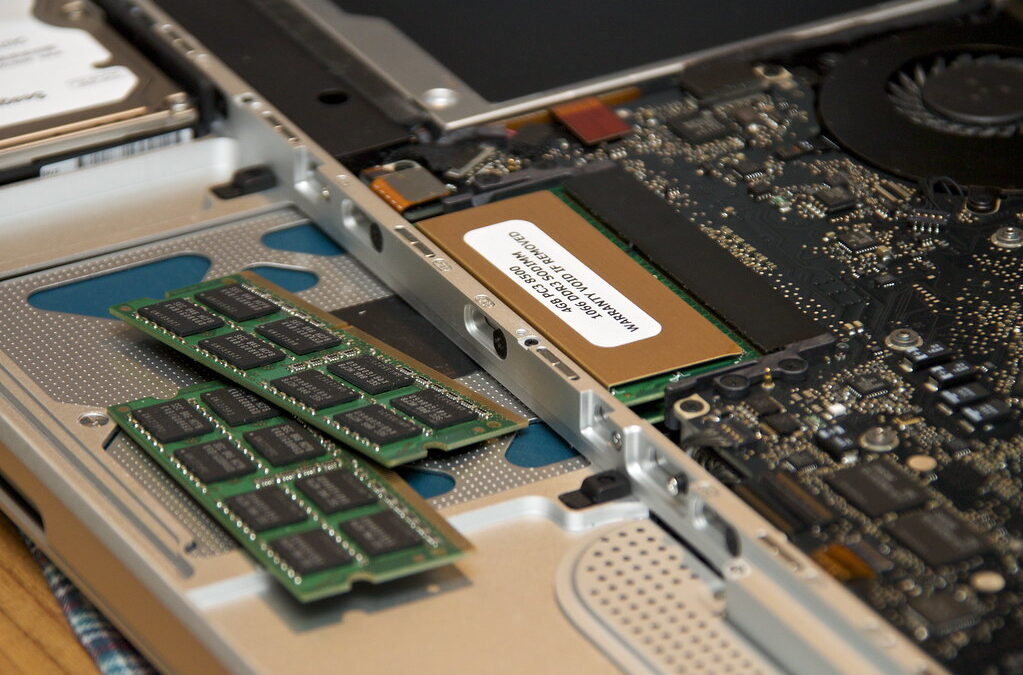
And if you’re on a laptop: the calculus is similar, but upgrading your laptop’s RAM requires checking whether it’s soldered to the motherboard first — many modern ultrabooks don’t allow it.
The bottom line: RAM absolutely affects gaming performance, but only up to a point. Below that point, more RAM is the most impactful upgrade you can make. Above it, you’re throwing money at something that’s already doing its job perfectly — and the real bottleneck is somewhere else entirely.
Does RAM affect gaming performance? Yes — but only up to a point. Here’s exactly how much RAM you need in 2026, whether RAM speed matters, and when upgrading RAM stops helping your frame rates.
Leave a Reply