Smart homes can feel overwhelming — hundreds of gadgets, three rival ecosystems, and a lot of jargon. Walk into any electronics aisle in 2026 and you’ll find smart bulbs, plugs, locks, cameras, sensors, and hubs from dozens of brands, all promising to make your life easier. Most of them will, eventually. But buy in the wrong order and you end up with a drawer full of gadgets that don’t talk to each other. Here’s the honest starting path that avoids buyer’s remorse.
Step 1: pick an ecosystem first
Before buying anything, choose your hub: Amazon Alexa, Google Home, or Apple Home. This decides which voice assistant and app you’ll live in. If you’re deep in Apple, Apple Home is the natural fit; otherwise Alexa has the widest device support.
Here’s how the three break down in practice:
- Amazon Alexa — the biggest third-party device catalog by far, the cheapest entry points, and the most mature routines system. If you want maximum compatibility on a budget, start here.
- Google Home — the best voice assistant for natural questions and the smoothest fit if you already use Android, Gmail, and Google Calendar. Its app has improved dramatically over the past two years.
- Apple Home — the strongest privacy story and the tightest integration with iPhone, Apple Watch, and Siri. The device catalog is smaller, but Matter (more on that below) has closed much of the gap.
The mistake to avoid: buying devices first and picking an ecosystem later. A cheap camera that only works with its own app is not a bargain — it’s a future annoyance.
Step 2: start small and useful
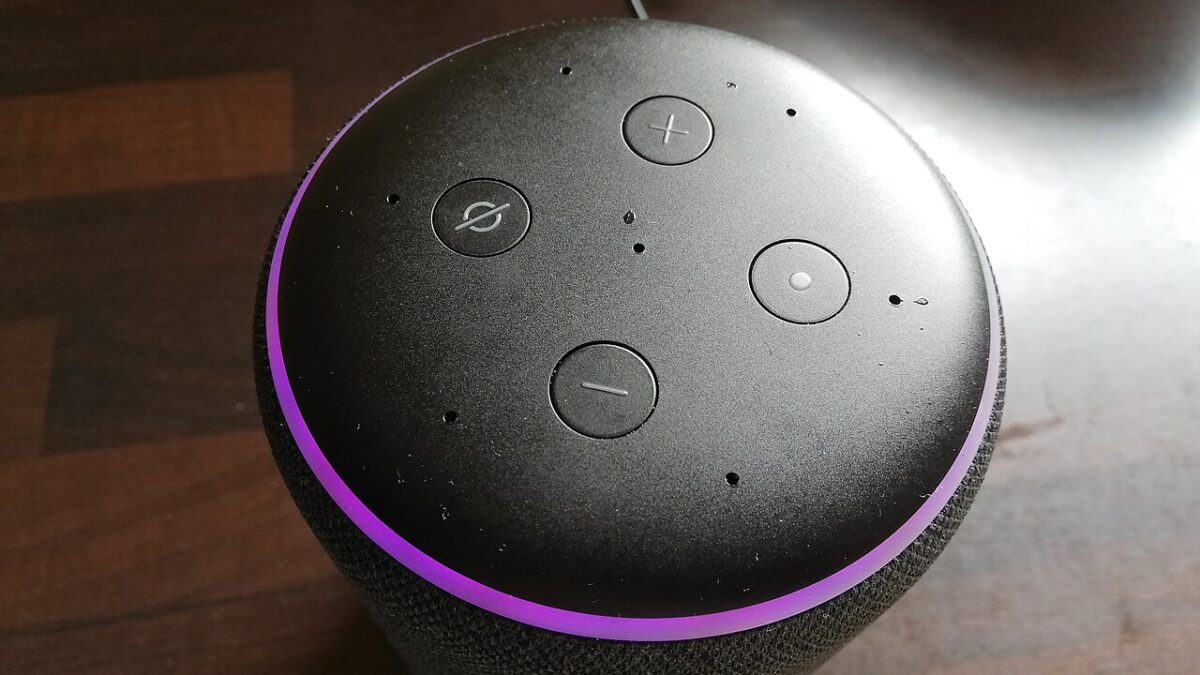
Begin with a smart speaker (your control center) and a few smart bulbs or a smart plug. These are cheap, install in minutes, and deliver an instant “wow” — lights and devices on a schedule or a voice command.
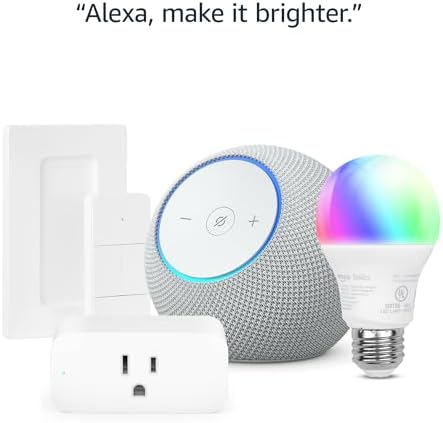
Concrete picks that have earned their reputation:
- Smart speaker: the Amazon Echo Dot (5th Gen) at around $50 — frequently discounted to half that — or the Google Nest Mini at a similar price. We took a close look at whether the Dot still earns its spot in our Echo Dot 5th Gen review.
- Smart plug: the TP-Link Kasa Smart Plug, usually around $10–$20 for a single unit and cheaper in multipacks. Plug in a lamp, a fan, or your coffee maker and it’s instantly voice-controlled and schedulable.
- Smart bulbs: Philips Hue is the gold standard if you want rock-solid reliability and color control; a starter kit runs around $100–$200. On a tighter budget, Wyze color bulbs get you most of the experience for around $10–$15 per bulb.
Why this trio first? Because each one solves a daily friction point you actually feel: walking into a dark room with full hands, forgetting to turn off a space heater, wanting the lights to fade on before your alarm. You’ll use them every single day, which is the real test of any smart home gear.
Step 3: add value, not clutter
Once the basics click, layer in what solves a real annoyance: a smart thermostat to cut energy bills, a video doorbell for security, or smart locks for keyless entry. Resist buying gadgets you won’t actually use.
A rough priority order, based on payoff per dollar:
- Smart thermostat. The Google Nest Thermostat (around $130) or the ecobee Smart Thermostat (around $170–$250) can trim heating and cooling costs noticeably — and HVAC is typically the biggest line on a home energy bill. Many U.S. utilities also offer rebates that cover a chunk of the price.
- Video doorbell. The Ring Video Doorbell (around $60–$100 for the battery model) tells you who’s at the door from anywhere and logs missed deliveries. Budget for a cloud storage subscription if you want recorded history rather than live view only.
- Smart lock. Keyless entry sounds like a luxury until the first time you let a family member in remotely or stop hiding a key under the mat. Look at the August Smart Lock line, which fits over most existing deadbolts so you keep your original keys.
Skip, at least for now: smart fridges, smart faucets, and anything that duplicates a feature your phone already does well. The graveyard of abandoned smart gadgets is filled with devices that were clever in the demo and pointless by week three.
The Matter shortcut
Look for the Matter logo. It’s the cross-brand standard that lets devices work across Alexa, Google, and Apple — future-proofing your setup and sparing you the “will this work with my system?” guessing game.
Matter matters (sorry) for two practical reasons. First, it means a bulb or plug you buy today keeps working even if you switch ecosystems in two years. Second, it lets mixed households coexist: your Android phone and your partner’s iPhone can both control the same Matter devices through their native apps. In 2026 the standard covers the essentials — lights, plugs, switches, thermostats, locks, sensors, and more — with device support growing every release cycle.
One related term you’ll see on boxes: Thread. It’s a low-power wireless network that many Matter devices use instead of Wi-Fi. Thread devices respond faster and don’t crowd your router — a real benefit, since dozens of Wi-Fi gadgets can drag down your network. If your evenings already suffer from congestion, our guide on why your Wi-Fi slows down at night explains what’s going on and how to fix it.
What a sensible first month costs
You don’t need to spend $1,000 to get a real smart home. A realistic starter budget looks like this:
- Smart speaker: around $50 (often $25 on sale)
- Two smart plugs: around $25
- Two to four smart bulbs: $30–$100 depending on brand
- Total: roughly $100–$175 for a setup you’ll use daily
Then live with it for a month before spending more. You’ll learn which automations you actually reach for — and that knowledge is worth more than any review when you plan the next purchase.
The one pitfall to avoid
Don’t mix too many apps. Half the frustration with smart homes comes from juggling five brand apps. Stick to Matter-compatible gear and one main hub, and it stays simple.
This is also the root cause of the classic complaint that a smart home doesn’t feel smart — ten devices, none of them coordinated, each living in its own silo. If that sounds familiar, we broke down the fix in the real reason your smart home doesn’t feel smart yet. The short version: automations, not voice commands, are where the magic lives. A light that turns on when you say so is a remote control; a light that turns on because the sun set and you’re home is a smart home.
Quick FAQ
Do I need a hub device, or is my phone enough?
For basic Wi-Fi plugs and bulbs, the app on your phone is enough. To use Matter and Thread devices properly, you’ll want a hub — and the good news is that most smart speakers and displays sold in the last couple of years, like the Echo Dot or a Nest Hub, already include that capability.
Will smart devices work when the internet is down?
Increasingly, yes. Matter and Thread devices run their core functions on your local network, so schedules and switches keep working during an outage. Cloud-dependent features like remote access and voice assistants still need a connection.
What about privacy?
Stick to established brands, set up two-factor authentication on your accounts, and keep device firmware updated. If privacy is your top concern, Apple Home has the most conservative data practices of the big three, and locally-processed devices are worth the small premium.
The takeaway
Pick one ecosystem, start with a speaker, a couple of plugs, and a few bulbs, and only expand where a device removes a genuine daily annoyance. Buy Matter-certified gear so nothing you purchase today locks you in tomorrow. That’s the whole playbook — everything else is just accessories.
Leave a Reply