Disclosure: DecodeGear may earn a commission from qualifying purchases made through links below, at no extra cost to you.
The moment you actually need dash cam footage — someone backs into your bumper in a parking lot, a driver runs a light and you need to prove it wasn’t you — is the worst possible time to discover your camera didn’t capture it clearly, or didn’t capture it at all. Most dash cam regret isn’t about the camera failing to record. It’s about buying the wrong spec for the situation you actually needed it for.
This guide skips the marketing checklist and focuses on the handful of specs that actually determine whether footage is useful when you need it: resolution, channel count, parking mode, and the storage card underneath all of it.
Resolution — Why 1080p Isn’t Always Enough
1080p dash cams are fine for establishing that something happened — a car changed lanes into you, a pedestrian stepped out. What 1080p often can’t do is resolve a license plate from more than about 10 feet away, which is precisely the detail that matters for a hit-and-run or an insurance dispute. That’s the real dividing line: 1440p or 4K isn’t about bragging-rights resolution, it’s about being able to read the plate, not just see that a car was there.
The tradeoff is file size and heat. Higher resolution means bigger files (which stresses the memory card, more on that below) and more processing heat in a device that already lives on your dashboard in direct sun. If your driving is mostly commuting on familiar roads, 1440p is a reasonable middle ground; if you’re logging footage for rideshare/delivery work where disputes are more common, spend the extra $20-30 for 4K front.
Single, Dual, or 3-Channel — What You’re Actually Buying
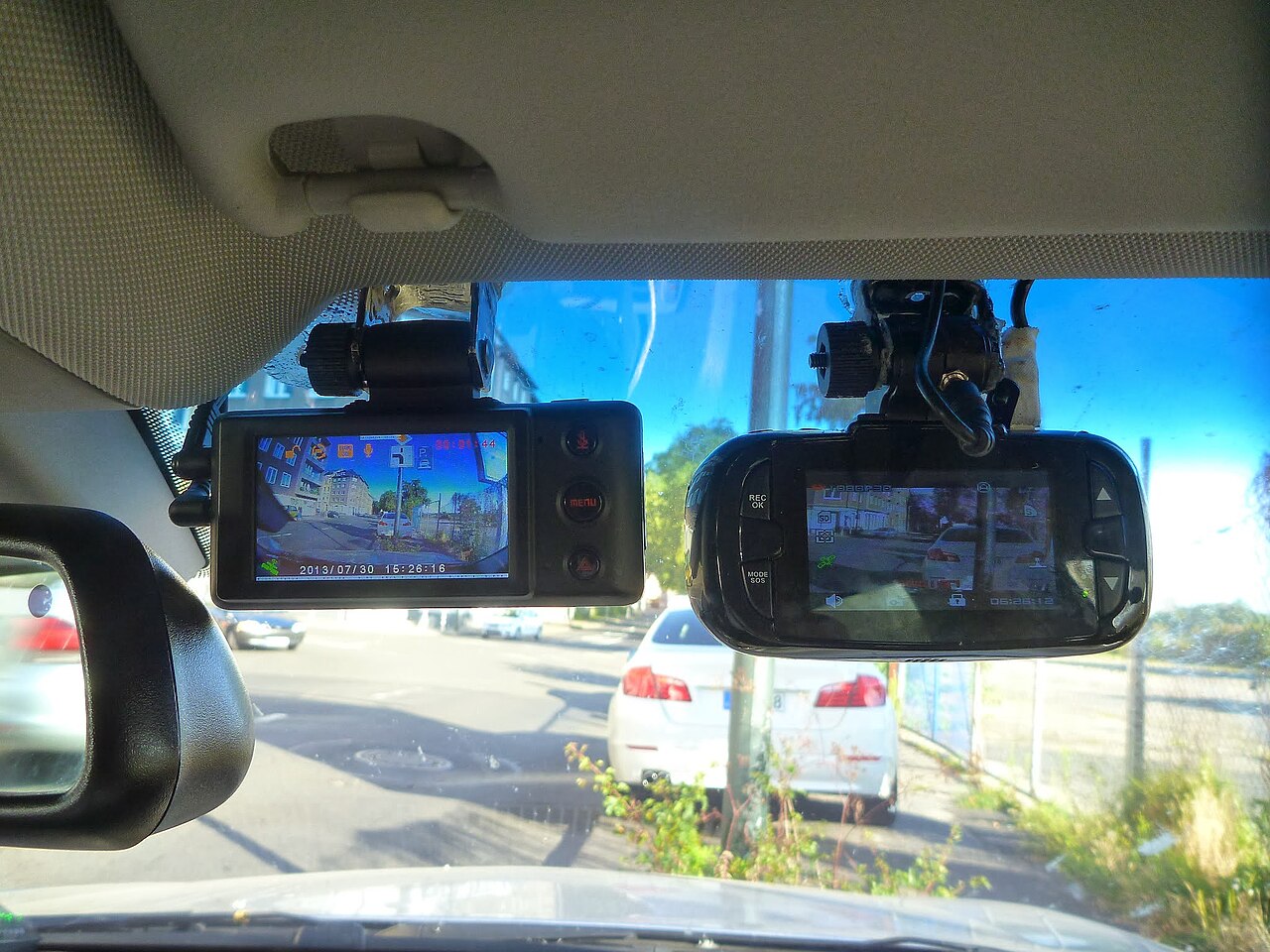
A single-channel dash cam only records what’s in front of the car. Dual-channel adds a rear camera — genuinely useful for rear-end collisions and for catching people who back into you in parking lots. 3-channel systems add a third camera facing the cabin, which matters far more for rideshare and delivery drivers (documenting passenger disputes) than for typical personal use.
Don’t default to the most channels “just in case.” Every additional camera is another cable to route, another lens to keep clean, and in cheaper systems, a resolution compromise — many 3-channel setups only run 1080p on the rear and cabin cameras even when the front is 4K. Match the channel count to a real scenario you actually face, not a hypothetical one.
Parking Mode Is the Feature Most Buyers Skip, Then Regret
Here’s the feature that separates a dash cam from a camera that happens to be mounted in a car: parking mode keeps the camera watching (in a low-power buffered state) while the engine is off, and starts recording in full when it detects an impact or motion nearby. Without it, a hit-and-run in a parking lot simply never gets captured — the camera was off the entire time.
Two implementations exist. Supercapacitor-based parking mode uses a small capacitor instead of a battery, which tolerates dashboard heat far better over years of use, but typically only buffers for a shorter window. Battery-based systems can watch longer but degrade with heat exposure the same way phone batteries do. Either way, parking mode usually requires a hardwire kit (more on that below) — it won’t work meaningfully on USB power from the car’s accessory socket alone.
microSD Cards Fail Quietly — the U3/V30 Detail That Matters
This is the failure mode nobody notices until they need footage that isn’t there. Dash cams write video continuously in a loop, overwriting old footage as the card fills — and that constant write cycle needs a card rated for sustained video, not just a high storage number. Look specifically for a **U3**, **V30**, or manufacturer “High Endurance” rating. A generic high-capacity card without one of these ratings can silently drop frames or fail to keep up with 4K bitrates, and you won’t find out until you pull footage after an incident and it’s corrupted or missing.
Budget for card replacement too — constant loop-recording writes wear out microSD cards faster than normal phone or camera use, and manufacturers generally recommend swapping the card every 6-12 months of daily driving.
Pro Tip: Hardwire Kit vs. Battery Pack
If parking mode matters to you — and for anything parked on a street or in a shared lot, it should — a hardwire kit is worth the extra $15-20 and 20 minutes of installation. It taps into your car’s fuse box at a low, safe voltage and includes a low-voltage cutoff so it doesn’t drain your car battery overnight. Battery-pack or capacitor-only setups without a hardwire kit generally can’t sustain parking mode for more than an hour or two, which defeats the purpose for overnight street parking.
The same power-tradeoff logic shows up elsewhere in car electronics — the same battery-vs-hardwire tradeoff comes up in our portable power bank guide, if you’re weighing similar always-on-power decisions for other devices.
Best budget single-channel pick:
VIOFO A119 Mini 2 — $129.99, 1440p/60fps, buffered 24h parking mode, compact hidden design.
Best 3-channel pick (front, rear, and cabin):
REDTIGER F17 — $149.98, 4K front + 1080p×2 rear/cabin, STARVIS 2 sensor, built-in GPS.
If it’s stationary coverage of your driveway or garage you actually want rather than something that rides in the car, our security camera picks solve a related but different problem. And the same “what resolution do I actually need” question comes up constantly in other camera categories — our superzoom camera buying framework covers the same resolution-vs-real-need tradeoff in more detail.
Frequently Asked Questions
Do I need 4K, or is 1440p enough?
1440p is enough for most personal driving. Go 4K if you need to reliably read license plates, or if you drive for rideshare/delivery where disputes are more common.
Is parking mode worth paying extra for?
Yes, if you ever park on the street or in shared lots — it’s the only way to capture hit-and-runs that happen while you’re not in the car.
What microSD card should I buy?
Look for a U3, V30, or “High Endurance” rating specifically — generic high-capacity cards can silently fail to keep up with continuous 4K recording.
Do I need a 3-channel dash cam?
Only if cabin footage matters to you — mainly rideshare/delivery drivers documenting passenger disputes. Most personal drivers are well served by front-only or front+rear.
Resolution, channel count, and parking mode are the three decisions that actually matter here — everything else on a spec sheet is secondary. Get those three right for how you actually drive and park, and the rest of the purchase takes care of itself.
Leave a Reply